8786
Chapter
3
Manual Flash i Mode
Fine light-output adjustment: F5, F90X/N90s, F90-
Series/N90 and F70-Series/N70 with AF Nikkor lens
(including the latest D-Type) or Nikkor lens having
a built-in CPU
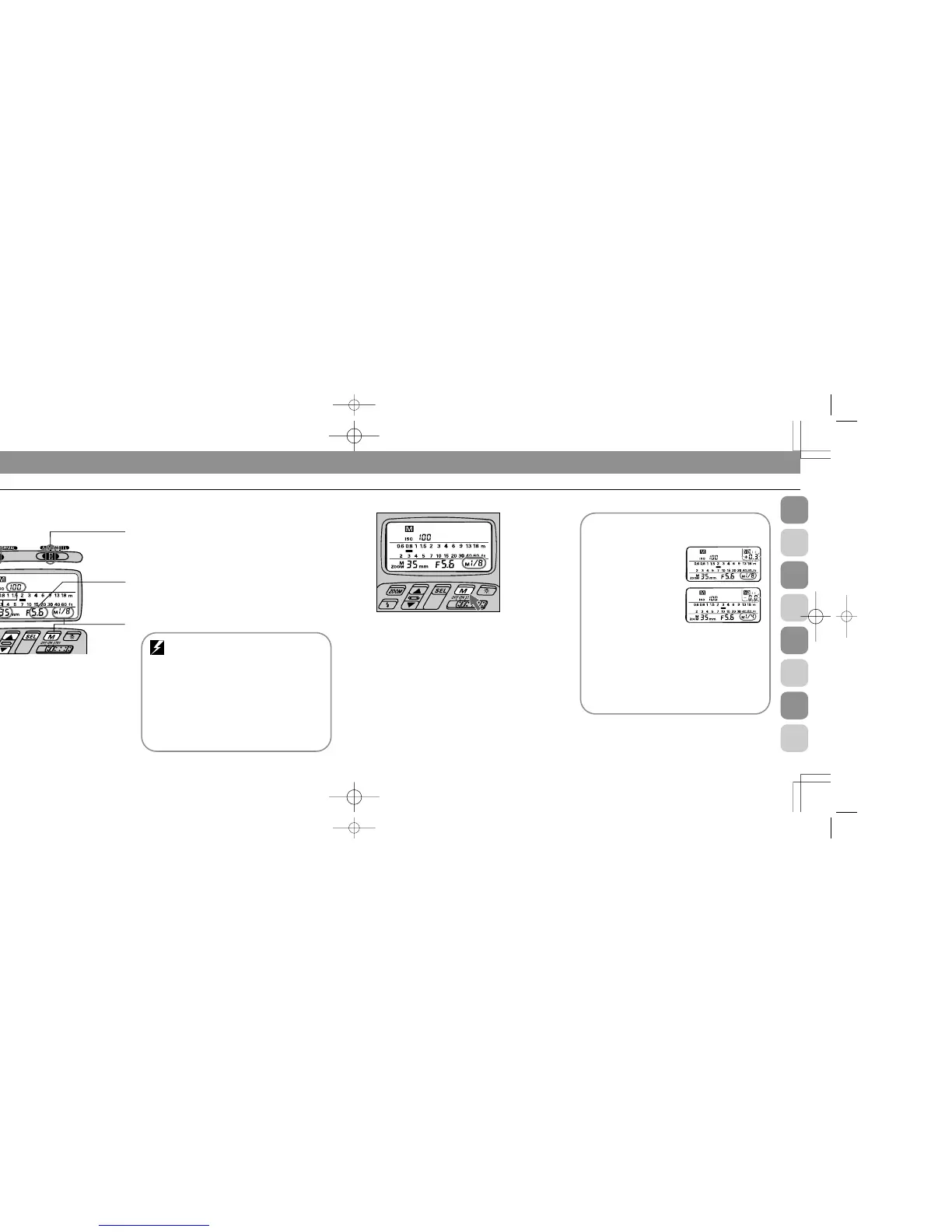
Additionally, you can manip-
ulate light output in finer
increments of ±1/3, as long
as light output is set
between ' and ;.
Press ◊ button and
confirm L appears in the
SB-26’s LCD panel. By
pressing ˛ button, you
can increase the light amount by +1/3 (blinking +0.3
below the L mark), by +2/3 (blinking +0.7), or by +1
(blinking 0.0).
To decrease, use Ç in the same manner; blinking
numbers change from _0.3 (by -1/3) to _0.7 (by -2/3) to
0.0 (by -1).
*At ', you cannot increase the light amount.
4
Press ı button to choose desired light output.
You can choose an amount ranging from full power (1/1) to
one sixty-fourth (1/64). LCD indications change as: - h -
' - " - j - k - l - ;-.
With the F5, F90X/N90s, F90-Series/N90 and F70-
Series/N70, indication 1, and then 2 will appear after ;.
At the same time, F appears next to D. This applies exclu-
sively to FP High-Speed Sync Flash and is discussed in the
following pages (see pages 98 to 103).
Set Up and Practice
1
Choose i position (flash mode selector). Confirm D
appears in the LCD panel.
2
Choose W position (flash sync mode selector*).
* q position is used for Rear-Curtain Sync Flash, and only with the F5,
F90X/N90s, F90-Series/N90, F70-Series/N70, F4-Series, F-801/N8008, and
F-801s/N8008s. For details, see page105.
3
Set ISO film speed and the built-in zoom head position.
For instructions, see “Setting ISO Film Speed (Manual
Adjustment),” pages 27 to 28, and “Setting Zoom-Head
Position (Manual Adjustment),” pages 29 to 30.
1 Flash mode selector
at Manual Flash
2 Flash sync mode
selector at NORMAL
3 ISO film
speed in
use and
zoom-head
position
6 Aperture
value
4 Flash out-
put level
Automatic ISO film speed/zoom-head position
adjustment: F5, F90X/N90s, F90-Series/N90,
F70-Series/N70, F4-Series, F-801/ N8008, or F-801s/
N8008s used with an AF Nikkor lens (including the lat-
est D-Type) or Nikkor lens having a built-in CPU
The film speed and zoom-head position in use are
automatically set and indicated in the SB-26’s LCD
panel.
For other lenses, set manually according to the
shooting situation. See “Setting ISO Film Speed
(Manual Adjustment),” pages 27 to 28, and “Setting
Zoom-Head Position (Manual Adjustment),” pages 29
to 30.
SB-26 (E) 03.1.14 7:16 PM Page 86














 To Next Page