C-3
En-03
C
Flash Modes
t Camera’s metering mode and i-TTL mode
When the camera’s metering mode is changed to spot metering while
i-TTL balanced fill-flash is in use, the i-TTL mode automatically changes to
the standard i-TTL mode.
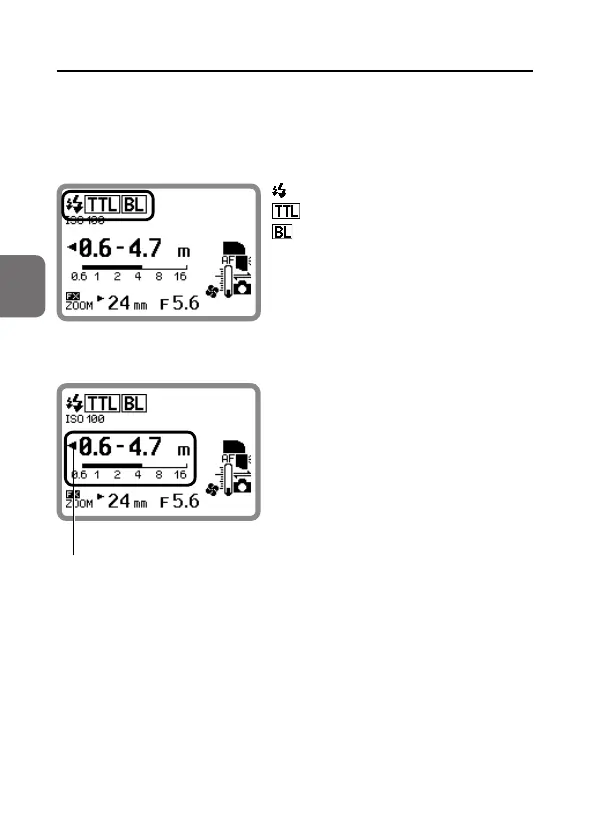
i-TTL mode LCD example
: Monitor pre-flashes
: i-TTL
: Balanced fill-flash
Effective flash output distance range in i-TTL mode
This icon means that the flash
output cannot be effectively
adjusted for a shorter distance.
The effective flash output distance
range is indicated by numbers and a bar
chart on the LCD.
• The actual flash-to-subject distance
should be within the range displayed.
• The range varies depending on
the camera’s image area setting,
illumination pattern, ISO sensitivity,
zoom head position and aperture.



 To Next Page