EasyManua.ls Logo

Nikon SB-800 - User Manual

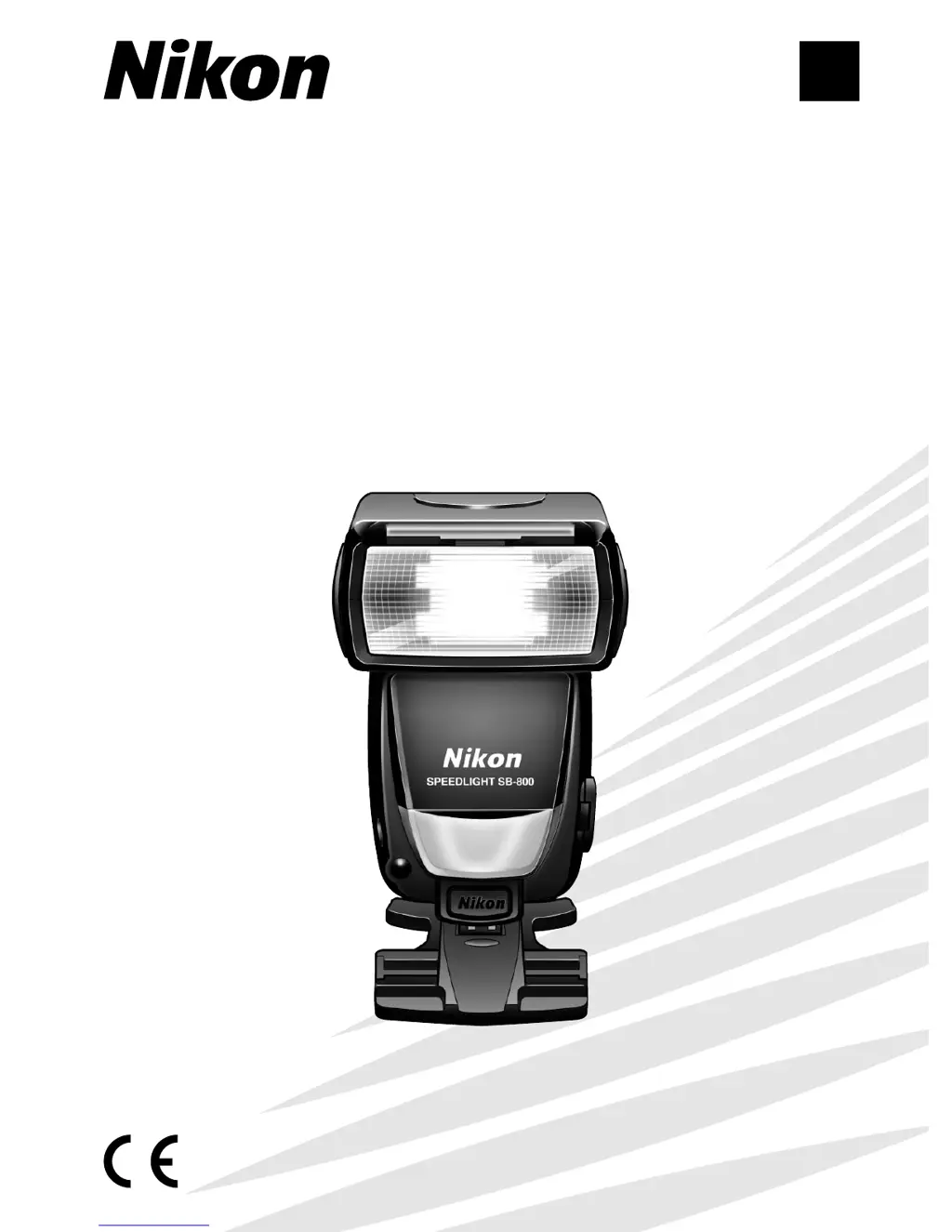
Nikon SB-800
132 pages
Print Icon
To Next Page IconTo Next Page
Loading...
En
Printed in Japan
TT4I02500801 (S033) 11
8MSA0611-A
No reproduction in any form of this manual, in
whole or in part (except for brief quotation in critical
articles or reviews), may be made without written
authorization from NIKON CORPORATION.
SB-800 (En)
SB-800
Autofocus Speedlight
Instruction Manual

Table of Contents

Other manuals for Nikon SB-800

Questions and Answers

  • R
    robertshafferAug 14, 2025
    Why Nikon Camera Flash SB-800 does not fire?
    • J
      Jason OliverAug 15, 2025
      If your Nikon Camera Flash SB-800 doesn't fire, it might be because the canceling flash firing setting is activated in the Custom settings mode. To resolve this, deactivate the canceling flash firing setting.
  • J
    julie29Aug 17, 2025
    What to do if ready-light does not light up on Nikon Camera Flash?
    • W
      William BarrettAug 18, 2025
      If the ready-light on your Nikon Camera Flash doesn't light up, there are a couple of potential reasons: * The battery power might be weak, in which case you should replace the batteries. * The standby function might be activated. If so, disable the standby function.
  • N
    nicole03Aug 21, 2025
    Why Nikon Camera Flash SB-800 control buttons do not work?
    • J
      James RuizAug 21, 2025
      If the control buttons on your Nikon Camera Flash SB-800 don't work, it's possible that the control buttons are locked. Unlock the control buttons to resolve this issue.
  • K
    Karen KelleyAug 25, 2025
    What to do if Nikon SB-800 zoom-head position cannot be adjusted?
    • A
      Amanda DavisAug 25, 2025
      If the zoom-head position on your Nikon Camera Flash cannot be adjusted to other than 14mm or 17mm, it could be because the built-in wide-flash adapter is in use, or the Nikon Diffusion Dome is attached. Remove the built-in wide-flash adapter or the Nikon Diffusion Dome.
  • D
    David WilsonAug 27, 2025
    How to fix Nikon SB-800 Camera Flash shooting distance range not appearing?
    • T
      Tracy JenningsAug 27, 2025
      If the flash shooting distance range does not appear on your Nikon Camera Flash, the flash head might be adjusted to a position other than the horizontal/front or down -7? position. Adjust the flash head to the correct position.
  • J
    Jonathan RobertsonAug 31, 2025
    What to do if Nikon Camera Flash power turns off automatically?
    • D
      Dennis JonesAug 31, 2025
      If your Nikon Camera Flash power turns off automatically, the batteries may be extremely exhausted. Try replacing the batteries.
  • C
    Christina JonesSep 3, 2025
    How to fix Nikon SB-800 not turning on?
    • V
      vasquezangelaSep 3, 2025
      If your Nikon Camera Flash isn't turning on, it might be due to the batteries not being installed correctly. Check that the batteries are installed correctly.
  • T
    Tanner MartinezSep 6, 2025
    Why there is no D, or o indicator in TTL auto flash mode on Nikon SB-800 Camera Flash?
    • C
      Courtney CordovaSep 6, 2025
      If no D, or o indicator appears in TTL auto flash mode on your Nikon Camera Flash, the camera’s exposure mode or metering system is not correctly set, or a non-CPU lens is mounted. Correct the camera’s exposure mode or metering system.
  • L
    livingstonscottSep 10, 2025
    Why Nikon Camera Flash SB-800 makes a strange sound when turned off?
    • J
      James NguyenSep 12, 2025
      If your Nikon Camera Flash SB-800 makes a strange sound caused by the flash head zooming back and forth even when it's turned off, the batteries are likely extremely exhausted. Replace the batteries.

Summary

For your safety

WARNINGS for Speedlights

General safety warnings for speedlight operation and handling.

CAUTIONS for Speedlights

Precautions for speedlight usage, covering handling and cleaning.

WARNINGS for Batteries

CAUTION for Batteries

Safety precautions for handling and using batteries, including charging and disposal.

Preparation

Foreword

Introduction to the manual, features, and learning resources.

Nikon Creative Lighting System

Explanation of the Nikon Creative Lighting System (CLS) capabilities.

Notes, Marks, and Supplied Accessories

Definitions, symbols, and included items.

Tips on using the Speedlight

Recommendations for optimal use and regular maintenance of the Speedlight.

Camera groups and available flash modes

Categorization of cameras and their compatibility with flash modes.

Speedlight parts and their functions

Identification and description of the SB-800's physical components and their roles.

Control buttons

Explanation of the function and operation of each control button on the SB-800.

Icons on the LCD panel

Visual indicators and their meanings displayed on the SB-800's LCD screen.

Lenses

Classification of Nikkor lenses and their basic types.

Basic operation

Installing the batteries

Step-by-step guide for inserting batteries into the SB-800.

Test firing (Confirming the exposure)

Procedure for performing a test flash to check exposure settings.

Standby function to conserve battery power

Explanation of the automatic power-off feature to save battery life.

Attach the SB-800 to the camera and adjust the flash head

Instructions for mounting the flash on the camera and positioning the head.

Setting the ISO sensitivity

How to set or confirm the ISO sensitivity for optimal flash performance.

Adjust the zoom-head position

Guide to manually or automatically adjusting the flash head's zoom position.

Setting the camera’s exposure mode and metering system

How to configure camera settings for flash photography.

Setting the SB-800’s flash mode

How to select different flash modes like TTL, Auto Aperture, and Manual.

Compose the picture and shoot with flash

Final steps for taking a photograph using flash.

Using the SB-800 with the COOLPIX

Specific instructions for using the SB-800 with Nikon COOLPIX cameras.

Detailed operation

SB-800’s available flash modes

Overview of the various flash modes supported by the SB-800.

TTL auto flash mode

Detailed explanation of the TTL auto flash operation and indicators.

Non-TTL auto flash mode

Information on Non-TTL auto flash modes like Auto Aperture.

Manual mode

Instructions for using Manual, Distance-priority, and Repeating flash modes.

Checking the correct exposure before shooting

Methods for verifying correct flash exposure using test firing.

Other functions

Exposure compensation and flash output level

Techniques for adjusting flash exposure and output for desired results.

Slow-sync flash, Red-eye reduction, and Rear-curtain sync

Explains sync modes, red-eye reduction, and rear-curtain sync features.

Auto FP High-Speed Sync mode

How to achieve high-speed flash synchronization with compatible cameras.

Flash Value Lock (FV Lock)

Method for locking flash exposure values for consistent results.

Autofocus flash operation in dim light

Using the AF-assist illuminator for focusing in low-light conditions.

Using the Quick Recycling Battery Pack SD-800

Instructions for attaching and using the external battery pack.

Checking the illumination before actually taking the picture (Modeling illuminator)

Using the modeling illuminator to preview lighting effects.

Custom functions

How to set, activate, or cancel various operations via custom settings.

Advanced operations

Overview of multiple flash operation

Introduction to multiple flash photography techniques.

Wireless multiple flash shooting

Setting up and using the SB-800 in wireless multiple flash configurations.

Flash shooting in Advanced Wireless Lighting

Detailed guide to Advanced Wireless Lighting setup and operation.

SU-4 type wireless multiple flash shooting

Instructions for performing SU-4 type wireless multiple flash photography.

Confirming wireless multiple flash operation using the ready-light or the beeping sound

Methods to verify the success of wireless multiple flash operations.

Multiple flash shooting using cords

Procedures for setting up multiple flash units connected via cords.

System chart for TTL multiple flash shooting using cords

Diagram illustrating TTL multiple flash connections with various flash units.

Flash shooting with digital SLRs cameras using colored gel filters

Using colored gel filters with digital cameras for creative lighting effects.

Bounce flash operation

Setting the aperture

How to adjust aperture for bounce flash to compensate for light loss.

Setting the flash head

Guide to tilting and rotating the flash head for optimal bounce effects.

Using the built-in bounce card

Utilizing the bounce card for eye highlights in bounce flash.

Shooting with the Nikon Diffusion Dome

Using the diffusion dome for softer light and fewer shadows.

Close-up flash operation

Using colored gel filters

How to attach and use colored gels for creative effects.

Setting the built-in wide-flash adapter and adjusting the zoom-head position

Steps for using the wide-flash adapter and setting zoom for close-ups.

Setting the aperture

Calculating the correct aperture for close-up shots with the wide-flash adapter.

When shooting subjects closer than 0.6 m (2 ft.)

Techniques for illuminating very close subjects using off-camera flash.

Reference information

Optional accessories

List and description of optional accessories for the SB-800.

Notes on batteries

Important information and precautions regarding battery usage and types.

Troubleshooting

Solutions for common problems encountered with the SB-800.

About the LCD panel

Characteristics and settings related to the SB-800's LCD display.

Specifications

Technical specifications and performance data for the SB-800.

Coverage, Bounce, Power, and Battery Performance

Coverage angles, bounce features, power, and battery performance details.

Nikon SB-800 Specifications

General IconGeneral
Product colorBlack
Focal length range24 - 105 mm
Approx. number of flashes150
Approximate recycling time- s
Guide number (ISO 100, set at 35mm zoom)38 m
Battery typeAA
Number of batteries supported4
Weight and Dimensions IconWeight and Dimensions
Depth91.7 mm
Width70.6 mm
Height127.4 mm
Weight350 g

Related product manuals