97
colored gel filters
■
■
■
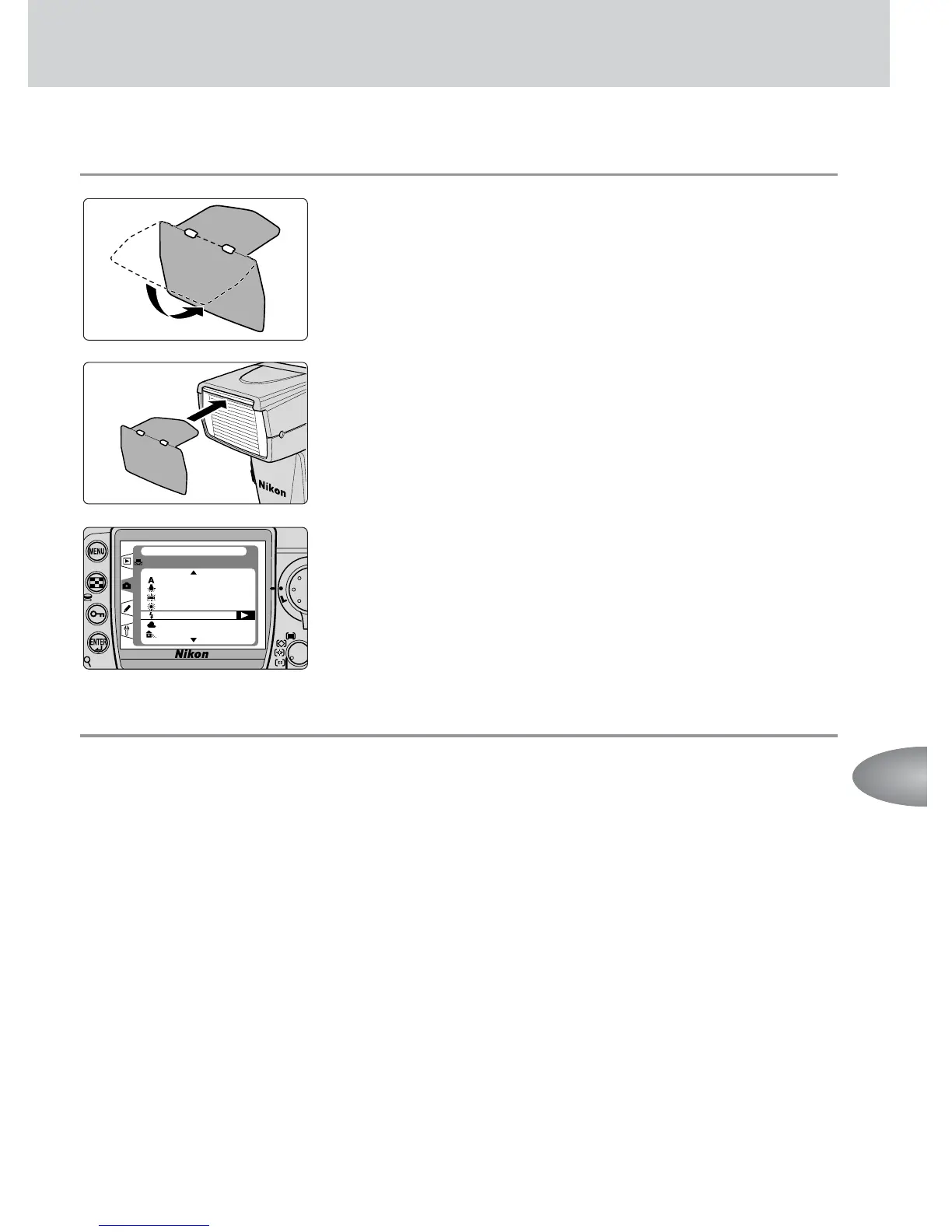
How to use colored gels
1
Fold the colored gel filter securely on the line.
2
Insert the colored gel filter between the wide-flash
adapter and the flash head.
3
Adjust the white balance setting on your digital
camera, then shoot.
u Optional Colored Gel Filter Set SJ-1
The optional Colored Gel Filter Set SJ-1 contains a total of 20 filters in 8 models
of colored gels for balancing the color of light or adding specific colors to the
scene using a Speedlight (p. 112).
• FL-G1 (for fluorescent light) • FL-G2 (for fluorescent light)
• TN-A1 (for incandescent/tungsten light) • TN-A2 (for incandescent/tungsten light)
• BLUE • YELLOW • RED • AMBER
•With the last four filters, adjust your digital camera’s white balance (if available) to
“Flash” for the most effective results.


 To Next Page