20
1
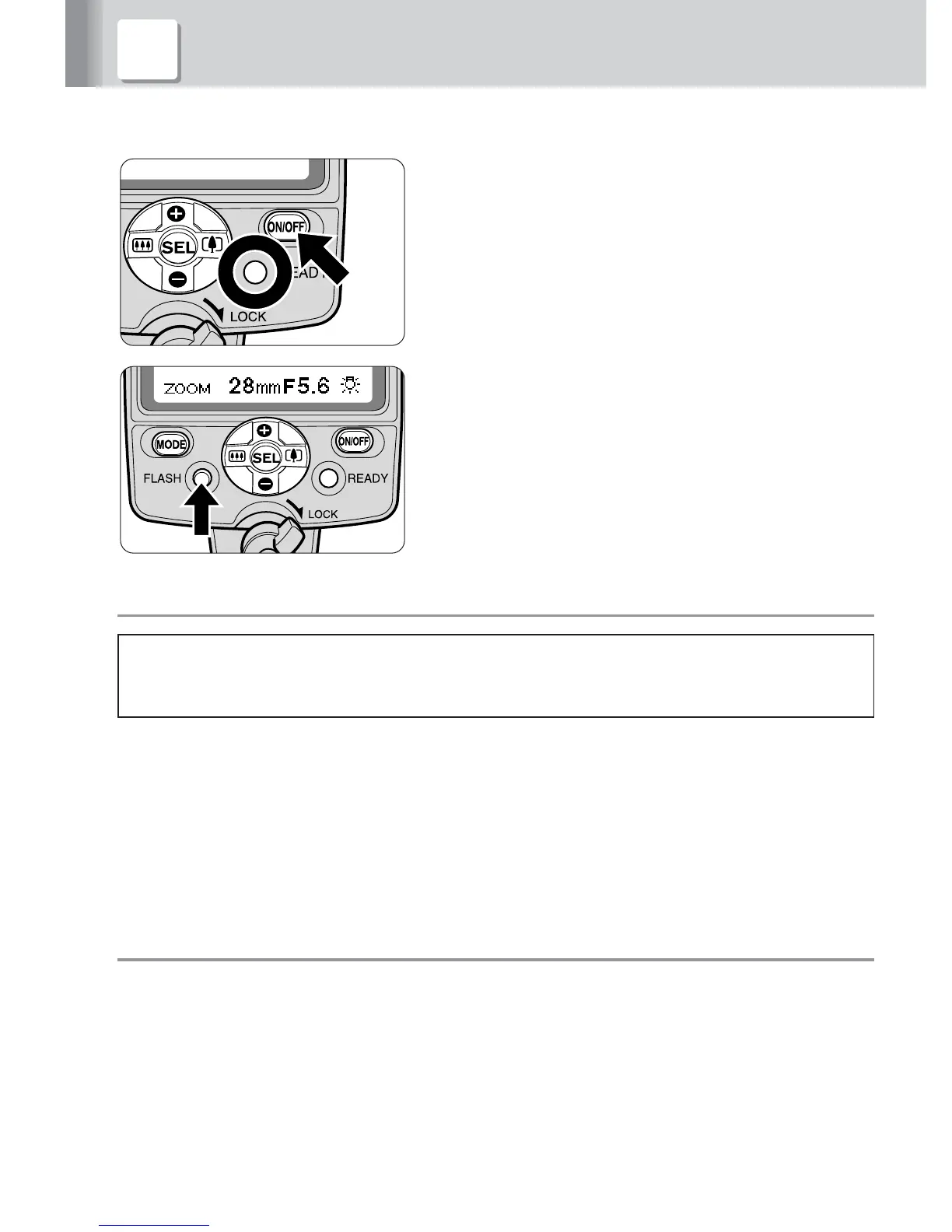
Press the b button for approx. 0.3 sec.
to turn on the SB-800. Make sure the
ready-light comes on.
2
Press the FLASH button to test fire the
flash.
■
■
■
Test firing
CAUTION!
When test firing the Speedlight, never position your eyes close to the
flash head.
• The SB-800 fires at specified output in the Manual flash mode or at approx.
1/16 output in the TTL auto flash mode.
• In Auto Aperture/Non-TTL auto flash operations, the SB-800 fires at a flash
output controlled by the ISO sensitivity, aperture, and zoom-head position.
• In Auto Aperture/Non-TTL auto flash operations, you can check the amount of
insufficient flash output by pressing the FLASH button before taking the
actual picture (p. 52).
■
■
■
b button
Pressing the b button for approx. 0.3 sec. turns the SB-800 on and the
indications appear on the LCD panel. Pressing the button again turns the
SB-800 off and the indications disappear.
2 Test firing (Confirming the exposure)



 To Next Page