52
Checking the correct exposure before shooting
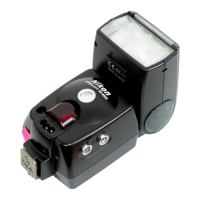
You can determine whether the subject will receive the correct exposure by
test firing the SB-800 before actually taking the picture in TTL auto flash, Auto
Aperture, and Non-TTL auto flash operations.
• In manual flash mode, checking the correct exposure cannot be performed by
test firing.
■
■
■
TTL auto flash mode
Press the SB-800’s a button until B (Auto Aperture flash) or A (Non-
TTL auto flash) appears on the LCD panel. Set the same aperture on the
SB-800 as set in the TTL auto flash mode. Press the shutter release button
slightly, then press the FLASH button to fire the flash. If the ready-light blinks
after firing, this indicates the light may have been insufficient for correct
exposure. In this case, set a wider aperture on the camera or lens, or move
closer to the subject.
■
■
■
Auto Aperture flash
Make the necessary settings on the SB-800 and camera, press the shutter
release button slightly, then press the FLASH button to fire the flash. If the
ready-light blinks after firing, this indicates the light may have been insufficient
for correct exposure. In this case, set a wider aperture on the camera or lens,
or move closer to the subject.
■
■
■
Non-TTL auto flash
Make the necessary settings on the SB-800 and camera, then press the
FLASH button to fire the flash. If the ready-light blinks after firing, this indicates
the light may have been insufficient for correct exposure. In this case, set a
wider aperture on the camera or lens, or move closer to the subject.



 To Next Page