22
1
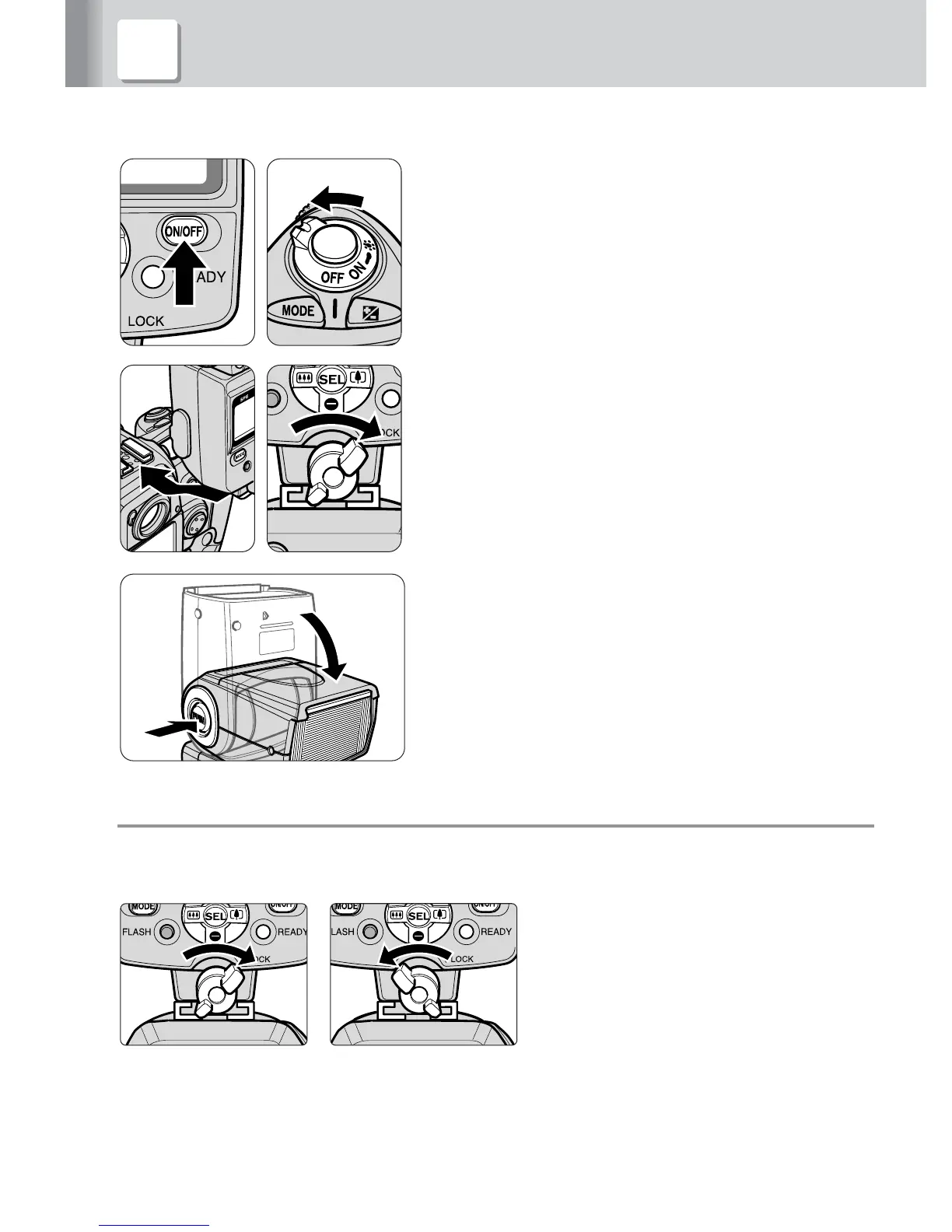
Make sure the SB-800 and the camera
body are turned off.
2
Rotate the mounting foot lock lever to the
left, slide the SB-800’s mounting foot into
the camera’s accessory shoe and turn the
lock lever to the right.
3
Hold down the flash head tilting/rotating
lock release button to adjust the flash
head to the horizontal/front position.
v Turn the mounting foot lock lever securely until it stops
To lock the Speedlight in place, turn the lock lever approx. 90° clockwise until it
stops. To unlock, turn the lever counterclockwise until it stops.
Lock Unlock



 To Next Page