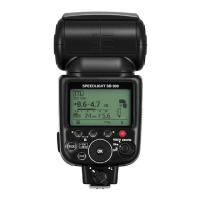
21
t Standby function to conserve battery power
If the SB-800 and the camera are not used for more than a specified time, the
standby function activates and automatically turns the SB-800 off to conserve
battery power (it goes into the standby mode).
• In the standby mode, the R indicator appears on the LCD panel.
• When in the standby mode, the SB-800 turns back on again when the SB-800’s b or
FLASH button is pressed, or the shutter release button is lightly pressed (when using a
camera body that is compatible with TTL auto flash) (p. 8).
• In the Wireless flash mode, the standby function activates in approx. 40 seconds
(default setting) when the SB-800 is used as the master flash unit. However, the standby
function does not work regardless of the SB-800’s setting when the Speedlight is used
as a remote flash unit (p. 73).
• If the ready-light does not come on in approx. 60 seconds after turning the power on or
after the flash has fired, the SB-800 enters the standby mode regardless of the SB-800’s
setting.
•To avoid accidental firing or a malfunction when carrying the SB-800 in your camera
bag, press the b button to turn the flash unit off and make sure the R indicator
disappears.
Adjusting the time before the SB-800 goes into the standby mode
Adjust this duration using Custom settings (p. 67).
Basic operation


 To Next Page