46
Manual mode
Manual G flash
In Manual flash photography, you select the aperture and flash output level.
In this way, you can control the exposure and flash shooting distance when
shooting subjects where the correct exposure is difficult to obtain in the TTL or
Non-TTL auto flash mode. The flash output level can be set from M1/1 (full
output) to M1/128 to match your creative preferences.
1
Set the camera’s exposure mode to Aperture-
Priority Auto (A) or Manual (M).
2
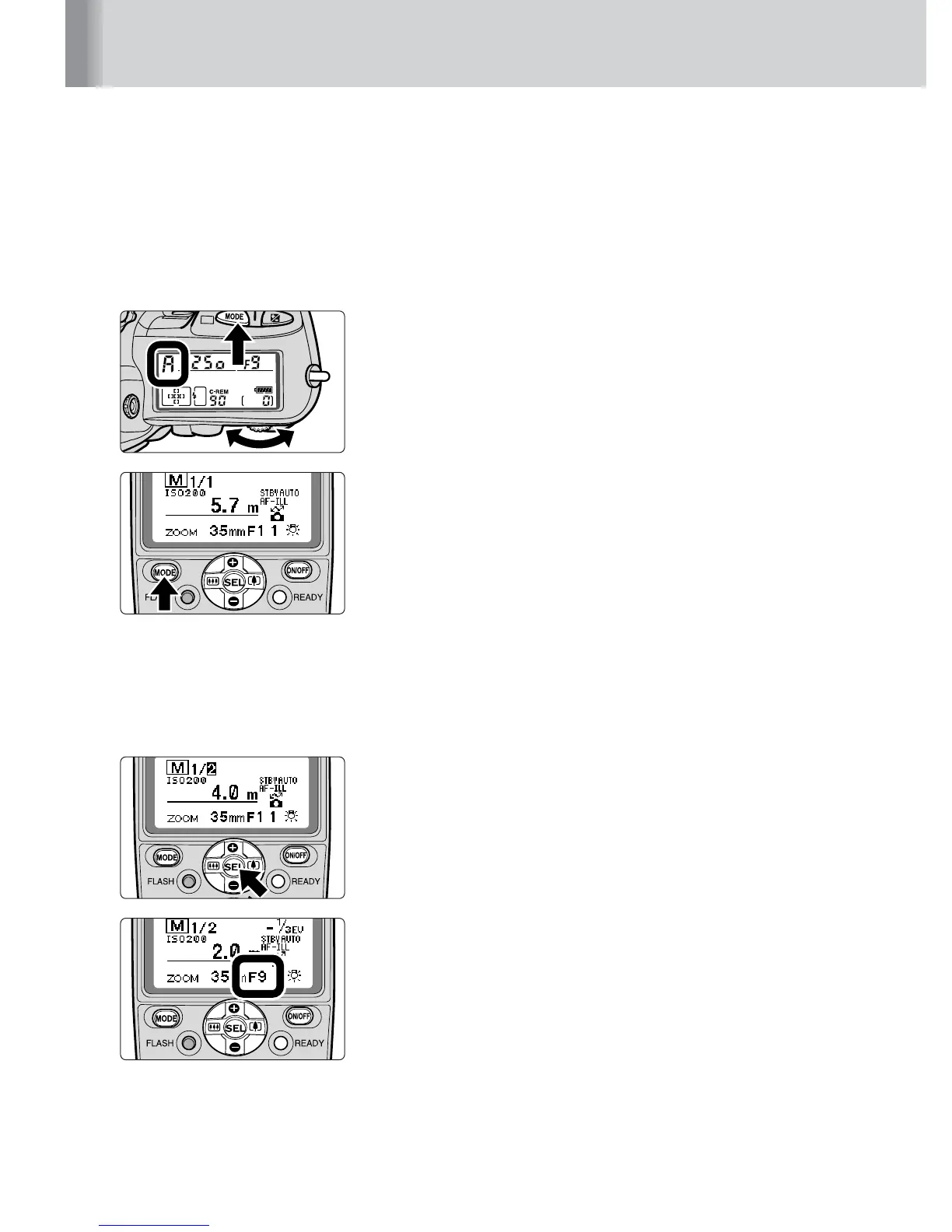
Press the a button until G appears on
the LCD panel.
3
Determine the flash output level and aperture to
match the flash shooting distance.
• For details on determining the flash output level and
the aperture, refer to “Determining the aperture and
flash output level in the Manual mode” (p. 42).
4
Press the g button to highlight the flash output
level display, then press the e or f button to
increase or decrease the values.
• Refer to “Setting the flash output level” (p. 47).
5
Set the aperture.
• For cameras compatible with CLS, digital SLRs not
compatible with CLS, cameras in Groups I and II with
CPU lenses and COOLPIX cameras compatible with
i-TTL, set the SB-800’s aperture on the camera. You
cannot set the aperture on the SB-800 directly.
• For other camera/lens combinations, press the
g button to highlight the aperture display, then press
the e or f button to increase or decrease the
aperture value.
• If the ISO sensitivity is correctly set, the flash shooting
distance appears on the LCD panel, matching the
flash output level and aperture as set.



 To Next Page