B-22
B
Operation
En-03
Menu Items and Settings
Various operations for the SB-5000 can be easily set using the LCD.
• Displayed icons vary according to the combination of camera and status
of the SB-5000.
• Depending on functions in use, some menu items and settings do not
function even though they can be configured and set (for example, flash
mode deselection in remote mode). Such items are indicated with grid
marks on both sides.
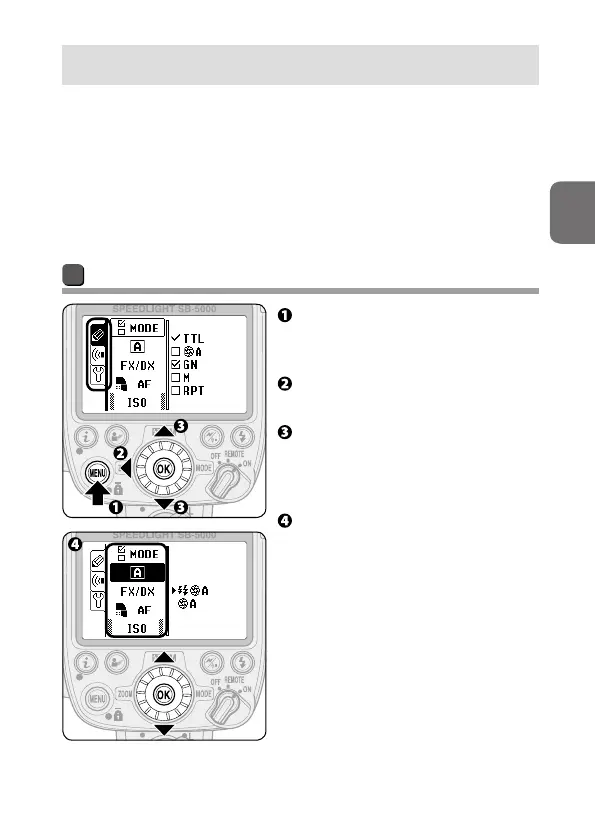
Menu settings
Press the MENU button to
display the menu settings
screen.
Press the rotary multi selector
4 to highlight the menu tabs.
Press the rotary multi selector
1 3 to highlight the menu tab
to be configured, and then press
the OK button.
Press the rotary multi selector
1 3 to highlight the menu item
to be configured, and then press
the OK button.
• Press the rotary multi selector
4 to return display to menu tab
selection.



 To Next Page