B-9
B
Operation
En-03
Menu
With menu, items to be configured can be selected.
Using menu
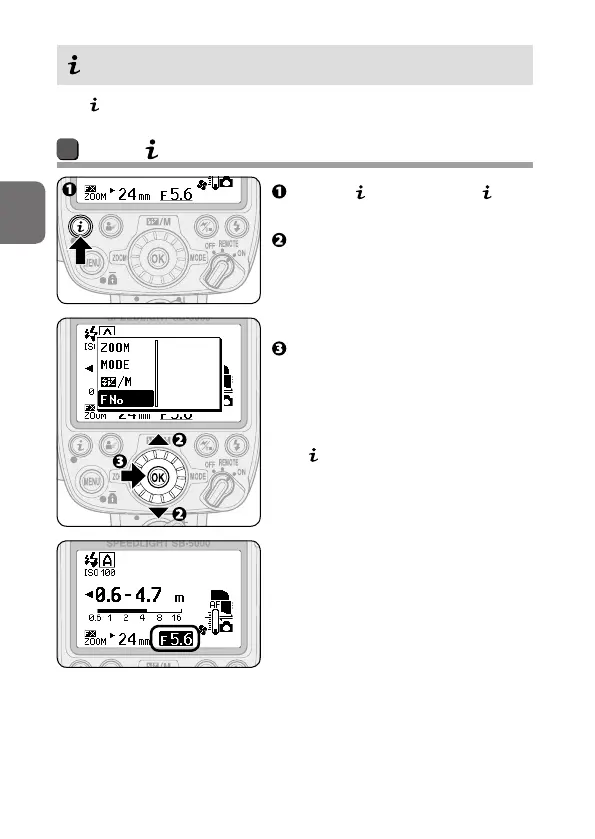
Press the button to display
menu.
Press the rotary multi selector
13 to highlight the item to be
configured.
• Alternatively, rotate the rotary
multi selector to select items.
Press the OK button to confirm
the selection.
• Alternatively, press the rotary
multi selector 2 to confirm the
selection.
•
menu is closed and the selected
item is highlighted. Use the rotary
multi selector to change settings
(0B-6).



 To Next Page