E-4
E
Functions
En-03
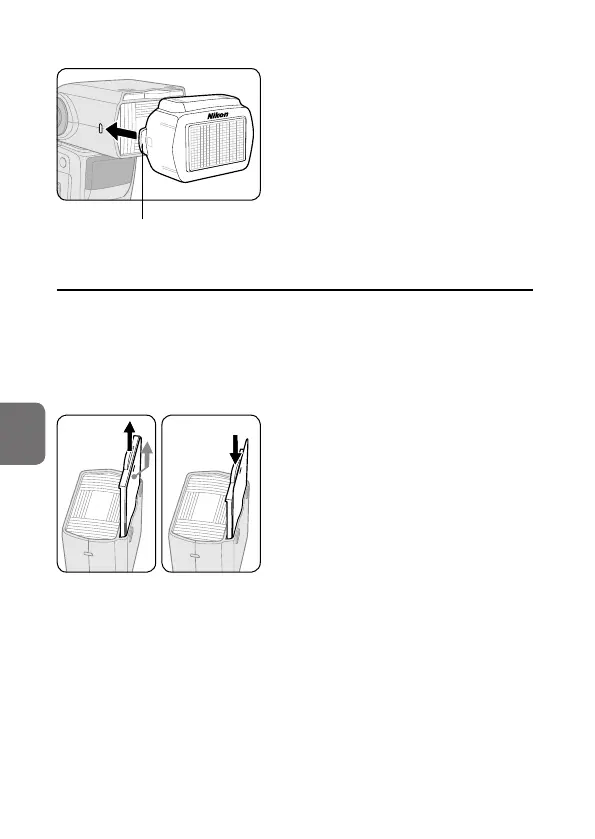
Attaching the Nikon Diffusion Dome
Detaching knob
Attach the Nikon Diffusion Dome as
shown in the diagram, with the Nikon
logo facing up.
• Detach the Nikon Diffusion Dome
while pulling the detaching knob
outward.
t Using the built-in bounce card
• In bounce flash photography, use the SB-5000’s built-in bounce card to
make a portrait subject’s eyes look more vibrant by reflecting the light
in them.
• Tilt the flash head up 90°.
Setting the built-in bounce card
Pull out the bounce card and the
built-in wide panel and, while holding
the bounce card, slide the built-in wide
panel back into place inside the flash
head.
• Pull out the bounce card until it stops
in the locked position.
• To insert the bounce card, pull out the
built-in wide panel again and slide
both back into place together.



 To Next Page