- 18 -
4.3 Positioning Media
Insert or position media as described in your scanner’s
hardware manual.
4.4 Ejecting Film (film scanners only)
To eject film, click the button shown below (this button is not
displayed when an AX-110 or AX-210 flatbed scanner is
selected). If you are using the optional SF-100 Auto Slide
Feeder with the LS-1000, clicking this button will eject the
current slide and set the next one.
Note: With the LS-4500AF, you can also eject the film by pressing
the scanner’s Eject button.
After the film eject button has been clicked, a prescan operation
will be carried out automatically.
4.5 Choosing the Media Type
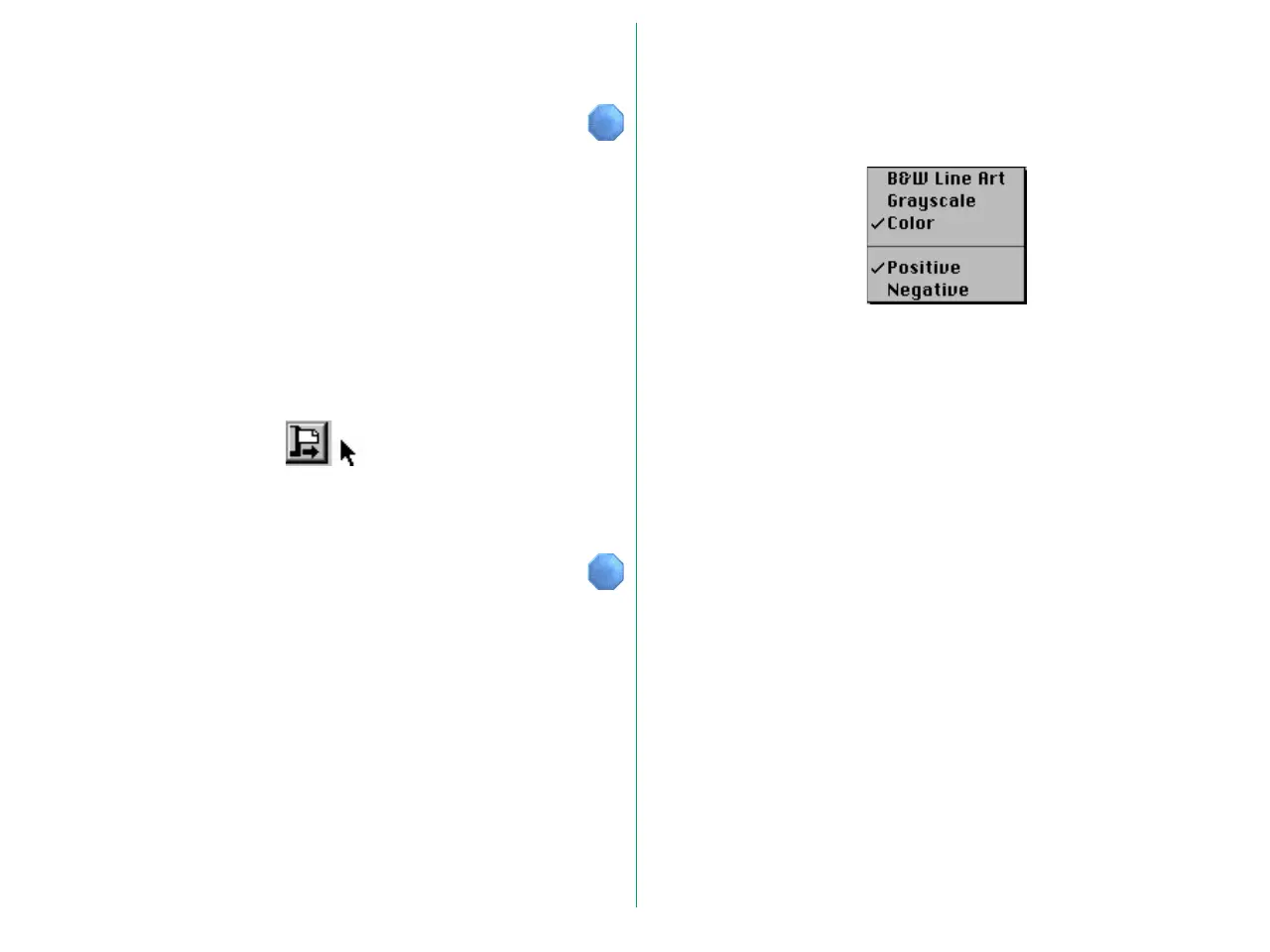
Media Type Selection
Choose the type of media to be scanned.
Note: The above menu may differ depending on the scanner and
options used. Please see the appendix appropriate to the scanner
you are using.
Choose one of the following from the upper part of the Media
Type menu.
B&W Line Art: To scan black and white binary images
Grayscale: To scan grayscale images
Color: To scan color images
Choose one of the following from the lower part of the Media
Type menu.
Positive: To scan positive images
Negative: To scan negative images















 To Next Page