- 45 -
7.2 Deleting Settings
You can delete saved settings using Delete Settings function.
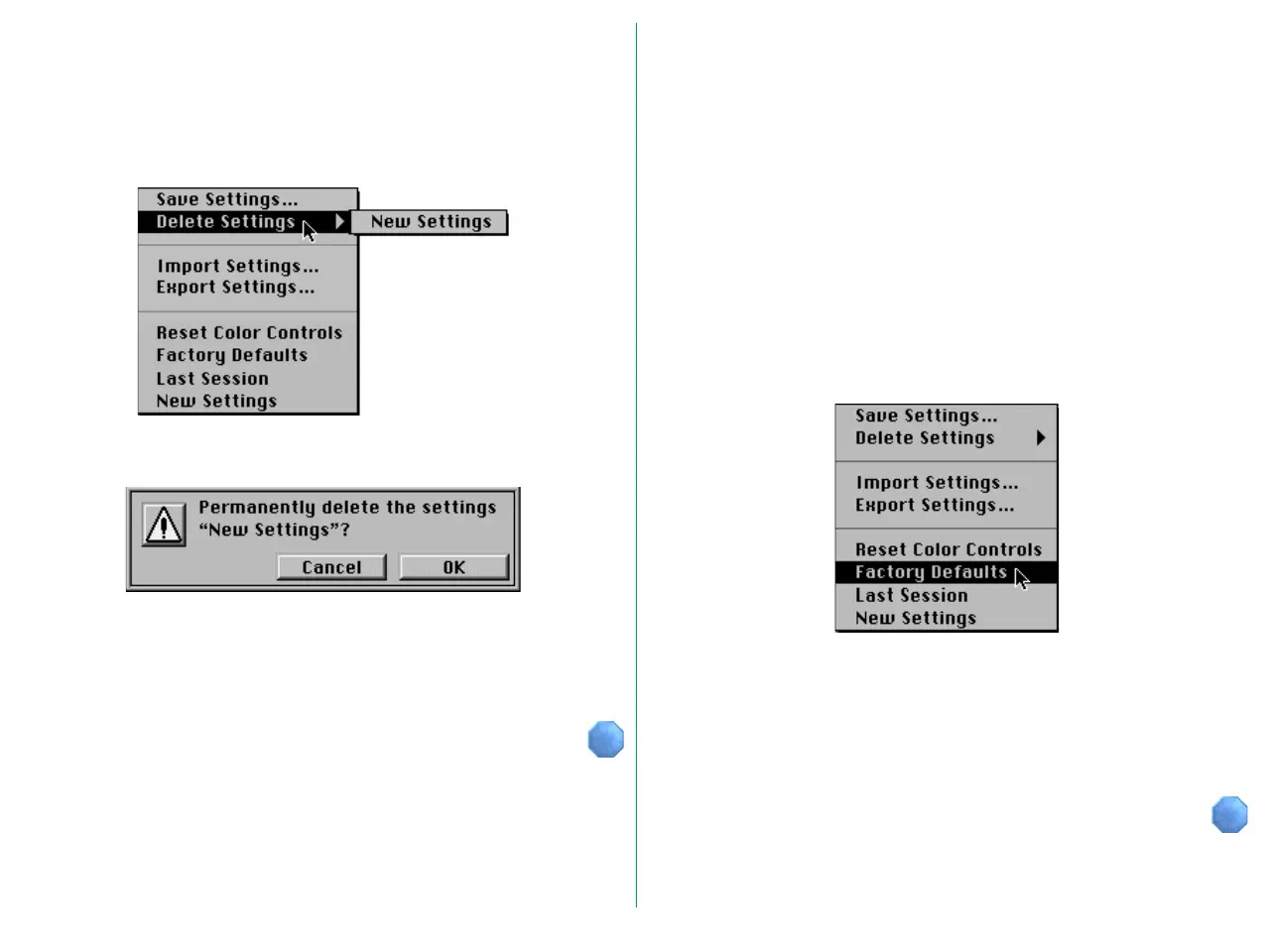
When Delete Settings is chosen from the Settings menu, a
submenu appears to let you specify the name to be deleted.
When you select a name, the following dialog box appears.
To delete the settings, click the OK button.
When the settings are deleted, the name displayed at the end
of the Settings menu is also deleted.
7.3 Recalling Settings
Settings saved in the System folder include factory default
settings and last session settings as well as user settings.
Factory Defaults settings are made when the product is
shipped, and cannot be changed or deleted.
Last Session settings are saved automatically when you exit the
plug-in by clicking the Scan button. Last Session settings cannot
be deleted.
You can recall Factory Default settings, Last Session settings, or
settings saved using the Save Settings… function. These are
displayed at the end of the Settings menu.
When you choose the settings to be recalled, those settings are
immediately loaded into the Main dialog box.
Note: Last Session will not be displayed on the first use after
installation.















 To Next Page