- 8 -
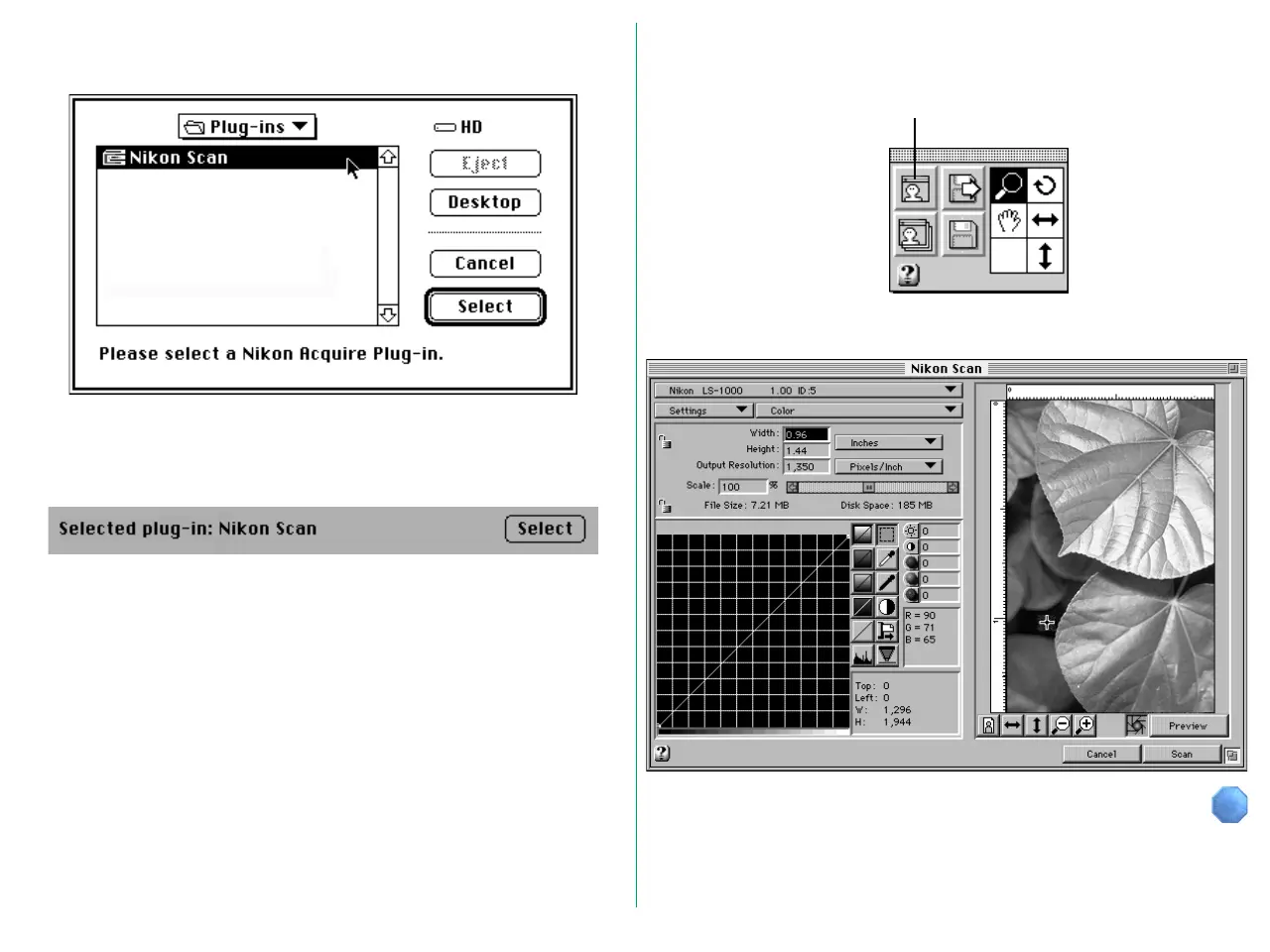
When the Select button is clicked, the Plug-in Selection dialog
box appears.
Select the required plug-in from this dialog box, and click the
Select button. The selected plug-in is displayed after “Selected
plug-in:” in the Preferences dialog box.
After quitting the Preferences dialog, click the Acquire button
on the Control palette.
The Nikon Scan Main dialog box appears.
Aquire button















 To Next Page