- 48 -
Appendix A: Features Specific to the
LS-20 and LS-1000
Except that the LS-20 does not support the optional SF-100
Auto Slide Feeder, the operating procedures for the LS-20 and
LS-1000 are identical. The following section describes features
specific to the LS-20 and LS-1000.
A.1 Software Interpolation
Software Interpolation is used to provide precise image scaling
and resolution.
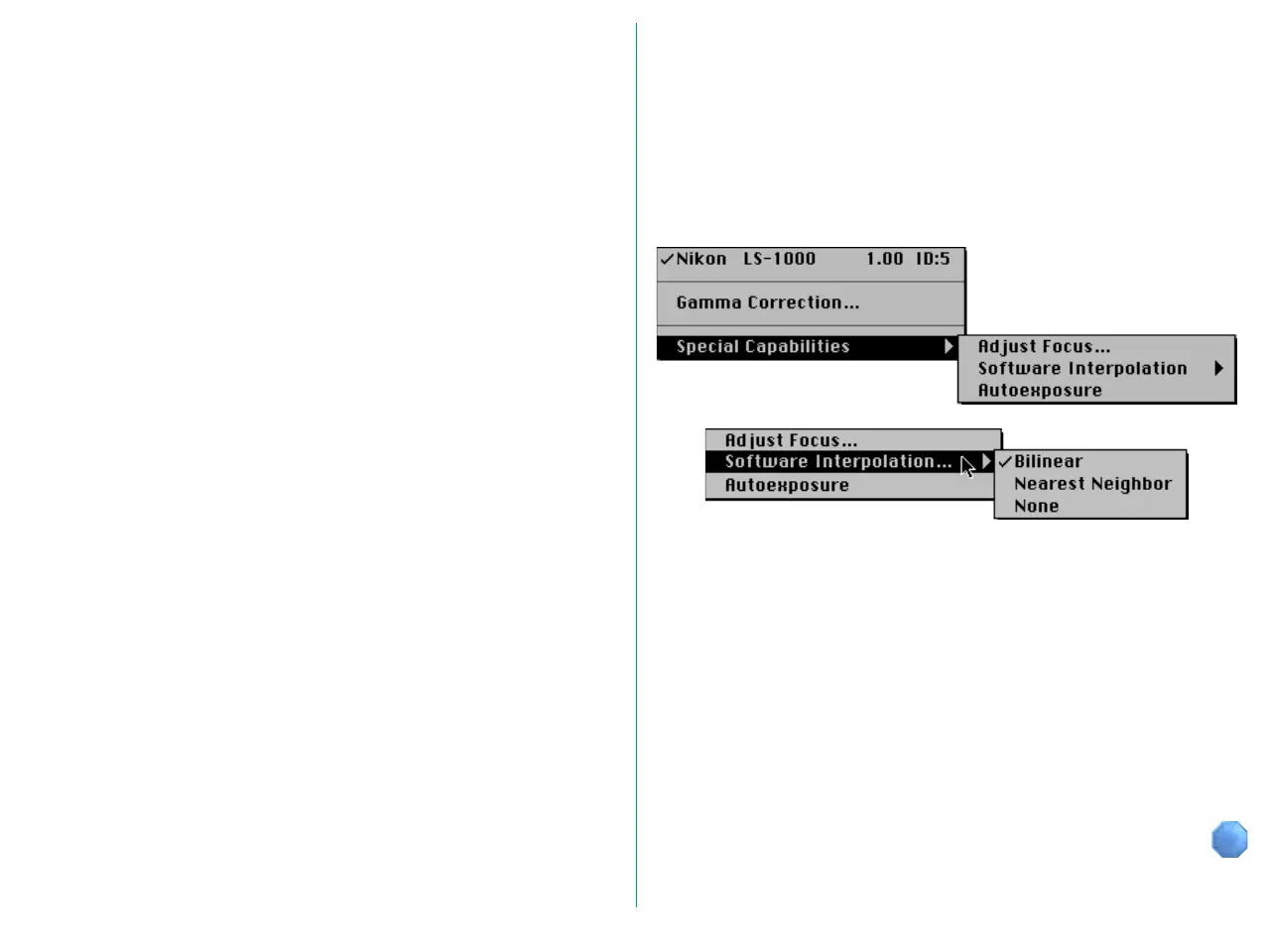
The pop-up menu at the top left corner of the Main dialog box
includes the Special Capabilities sub-menu. Choose Software
Interpolation from the Special Capabilities menu.
You can choose any one of the following from the Software
Interpolation menu.
Bilinear: Interpolation with emphasis on accuracy
Nearest Neighbor:
Interpolation with emphasis on high-speed
processing
None: No interpolation is performed














 To Next Page