Unlock the installer settings
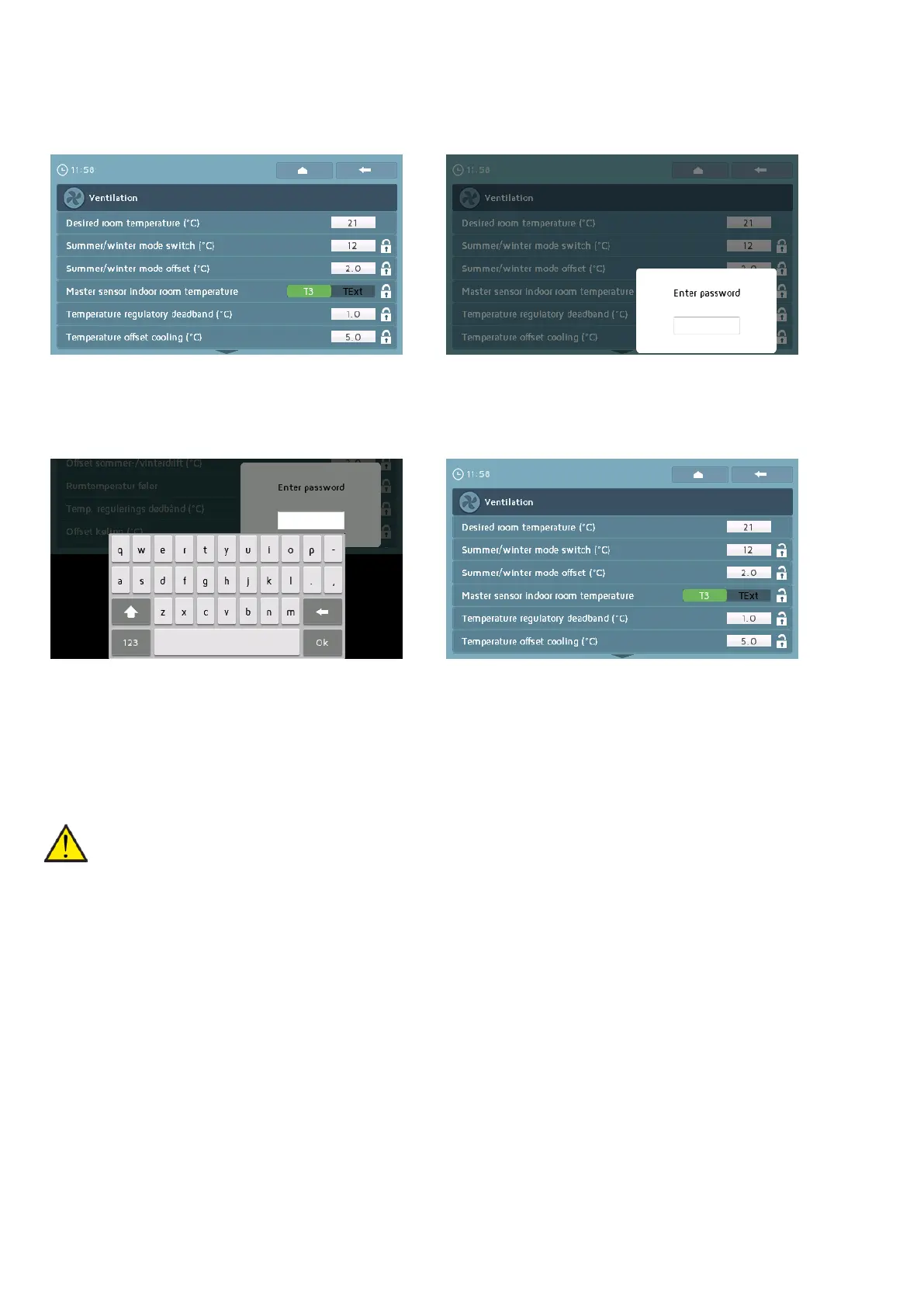
The installer is able to unlock the white padlocks by entering a password.
The locks may be opened anywhere in the menu. When a lock is pressed, a pop-up for entering a
password will appear.
Pressing the pop-up image will bring up a keyboard which the installer can use to key in a password.
When this is done, all the white locks will open and the installer can adjust the settings. The locks may
be locked again by pressing a white lock. If they are not locked manually, they will automatically lock
after a period of time.
Installer password: 7675
ATTENTION
Installer settings are locked with passwords as it requires a certain level of understanding of
the components and regulation to set them. If a user in any way adjusts the installer settings,
the unit's guarantee will be voided.
10

 To Next Page
 Loading...