Front page setting options
T
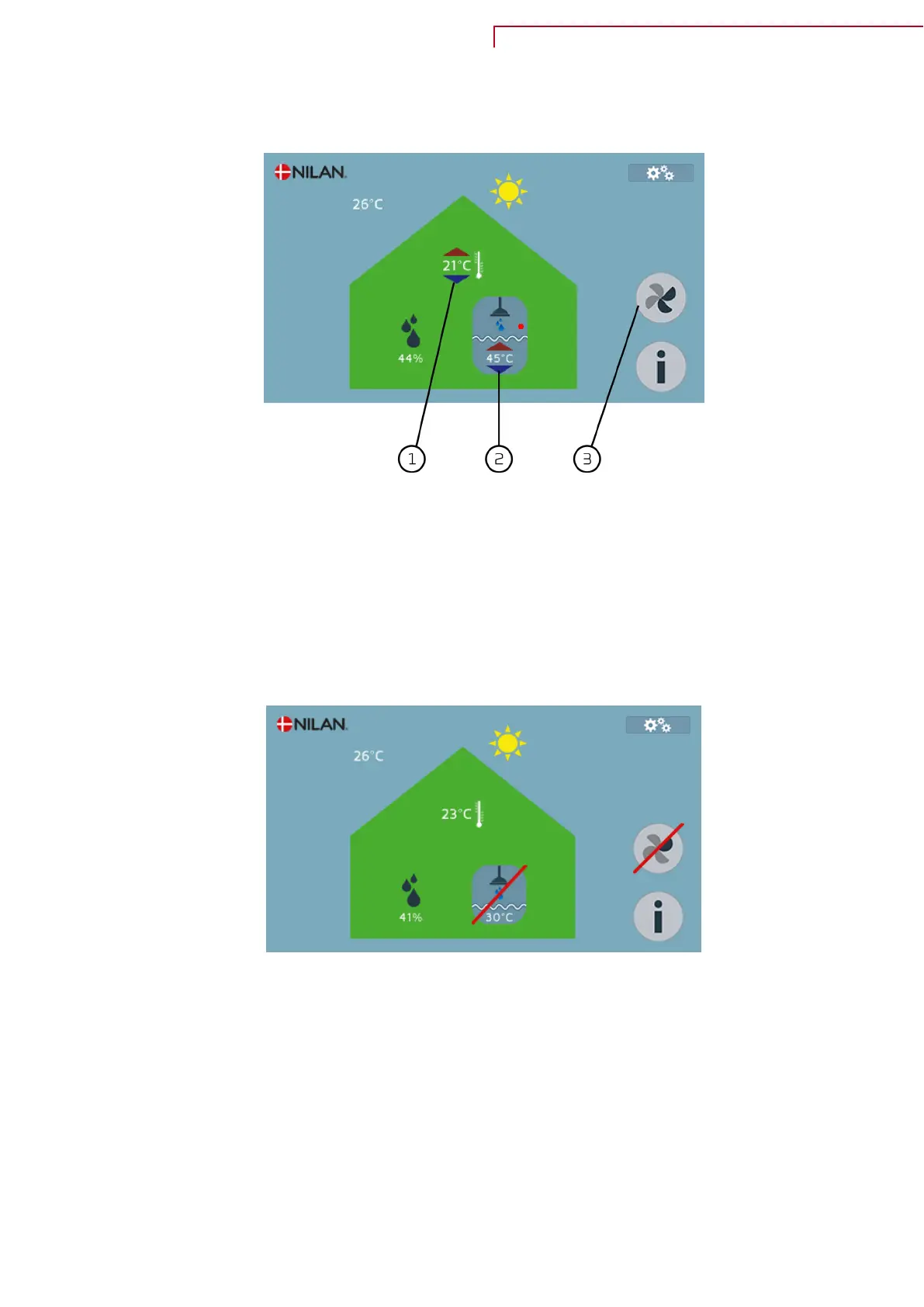
he settings which the user needs in daily use, can be changed on the front page of the touch-panel.
1. By touching the current room temperature, the wanted room temperature is shown. You can change
t
he wanted room temperature by touching the red or blue arrow.
2. By touching the current hot water temperature, the wanted hot water temperature is shown. You
can change the temperature in the domestic hot water tank by touching the red or blue arrow.
3. The number of dark segments shows at which ventilation level you want the unit to run. There are
four levels and the level is changed by touching the icon.
If the unit or functions are turned off, a red line will cross the functions, which are off.
Compact P / Compact P Polar (English)
BY NILAN
5


 To Next Page
 Loading...