16
Connecting a Gateway
Location on the unit
Connections overview Gateway
Electrical connection
Connecting to the internet
Using an RJ45 cable, you connect the gateway to a router with internet connection (cable not supplied by Nilan).
Once the gateway is connected to a power supply and connection to the router has been established, you will have a secure cloud con-
nection. You can now use the Nilan User APP to communicate with the gateway.
Checking connections
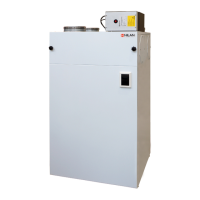
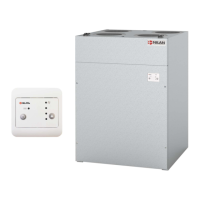
On Compact S units, the gateway is installed on the filter box on top of the unit.
The gateway arrives from the factory already connected to the Modbus connection of the
unit.
A wire for a 230V connection is included. Connect this to an external power socket.
1. 230V connection (wire included)
2. Reserved for future connections
3. Connection to the Modbus connection of the unit
4. Connection to the user’s internet router
5. Light to check connection
Using the supplied cable, connect the Gateway to 230V.
The ONLINE indicator makes it possible for you to check the connections by us-
ing the following code:
• When connecting 230V - the light will flash for 5 sec.
• When connecting Modbus communication - the light flashes continuously
• When connecting a Router - the light comes on and stays on
• When connecting a Router without Modbus communication - the light does
not come on






 To Next Page