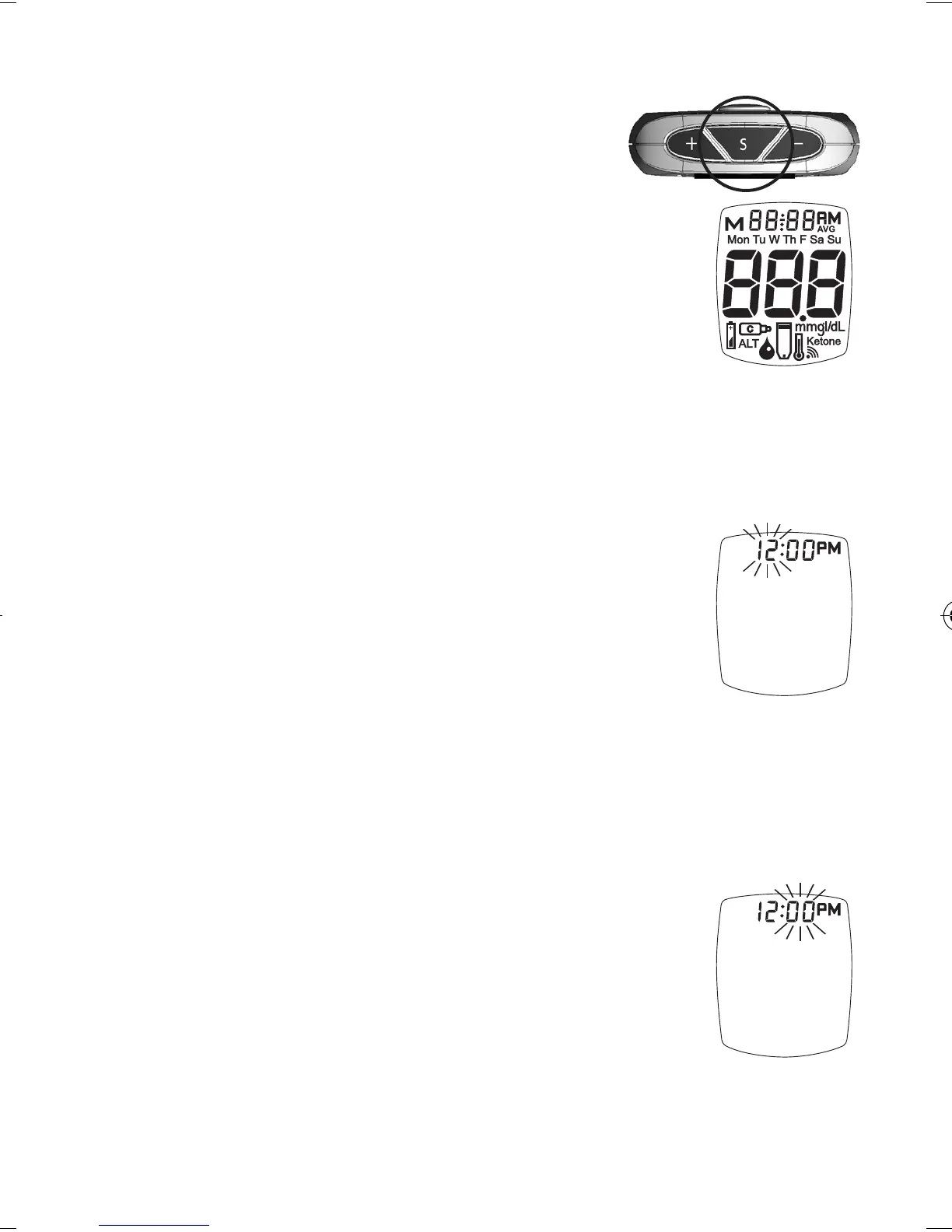
Meter Set Up
Note: If the Meter turns o at any
time during Set Up, go back
to Step #1 under Meter Set
Up and begin again.
1. Press and hold “ S ” until the
full Display is shown and a tone
sounds (around 30 seconds).
Release “ S ”. Meter goes into Set
Up.
Set Time/Date
2. e hour ashes. To change, press
“ + ” or “ - ” on top of the Meter to
select the hour. Like many alarm
clocks, to set “AM” or “PM”, scroll
through the hours until “AM” or
“PM” appears in the Display.
Press “ S ” to set.
Note: “AM” or “PM” does not display if Meter is
factory set to 24-hour clock.
3. e minutes ash. To change, press
“ + ” or “ - ” to select the minutes.
Press “ S ” to set.
26
Tre_OB_GutsENG_E4NPD04r22.indd 26 4/24/12 9:53 AM



 To Next Page