Page | 25
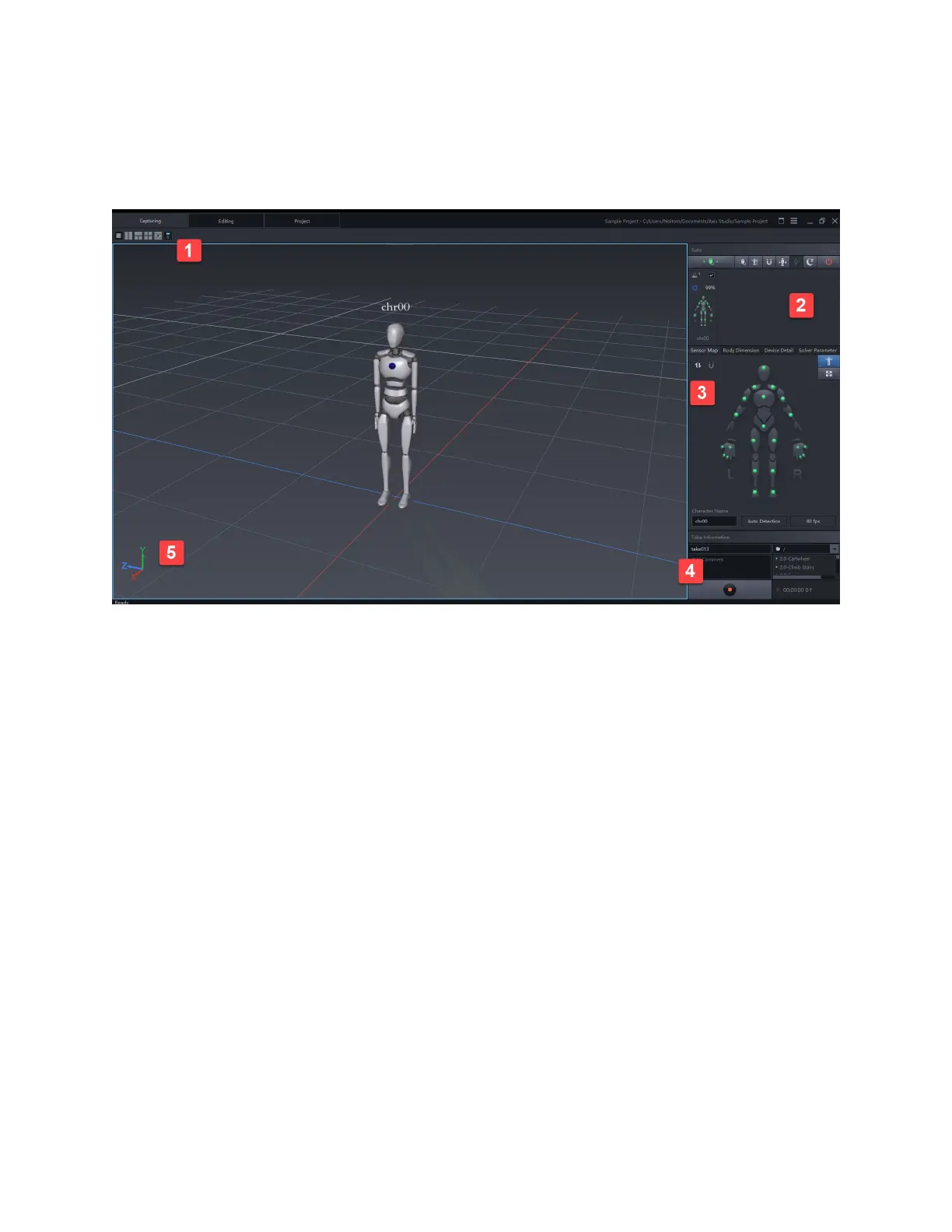
Capturing Window
In this window, users can see real-time data from connected devices.
1. Viewport options
Options to create more camera windows or enable camera follow
2. Suits Panel
Manage single to multiple capture suits. Isolate selections and perform certain functions in the
menu ribbon.
3. Functions Menu
a. Sensor Map
View magnetic status or signal status. View working mode and frame rate capture. Update
avatars name
b. Skeleton
c. Device Detail
d. Solver Parameter
4. Take Information
a. Name Capture takes
b. Add comments to individual takes



 To Next Page