Page | 26
c. Navigate to different folders inside of a set project. Also allows users to open files to
begin editing.
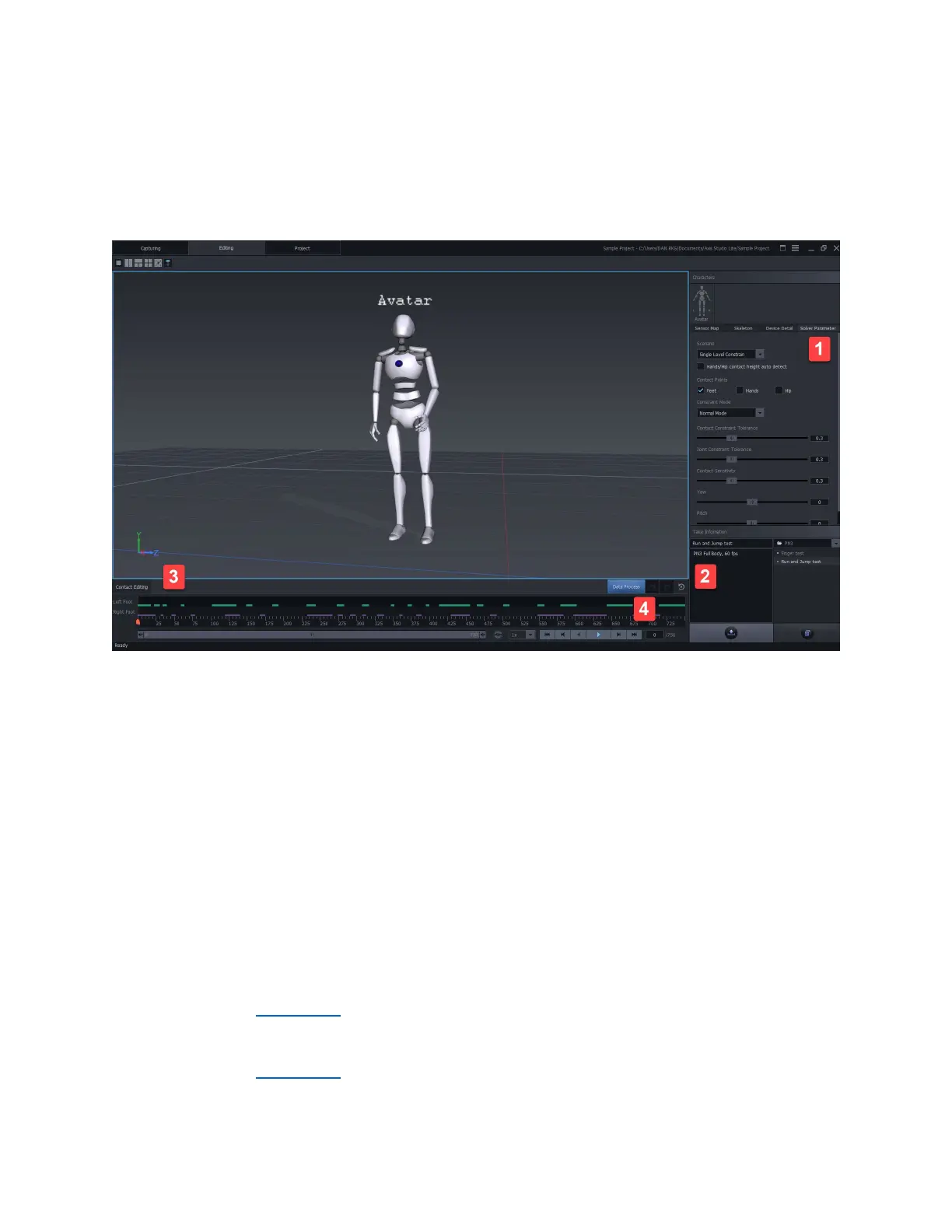
Editing Window
1. Solver Parameter
a. Scenarios – Select from preset algorithm typs
b. Contact Points – Enable edits for Feet, Hands, and/or Hip
c. Contraint Mode – Select preset algorithm values. Or use a customized setting
2. Take information
a. Manage Recorded files.
b. Select different folders
c. Export data
d. Save as files
3. Contact Editing
a. See Editing Data
4. Data Processing
a. See Editing Data



 To Next Page