31
Using the Projector
Starting Up the Projector
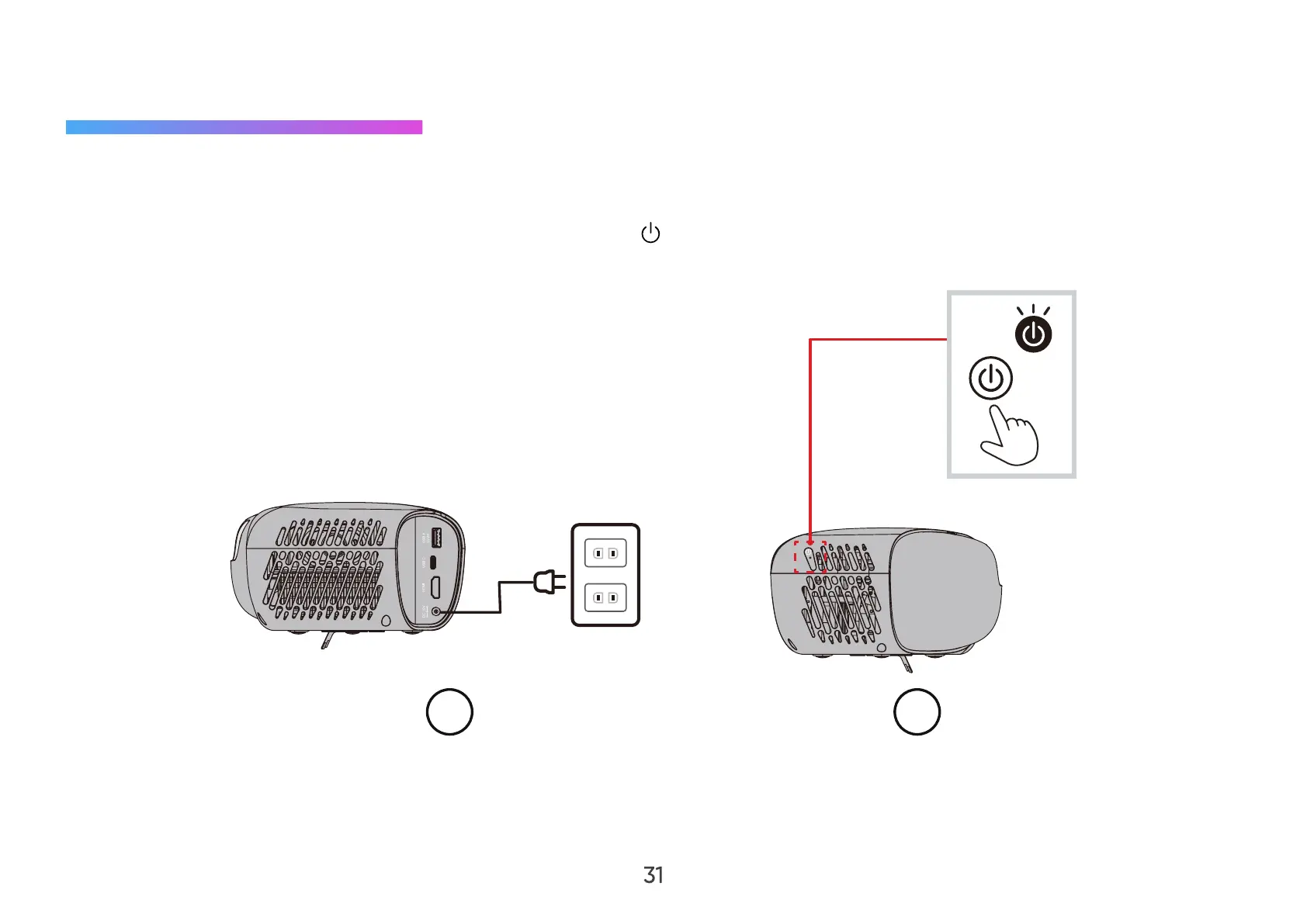
1. Ensure the projector’s power cord is properly connected to a power outlet.
2. After plugging in the DC Power Adapter, press the Power (
) button to turn on the projector.
NOTE: The Status LED will be flashing green during the startup process, and solid green after completion.
1 2



 To Next Page