23
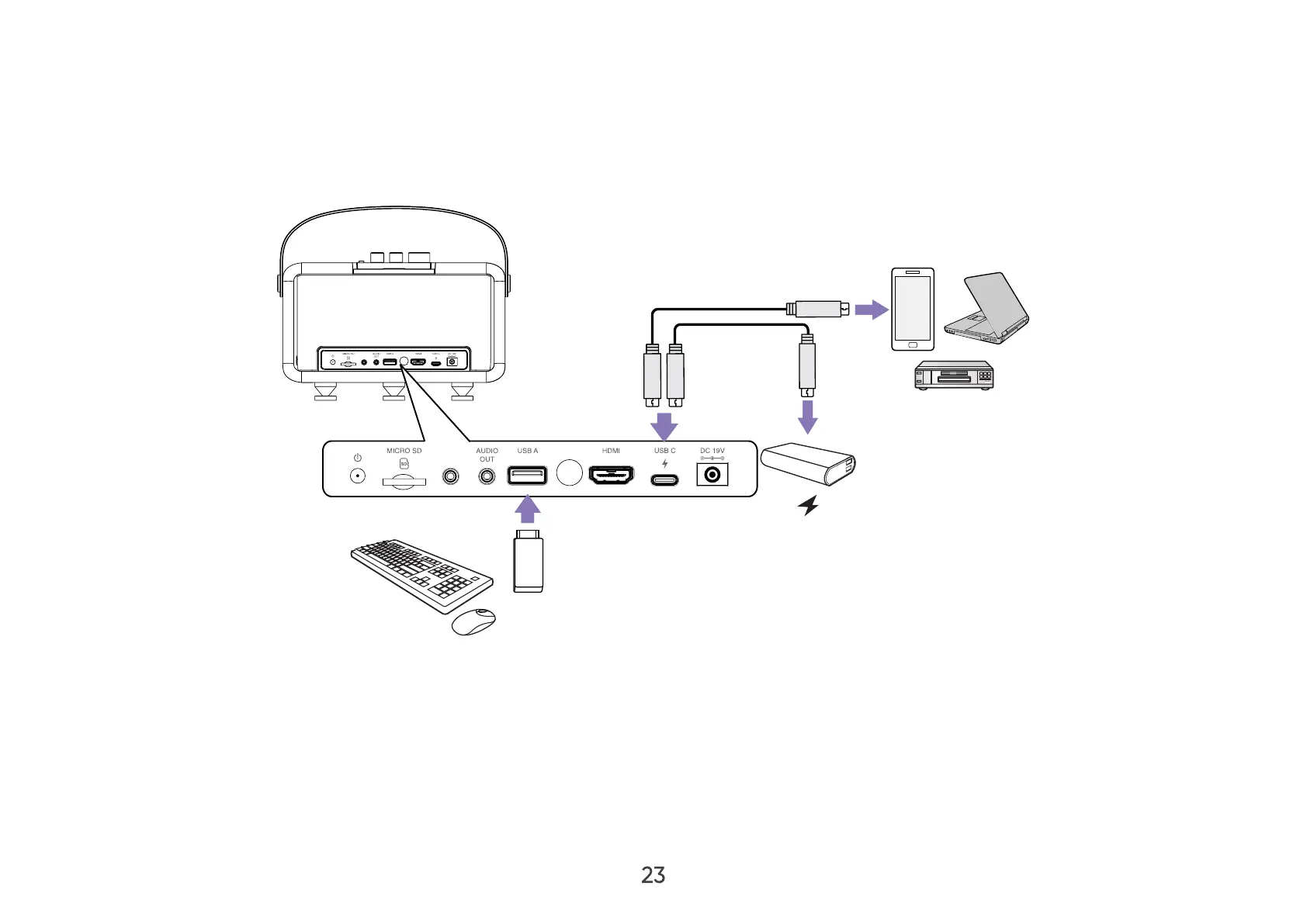
USB Connection
USB-C Connection
Connect one end of a USB Type-C cable to the USB-C port of your device. Then connect the other end of the cable to the
USB-C port of your projector.
AUX
5V/2A
AUX
5V/2A
15V/3A
NOTE:
• Ensure your USB Type-C device can support video transmission.
• The X300 can also use a USB-C connected power bank to turn on the system. However, the Light Source Level will be limited to
Eco and Battery Saving. After powering on the system, the remaining power will charge the X300’s internal battery.


 To Next Page