38
Adjusting the Projected Image
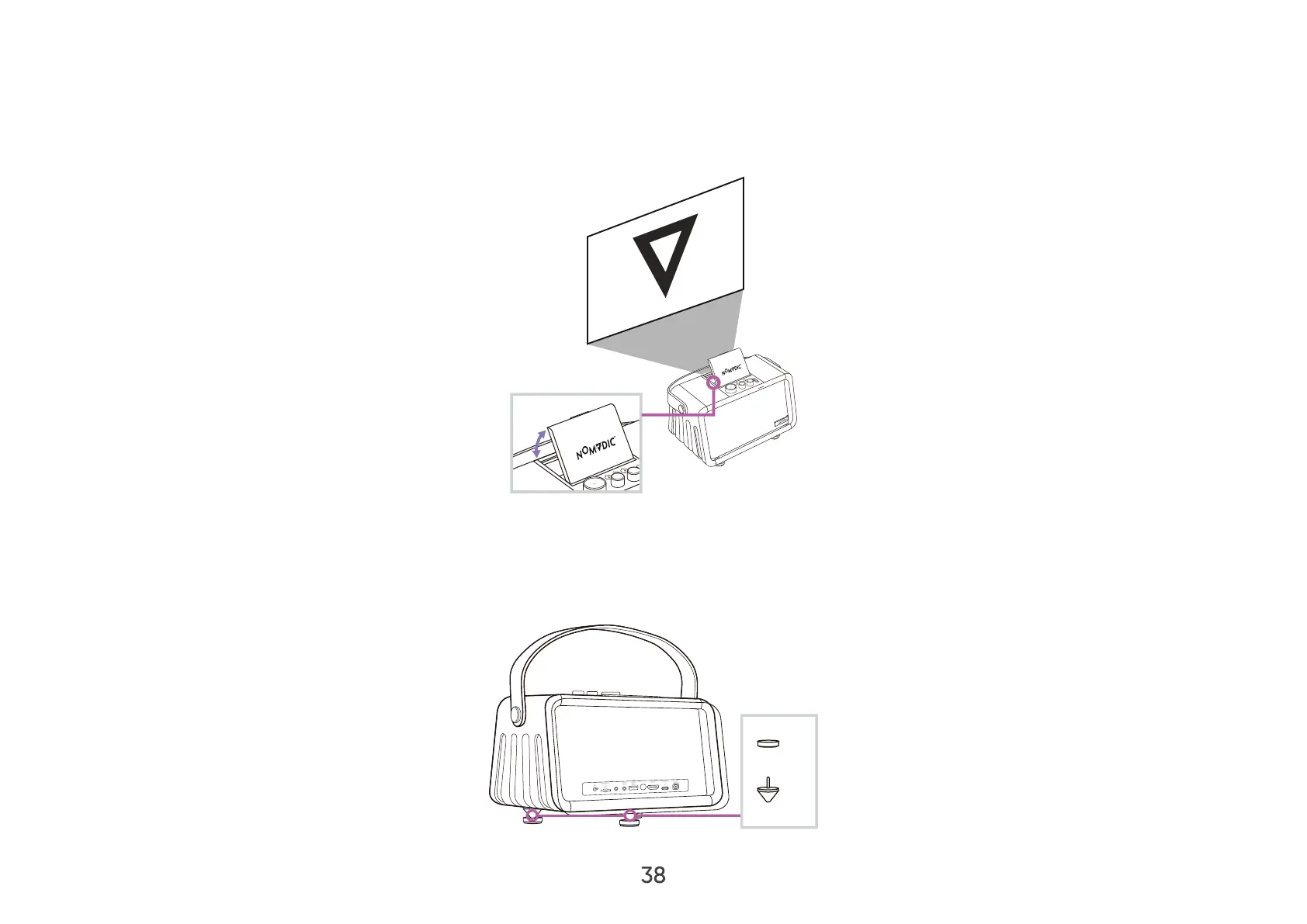
Adjusting the Projector’s Height and Projection Angle
Adjust the Lens Cover to an angle that best fits your usage scenario. Typically 45°~55° and 90° oer the best result.
45°~55°
or 90°
The projector feet can also be changed to adjust the height of the projector.
NOTE: The cone-shaped feet help the speaker get better and cleaner sounds by reducing any unwanted movements. We
suggest using the cone-shaped feet if the X300 is placed indoors and not carried around. The cone-shaped feet
are used to prevent possible damage to the surface where the speaker stands.
x3
x3
AUX


 To Next Page