ACCESS GATEWAY
System Administration 89
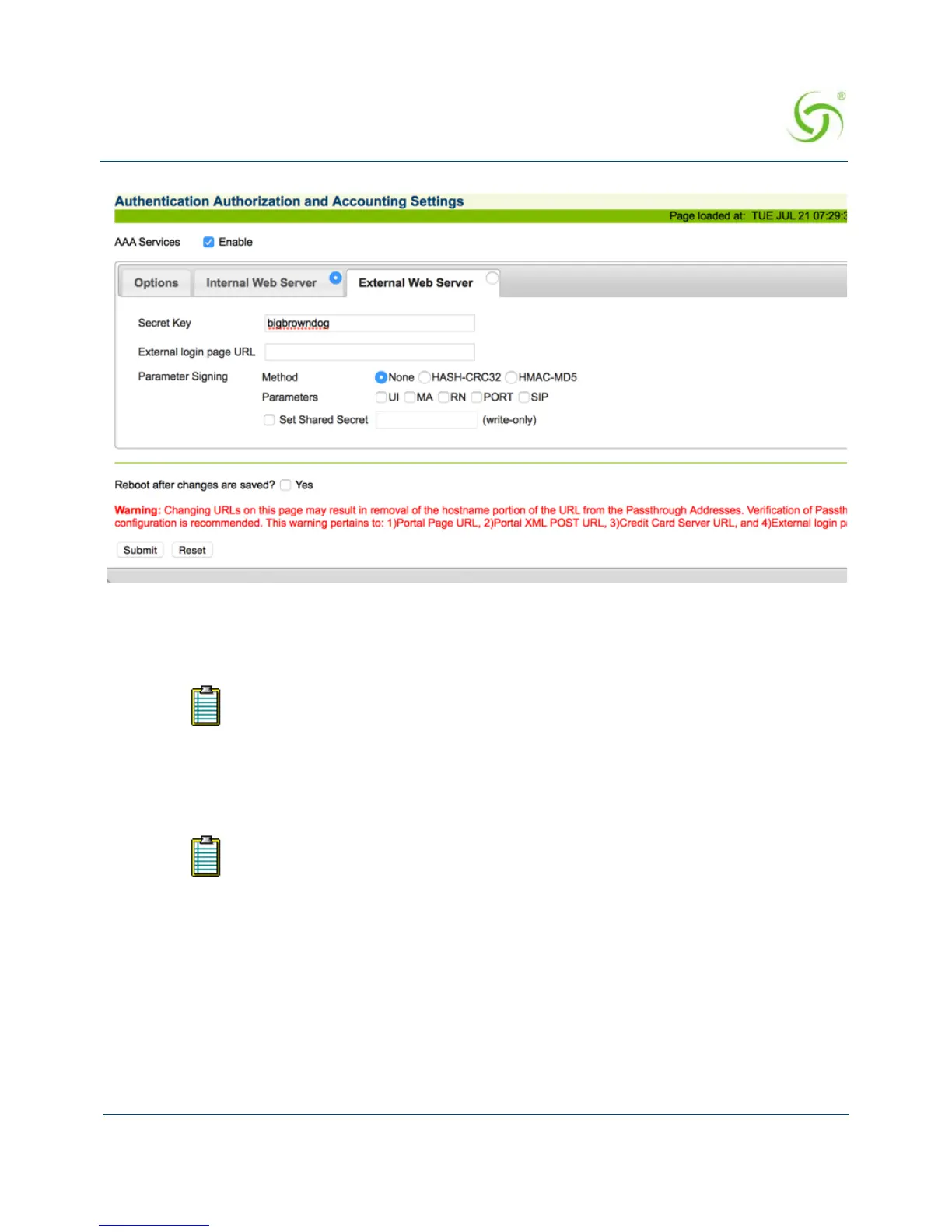
2. Enter the Secret Key (The Access Gateway and the external authorization server must use
the same secret key). The Secret Key ensures that the response the Access Gateway gets
from the External Web Server is valid.
3. Enter a valid External login page URL.
4. Configure the Parameter Signing options.
5. Click on the Submit button to save your changes, or click on the Reset button if you want
to reset all the values to their previous state (making changes to the EWS settings does not
require a system reboot).
Redirection Parameter Signing
External Web Server (EWS) and Internal Web Server (IWS) Portal Page Parameters can be
digitally signed, preventing malicious subscribers from intercepting, forging and replaying
URL redirection strings used by the NSE and EWS or IWS Portal Page to validate subscriber
DNS must be configured if you want to enter meaningful URLs instead of numeric
IP addresses into any of the Access Gateway’s configuration screens (for
example, the External login page URL in the following step).
See Redirection Parameter Signing for more information about parameter
signing.



 To Next Page