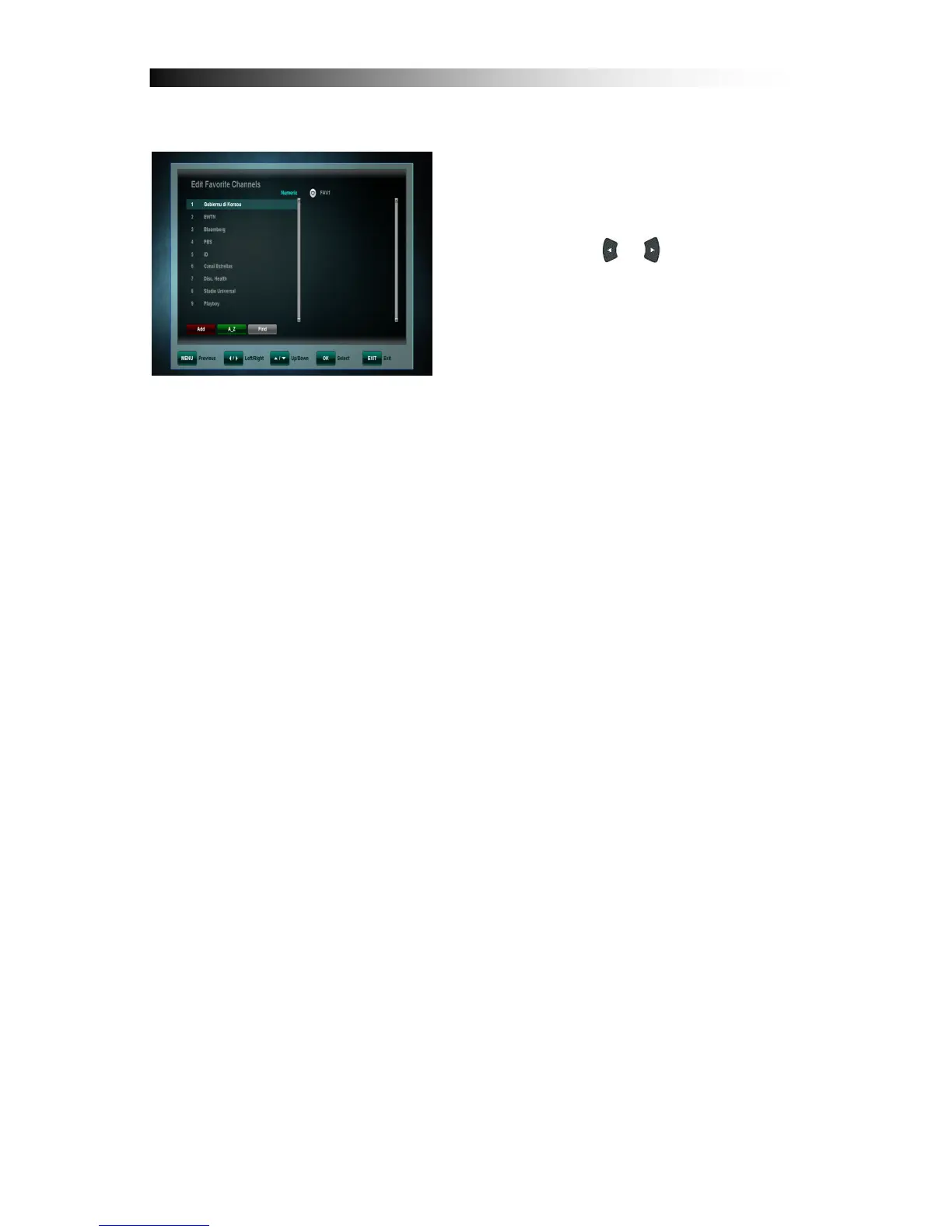
8.2 Edit Favorite Channels
This menu is helpful in adding and
deleting services to and from the favorite
group. Edit favorite channels screen
consist channel list (left) and favorite list
(right). Buttons / switch cursor
between both lists.
When cursor is on channel list (left) below functions are available:
Add (Red button): Adds channel currently marked by cursor channel to
actual favorite list (right)
A_Z (Green button): Sorts Channel list in alphabetical order.
Select (White button): Enables select of more than one channel on list and
use one from above functions on this group. This function is helpful in mass
edition of channels.
Find (Grey button): Enables find of specific channel by name, using
intelligent keyboard system. This function is helpful when user needs to quick
find channel with specific name.
When cursor is on favorite list (right) below functions are available:
Delete (Red button):.Erases channel from favorite list. Channel will not be
erased from channel list.
Next FAV (Green button): Changes actual listed favorite list to next. There
are 8 favorite lists available.
Rename FAV (Yellow button): Enables favorite list name changing by
screen keyboard. User can choose letter from keyboard by cursor buttons and
accept it by OK button. When using keyboard, functions of color buttons are
different. Back (Green button) erases last character in list name. Clear (Yellow
button) erases whole name. Toggle (Blue button) changes page of available
characters. Save (Red button) quits from keyboard module and saves
modified list name.
Move (Blue button): Marks channel by skip symbol and enable to change
this channel position on channel list by buttons. Another press of Move but
ton accepts actual, new channel position.


 To Next Page