7
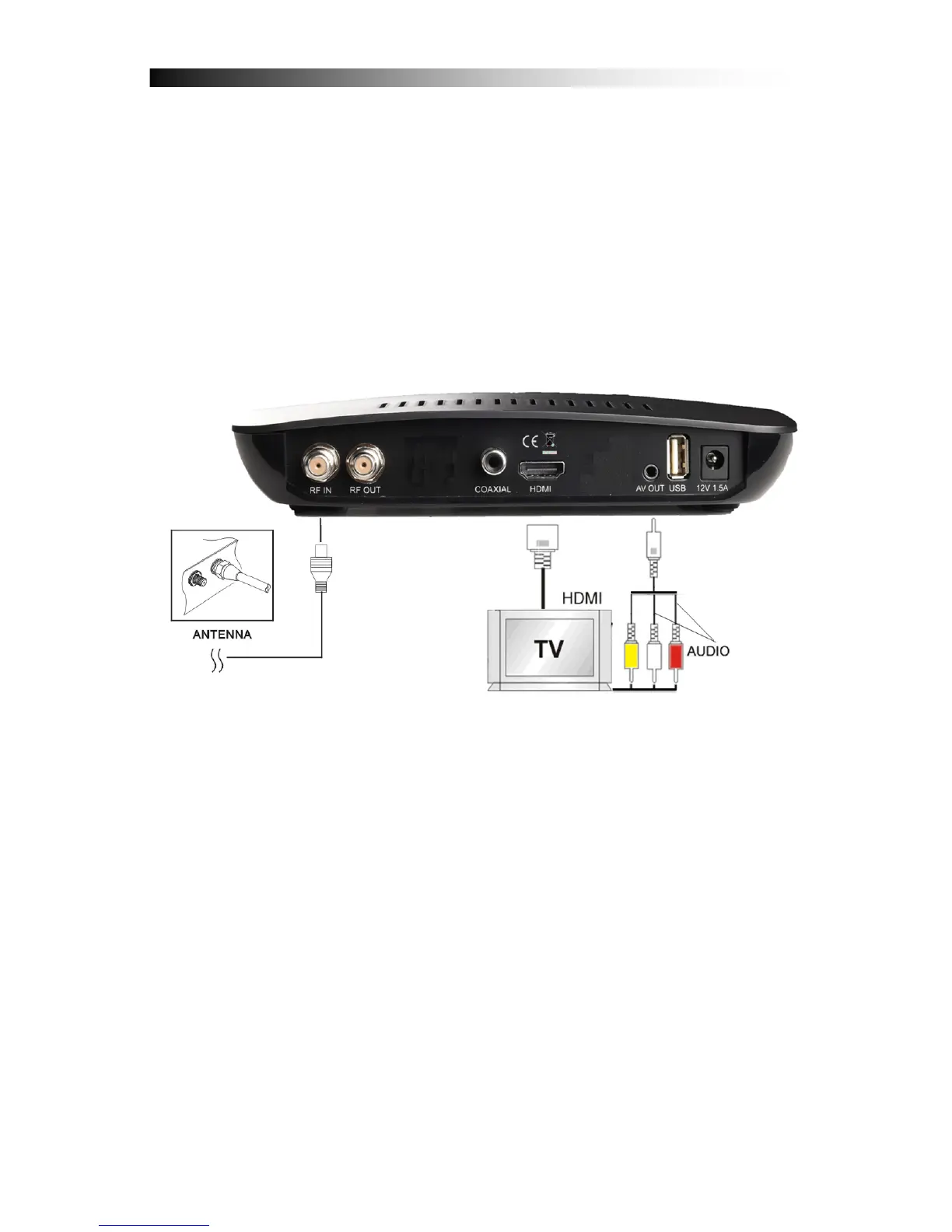
4. HOW TO CONNECT YOUR RECEIVER
Please note: HD Signals are not transferred via RCA-Video – For HDTV
Signals and also for the best quality on SDTV please use an HDMI cable
when possible.
4.1 Connecting the Receiver to TV by using HDMI
a. Connect the coaxial cable to “CABLE IN” terminal marked at the rear
of the receiver.
b. Connect an HDMI-Cable between the HDMI-ports of your TV Set and
your Receiver.
c. Connect the external 12V Power Supply


 To Next Page