11.3 HDD Properties
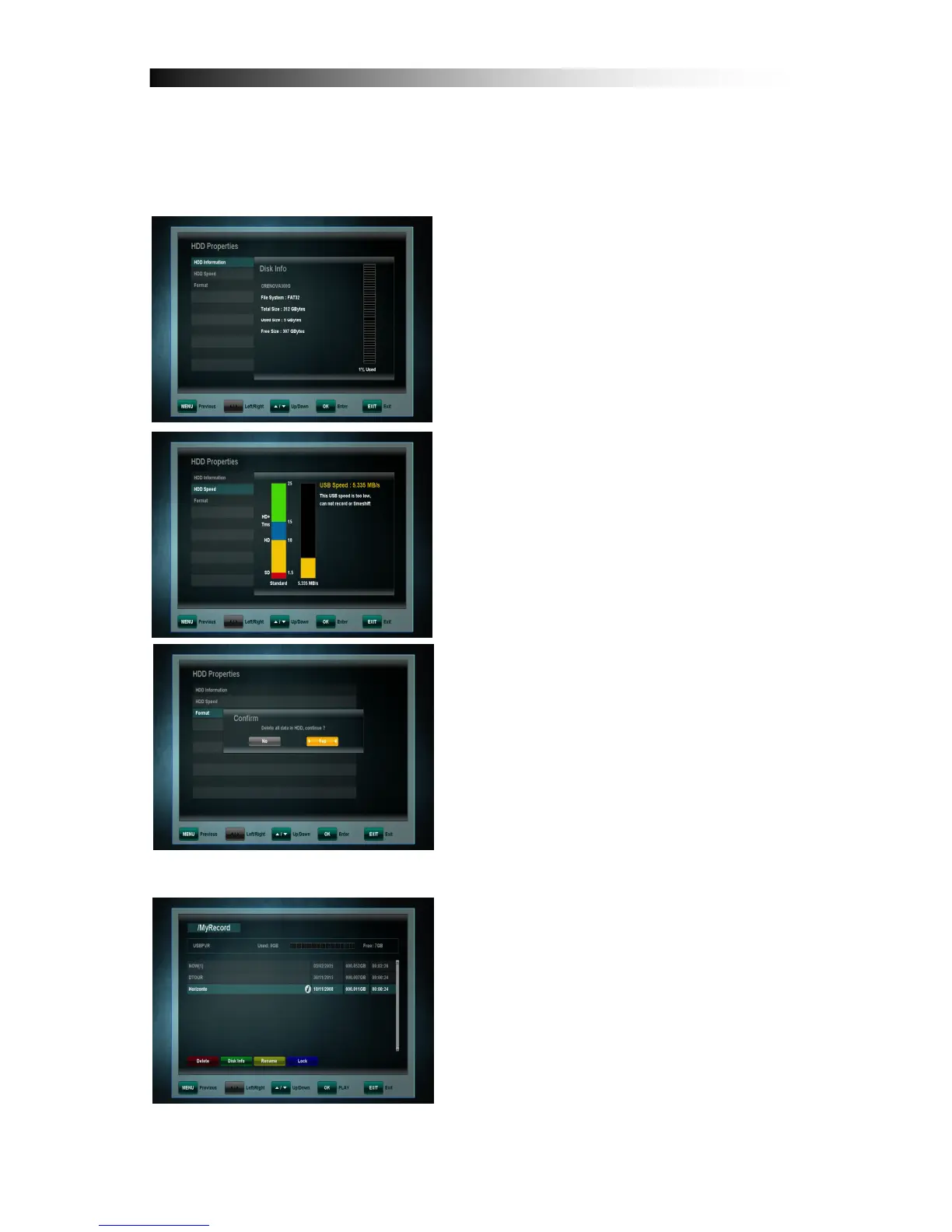
In this Sub Menu you can see all information about your connected Hard-Disk
Drive as well as an option to format the HDD
HDD Information: Displays the file system,
the total and the used capacity.
HDD Speed: Check the speed of the
connected USB HDD and see if it meets
your requirements.
Formatting: After confirming with the OK
key the HDD is formatted.
Please note: All files on the Hard-Disk-
Drive will be deleted when formatting.
11.4 File List
You can see the recorded file list in this
menu.


 To Next Page