13
7 Replacing Transducers
7.1 Using a small flat screwdriver, remove the O-ring from around the
sensor transducer.
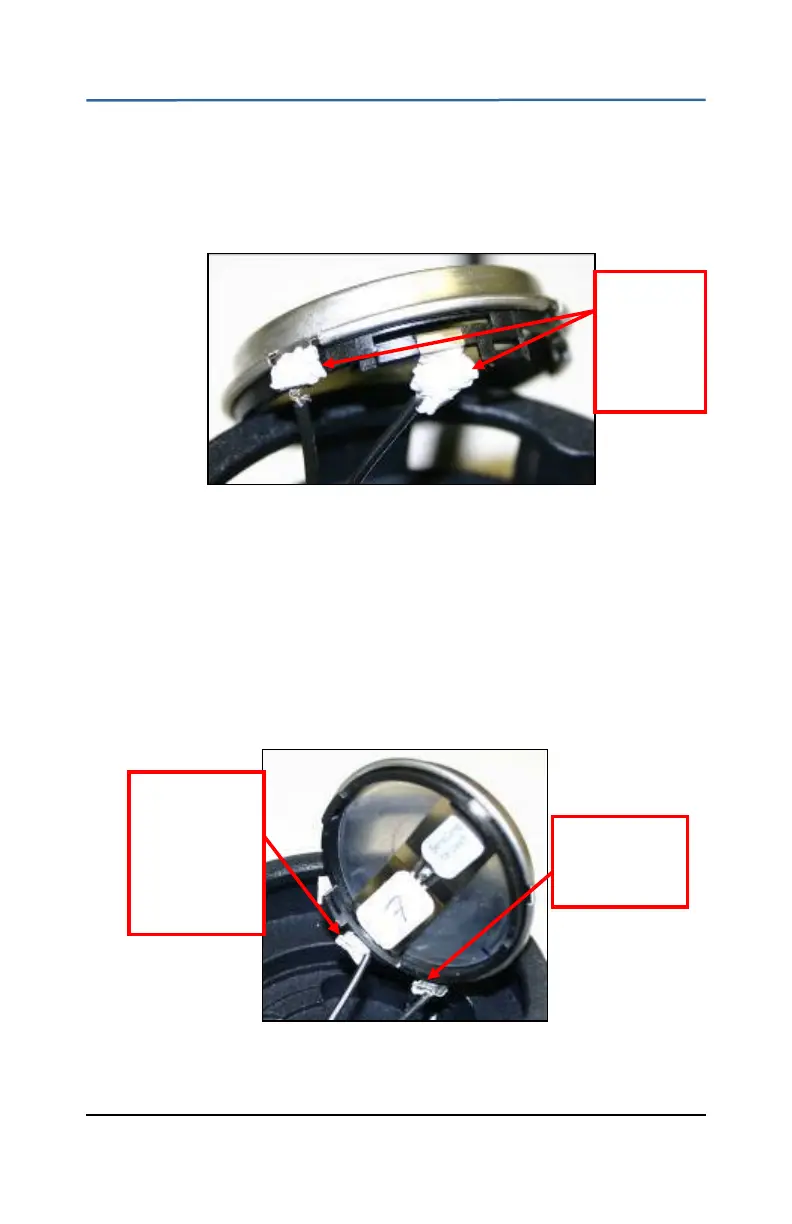
7.2 Peel the RTV silicone off the two tabs on the transducer. The spade
connectors on the wires should now slide off the tabs.
Figure 8: Transducer Connector Tabs
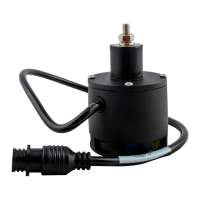
7.3 Attach the spade-end connectors of the wires to the new transducer
as shown in Figure 9.
The flat side of the spade connector should point towards the
center of the transducer.
The black/white striped wire connects to the center metal band
terminal.
The black wire connects to the outer case terminal (screen).
Figure 9: Transducer Wire Connection
7.4 Position the wires so they lie close to the transducer and have a right
Flat side faces
to center of
transducer
Black/white
wire
connected to
the center
metal band
terminal
Remove
the silicone
from the
two tabs


 To Next Page