4
4 Setting Up
* Refer to Appendix A for setup and calibration of the 44730
calibration stand.
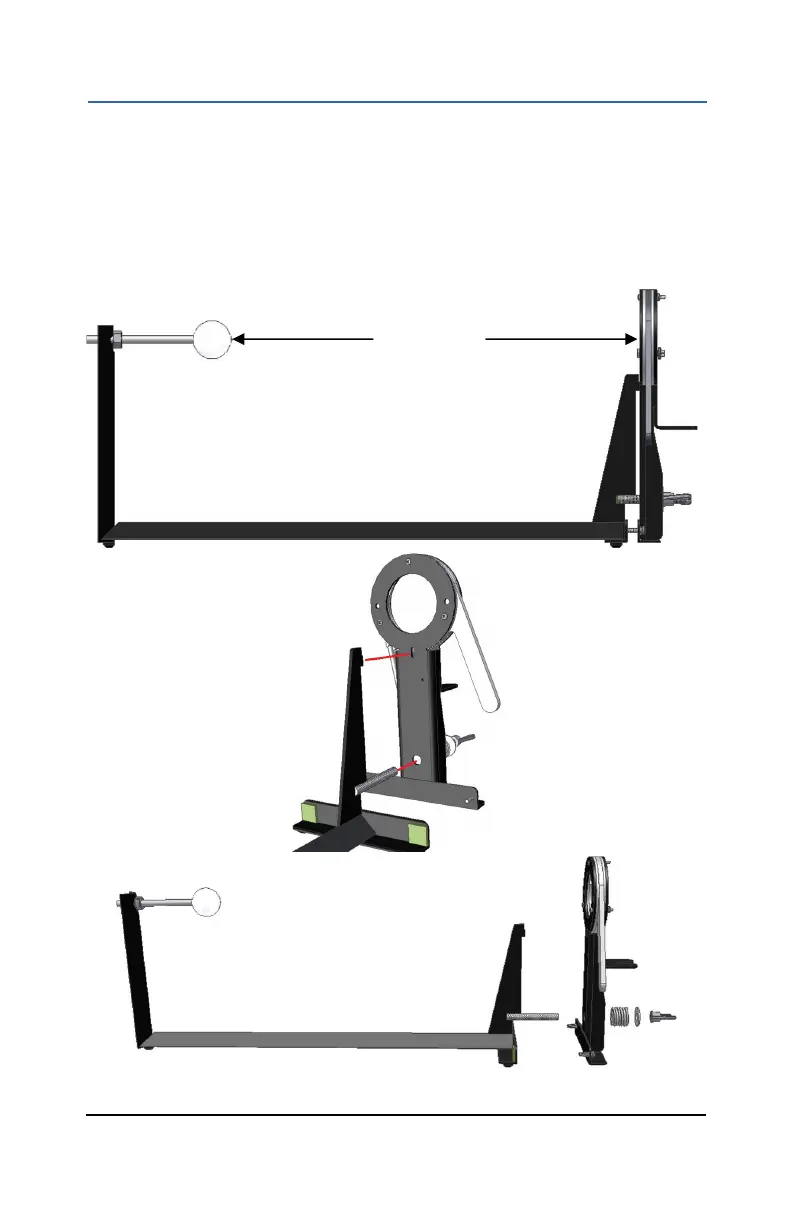
4.1 Assemble the two parts of the test stand as shown in Figure 2.
Insert the sheet metal insert into the rectangular hole. Install the
spring, flat washer and wing nut onto the stud. Tighten wing nut until
the spring is approximately half compressed.
Figure 2: Test Stand Assembly
457 mm
(18”)



 To Next Page