8
4.2 TYPICAL OPERATION
4.2.1 Normal Operating Screen
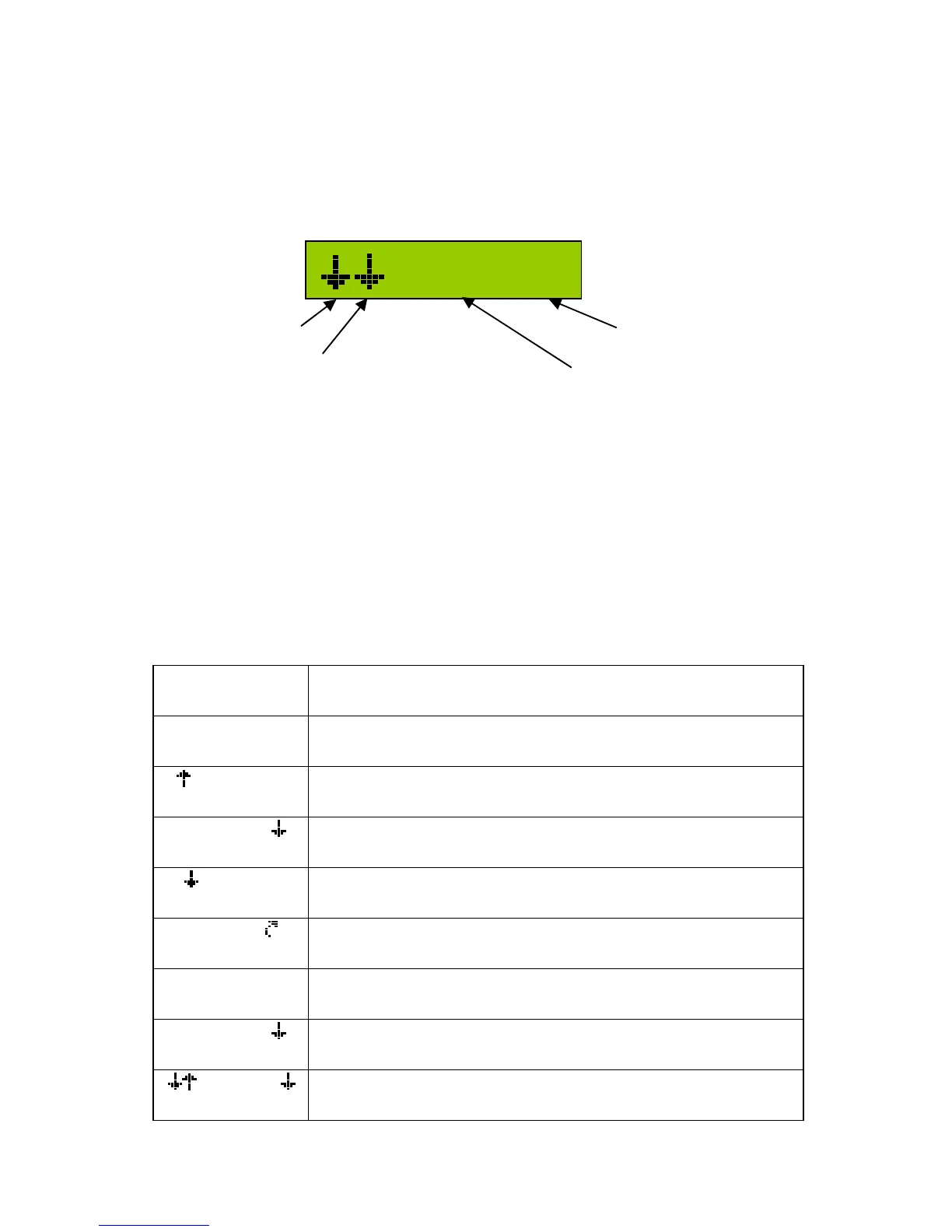
The Normal Operating Screen provides information pertaining to the height
and mode of both booms. Figure 6 shows a typical Normal Operating
Screen.
Figure 6 – Normal Operating Screen
When a boom is in AUTO mode, indicated by an "A" in the control mode
portion of the screen, the UC4+ panel shows the target boom height. In
MANUAL mode, indicted by an "M" in the control mode portion of the
screen, the UC4+ control panel shows the average boom height reading.
In both AUTO and MANUAL modes, the screen will also show arrows to
indicate that the boom is being commanded to move. Table 2 explains some
examples of typical Normal Operating Screens.
Table 2 – Examples of Normal Operating Screens
LCD Display Description
A 89 A
In AUTO mode, target average height is 89 cm (or inches
if selected)
A 89 A
Left side taking corrective action upwards
A 89 A
Right side taking corrective action downwards
89 A
Main lift is taking corrective action downwards
A 89
Main roll section is taking action in the clockwise
direction
M 89 A
Left boom in MANUAL mode
Right boom in AUTO mode with actual height of 89
M 89 M
Booms are in MANUAL mode with actual height of 89
Operator is manually lowering the right boom
89 A
Left and right booms are in AUTO and lowering
Main boom is in AUTO and lifting
4.2.2 Main Menu Overview
55 A
LEFT BOOM
MAIN LIFT
TARGET HEIGHT
RIGHT BOOM



 To Next Page