3
3 GENERAL SYSTEM DESCRIPTION
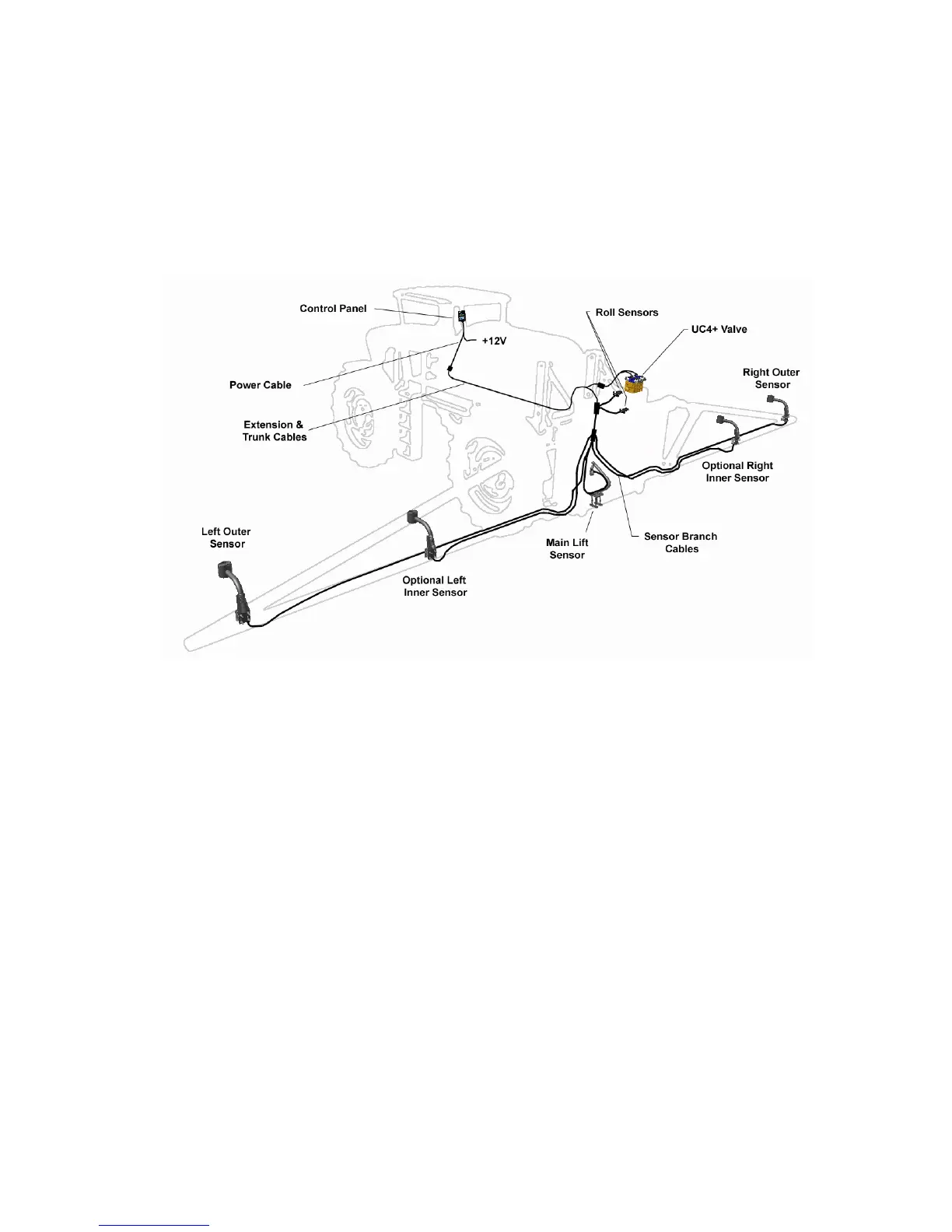
Figure 1 shows the general layout of the UC4+ Boom Height Control system.
The function of each of the major system components is described in this
section.
NOTE: Some kits may not include all of the components shown.
Figure 1 - System Components and General Location
For more information on each component, please refer to the UC4+
Installation Manual and UC4+ Quick Guide.
3.1 SOFTWARE
The information in this manual applies to systems with Version 6 UC4+
control panel software. When the panel is turned on, the software version
and revision will be displayed for a few seconds as described in Section 4.1.
If your control panel does not display a version when it is turned on, your
software is Version 1 (all revisions).
All UC4+ control panels can have their software upgraded for a nominal fee.
It is recommended that all panels with earlier software be updated to the
current software version. Contact your local dealer or NORAC for more
information.



 To Next Page