16
5.2 UNDERSTANDING CROP MODE AND SOIL MODE
A unique feature of UC4+ sensors is their ability to operate in CROP mode.
In this mode the sensor will track the first available sonic target. That is,
when positioned over standing crop, the sensor will return the average height
of the heads in a circular area below the sensor. In the same situation in
SOIL mode, the sensor will track the last available sonic target. That is,
signals from the heads, leaves, and trash will be ignored in favor of the
ground.
It is important to note that the targets must be available and of sufficient
strength for the sensor to "see" them. There may be some crop and terrain
situations that do not work well for CROP mode or SOIL mode. In these
situations the operator must resume height control of the booms manually.
In general, the addition of the severe terrain kit will improve performance in
CROP mode. All of the situations discussed below are lessened by the
addition of the extra sensors on the wings.
5.2.1 Areas of "No Crop" in CROP Mode
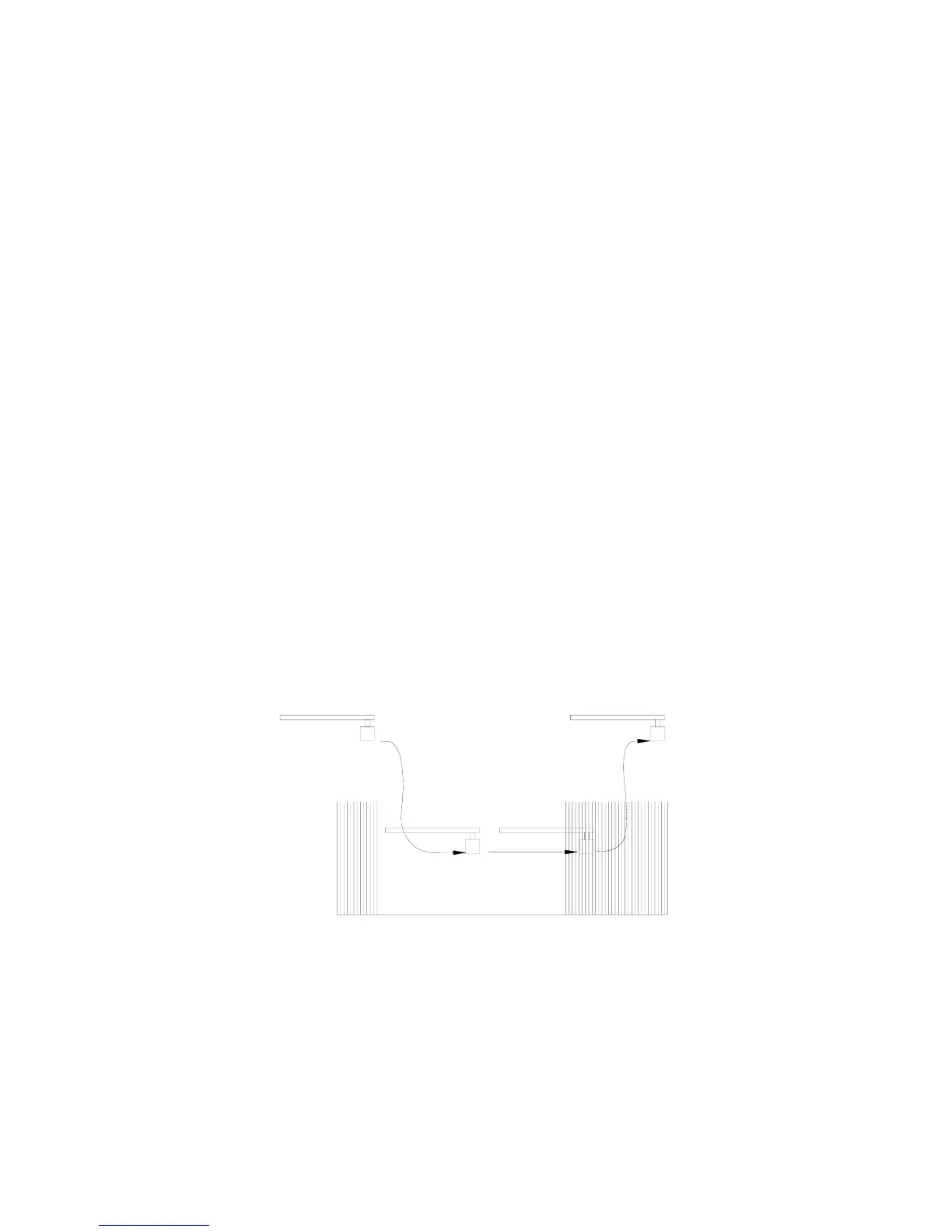
If, while operating in CROP mode, the sensor encounters an area where
there is no crop, the system will behave as follows. The sensor will track the
soil because only one target is available. The boom will lower as shown
below. Areas like this may include missed areas during seeding, alkaline
areas, and so on. When the problem area ends, it may not be possible for the
sensor to see the crop again unless the operator raises the boom manually.
The sensor may be closer than required 25 cm (9 inches) from heads of the
crop, thus blanking out the desired target.
"No Crop
Area"
Figure 8 – Area of “No Crop” When Operating CROP Mode



 To Next Page