10.4.3 User Manual Contents April 17, 2020
Firmware: 5.2.1 Page 101 of 142
Setup Project
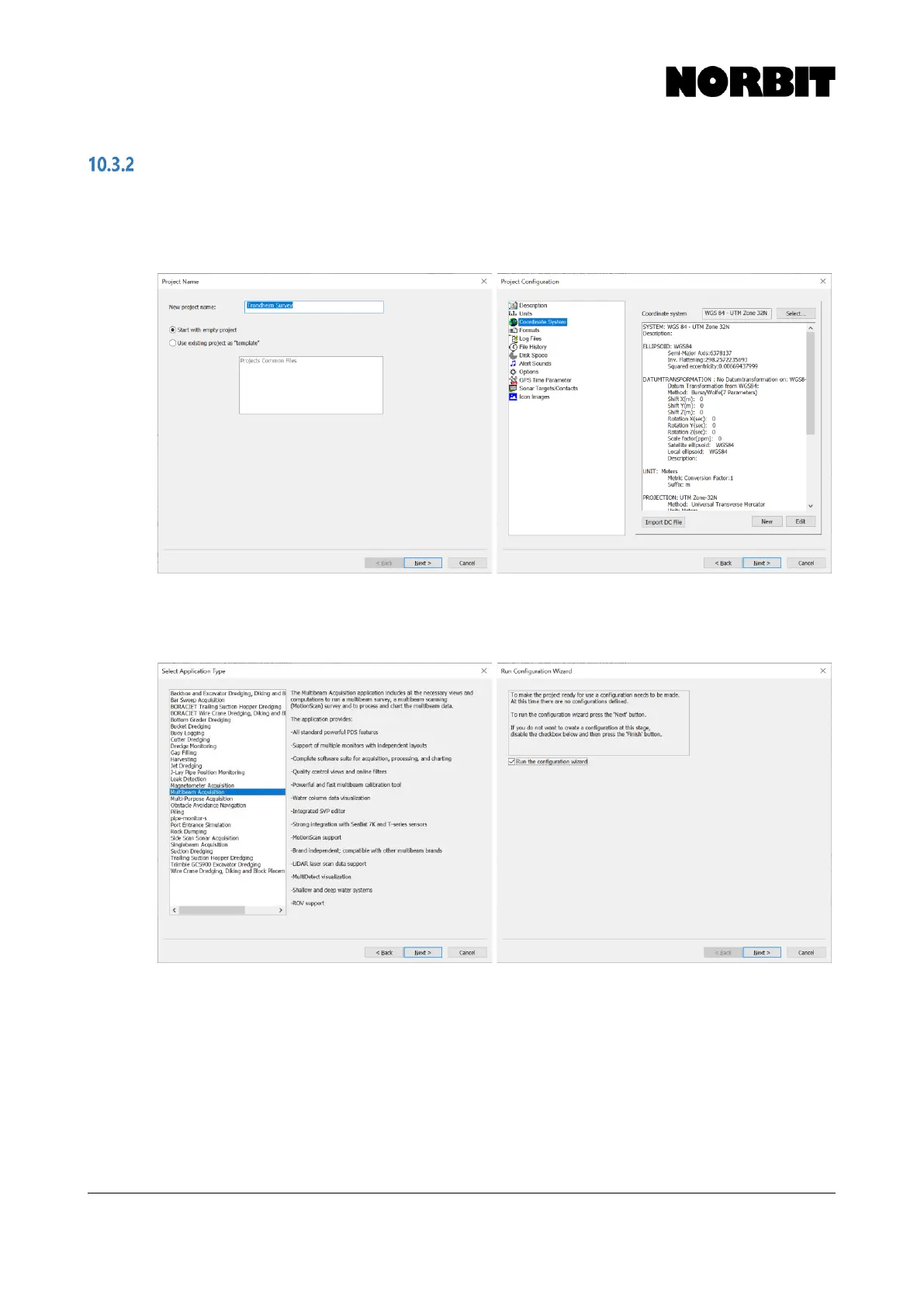
Step 1. Create New Project and Setup Geodesy
Create a new project in PDS Control Center via File > New Project. Specify a name for the project,
and on the next page select a coordinate system from the geodatabase or define a new coordinate
system according to the survey requirements.
Step 2. Select Application Type and Run Configuration Wizard
Select Multibeam Acquisition as the application type. Click Next and run the configuration wizard.



 To Next Page