EasyManua.ls Logo

NORBIT iWBMS - Page 103

Default Icon
142 pages
Print Icon
To Next Page IconTo Next Page
To Previous Page IconTo Previous Page
Loading...
10.4.3 User Manual Contents April 17, 2020
Firmware: 5.2.1 Page 103 of 142
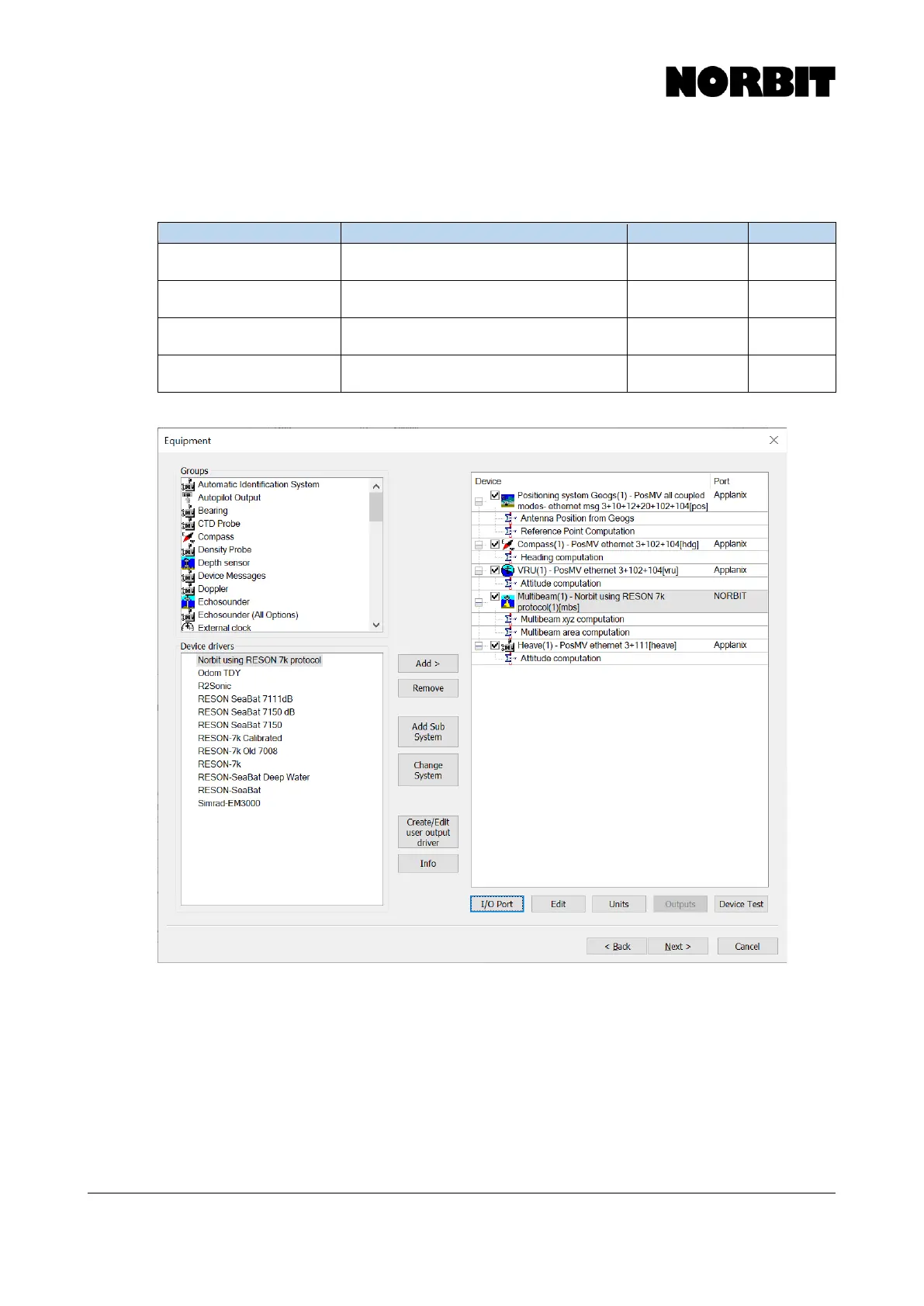
Step 5. Add Essential Devices
Devices for each data type are added on the Equipment list. On the left side, select the Group and
then select the driver to add. As a minimum, the following drivers are required:
Group
Driver
I/O Port
Offset
Positioning system Geogs
PosMV all coupled modes- ethernet msg
3+10+12+20+102+104[pos]
192.168.53.100
UDP 5602
Zero Offset
Compass
PosMV ethernet 3+102+104[hdg]
192.168.53.100
UDP 5602
Zero Offset
VRU
PosMV ethernet 3+102+104[vru]
192.168.53.100
UDP 5602
Zero Offset
Multibeam
NORBIT using RESON 7k protocol (1)
[mbs]
127.0.0.1
TCP 7000
Zero Offset

Related product manuals