10.4.3 User Manual Contents April 17, 2020
Firmware: 5.2.1 Page 34 of 142
4.3
Connect to Sonar
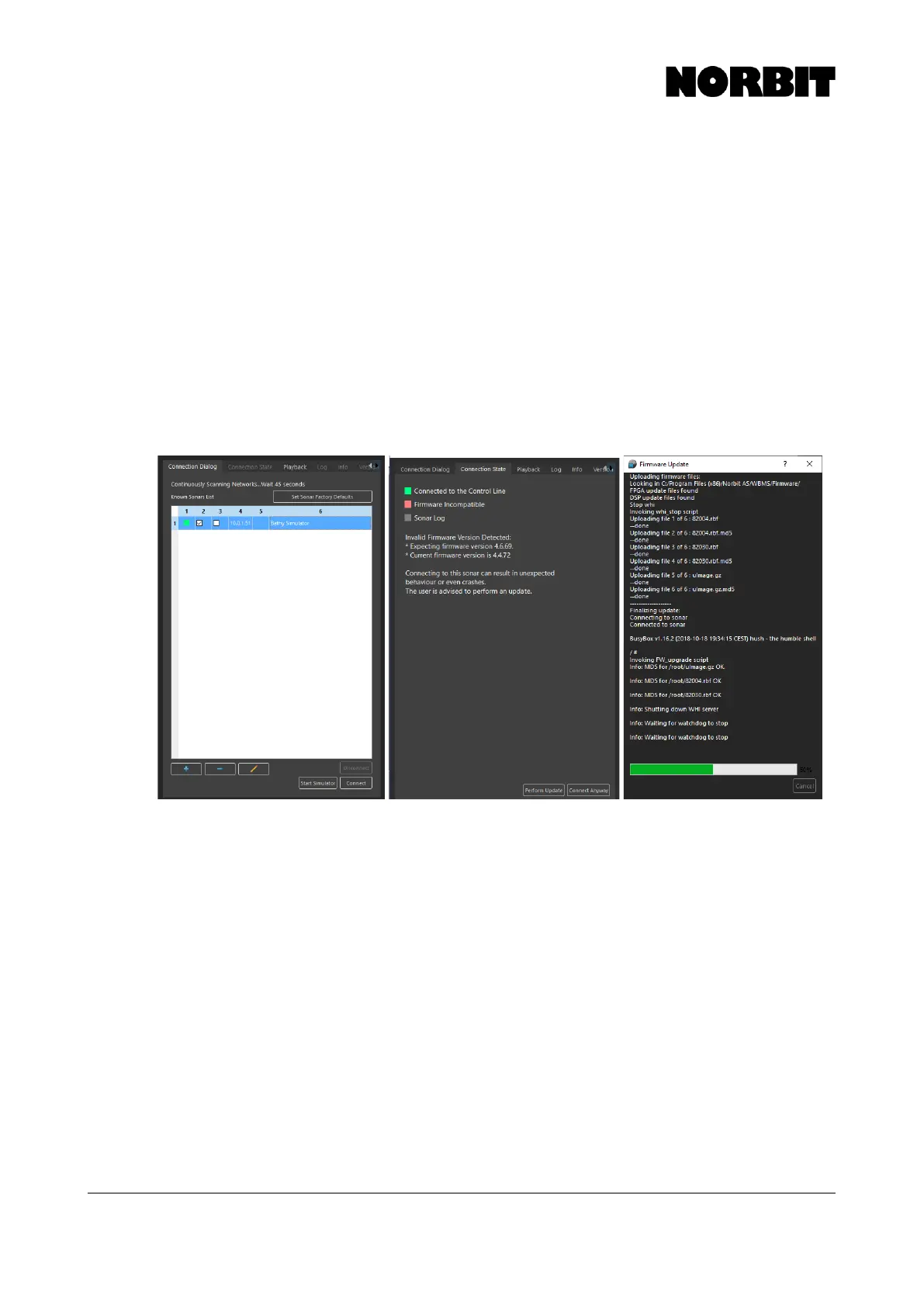
Upon launching the GUI, the Connection Dialog is displayed. If a sonar is active and, on the
network, a green light is displayed next to it. A red light indicates that the sonar is not online. If a red
light is shown, and the sonar is powered on, check the network configuration (see section 4.2).
When a green light is displayed, select the sonar to highlight it and press Connect. After the first
successful connection is made, all subsequent connections to the sonar are automatic.
Once connected, an automatic check is performed to ensure that the firmware is compatible. A
warning is displayed on the Connection State tab if the firmware is incompatible. To correct this,
click Perform Update and follow the on-screen instructions.
Please note that it is unsafe to turn off power to the sonar once the upgrade process has started,
and that doing so risks corrupting the system configuration. Operating a firmware and GUI with
mismatching versions may cause unstable operation.
When the upgrade is complete, reboot the sonar and follow the connection procedure as described
above.
The menus shown above are described in more detail in section 4.6.5.



 To Next Page