10.4.3 User Manual Contents April 17, 2020
Firmware: 5.2.1 Page 35 of 142
4.4
INS Tools for iWBMS, iWBMSh & iWBMSe
NORBIT has integrated Applanix functionality to the NORBIT GUI, meaning that both the sonar and
INS may be setup and controlled from the same user interface. The INS Tools are found at the
bottom of the settings menu, and the INS Setup Wizard allows users to configure offsets and GNSS
corrections.
For users with standalone WBMS systems, or iWBMSc, most settings under INS Tools are greyed
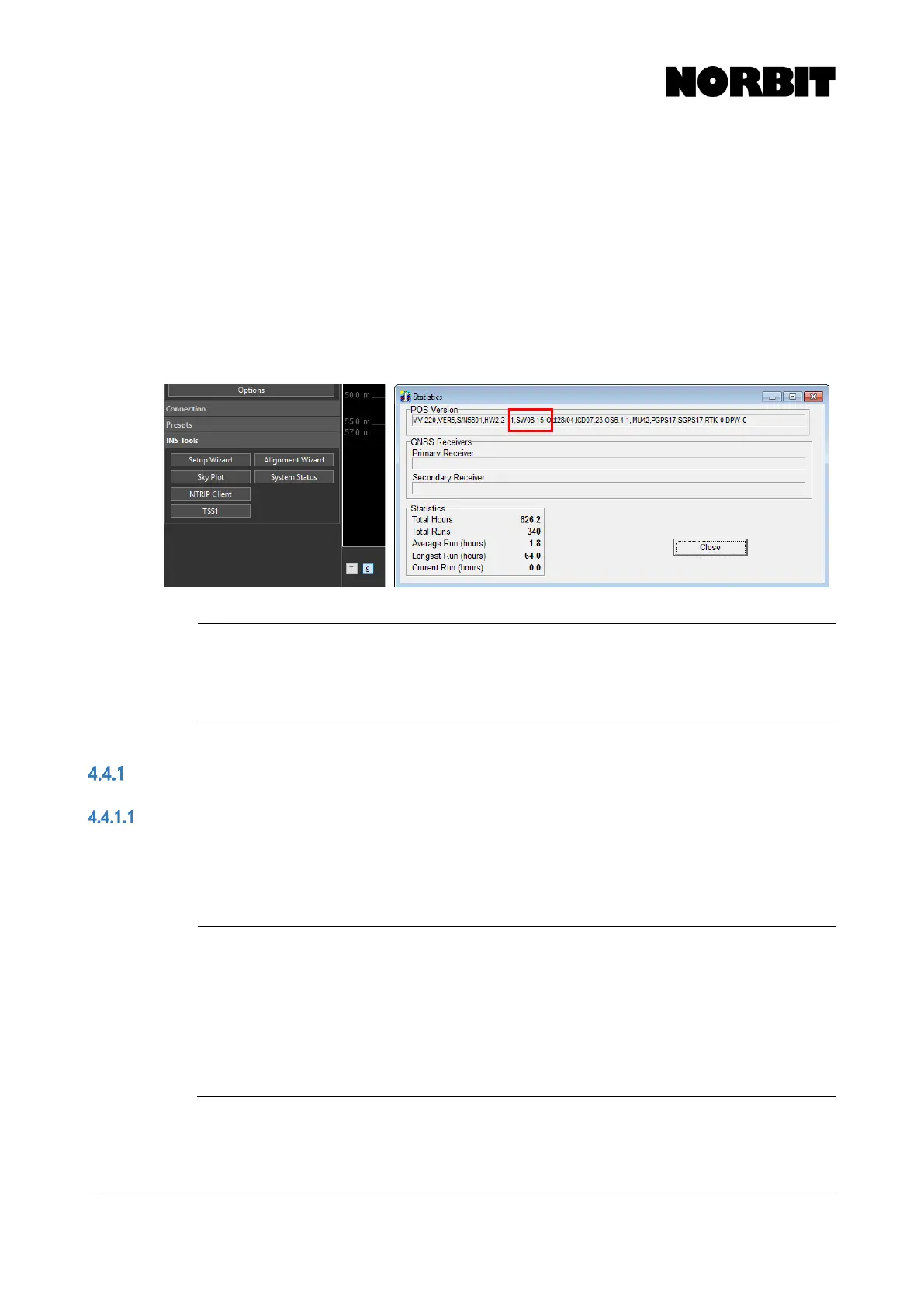
out. Users with integrated systems must have Applanix firmware v9.03 or later. To request an
upgrade, open POSView and select View > Statistics, and send a screenshot of this display to
NORBIT Support. The currently installed firmware is shown under POS Version, and is highlighted
in the example below.
NOTE: Firmware Upgrade Cost
For some users, firmware upgrades may incur additional cost from Applanix.
To find out if this applies to your system, please contact NORBIT support
with a screenshot of the Statistics window, as shown above.
INS Setup Wizard
Factory Settings
NORBIT advises that, prior to each new installation, the factory default settings are restored. Open
the INS Setup Wizard and select Factory. Note, this only resets the INS configuration and has no
impact on the sonar configuration or GUI display preferences.
CAUTION: Incorrect Offsets When Changing Computers
Offsets entered in the wizard are stored on the computer from which the
setup was performed. If the survey computer is changed, the displayed
Measure Point to Antenna Bottom offset is from WBMS Ref. Point (not
Top Center of Bracket) to primary antenna phase center. Although the
displayed offset is incorrect, it does not affect operation unless the
configuration is re-saved. To display the correct offset, it must be re-entered
and saved. NORBIT recommends reviewing all inputs prior to each survey.



 To Next Page