Applying factory settings configures the system to output Ethernet Realtime groups 1, 3, 7, 10,
11, 20, 102, 103, 111, 112, and 113.
It also configures Ethernet logging to record groups 1, 2, 4, 5, 9, 10, 99, 102, 110,
111, 112, 113, 10001, 10007, 10008, 10009, 10011, 10012, 20000 Diagnostics,
and Applanix Diagnostics, as well as ZDA and PPS for sonar timing. This data can be used
to extract delayed heave (also known as True Heave), or to post-process GNSS data using POSPac.
Note that the above group selections are pre-configured and cannot be changed in the NORBIT
GUI. All groups required by the acquisition software (HYPACK, QINSy, PDS, EIVA, etc.) are
included in the pre-configured selection.
IMU Offset & Mounting Angles
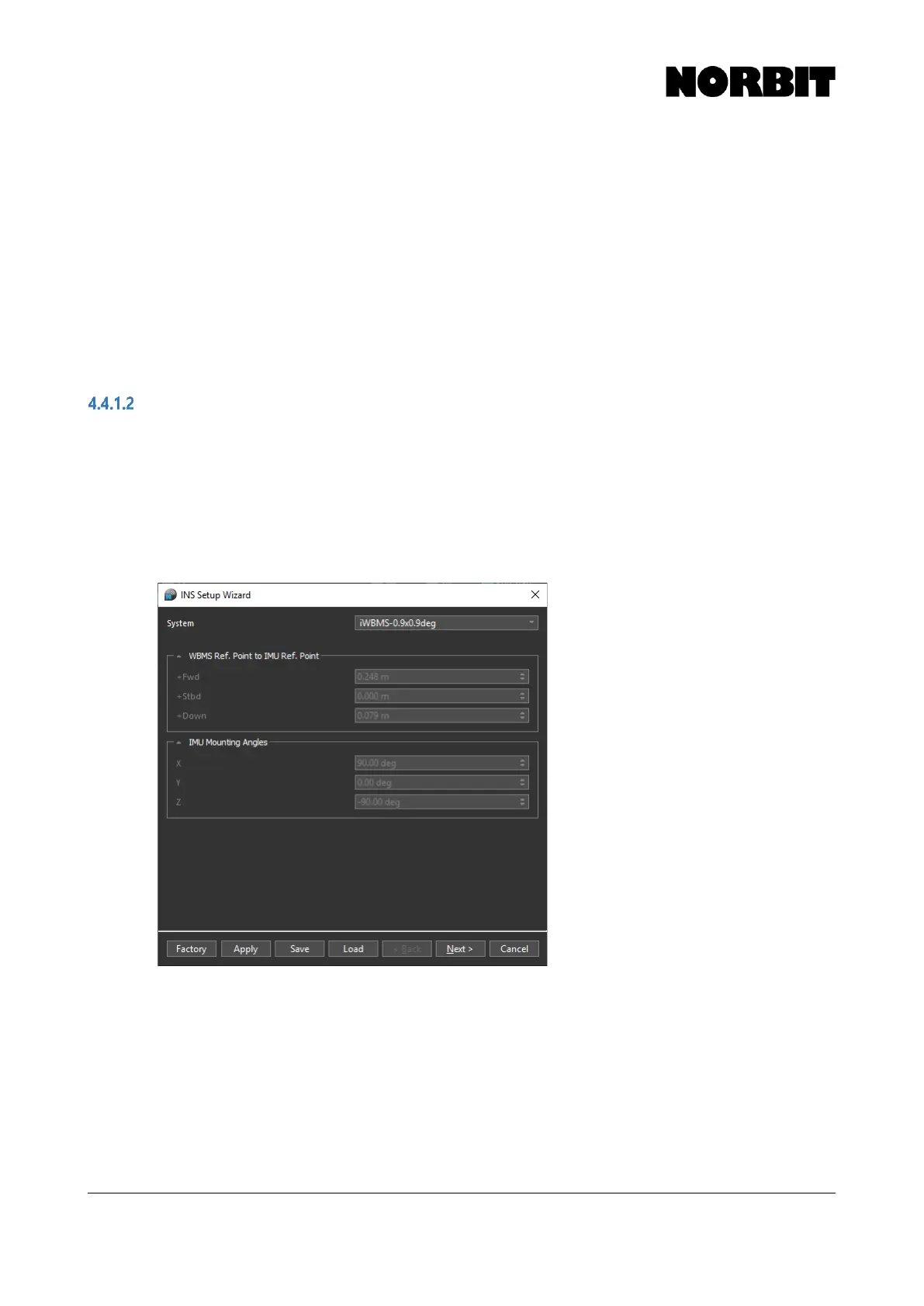
The first page of the setup wizard shows the sonar model in the System selection and the relevant
offsets and mounting angles applicable for that model. The model is automatically detected, and for
most users there is nothing to change here.
The offsets are collapsed by default. To display them, click the down arrow. If custom offsets or
mounting angles are required, select the Custom system option. This is only required for advanced
installations, where the IMU is physically decoupled from the sonar and installed at a separate
location on the vessel.



 To Next Page