10.4.3 User Manual Contents April 17, 2020
Firmware: 5.2.1 Page 45 of 142
Logging
The GUI automatically logs raw Applanix INS/True Heave data when the GUI is launched, using the
Applanix binary (*.000) format. The log folder path is displayed by hovering over the Logging
indicator:
The logging location may be changed by selecting Advanced > Options > Paths. It is also possible
to disable logging, by deselecting GNSS/INS Raw Observables. NORBIT recommends that users
do not disable INS logging. Refer to the Advanced section for more details.
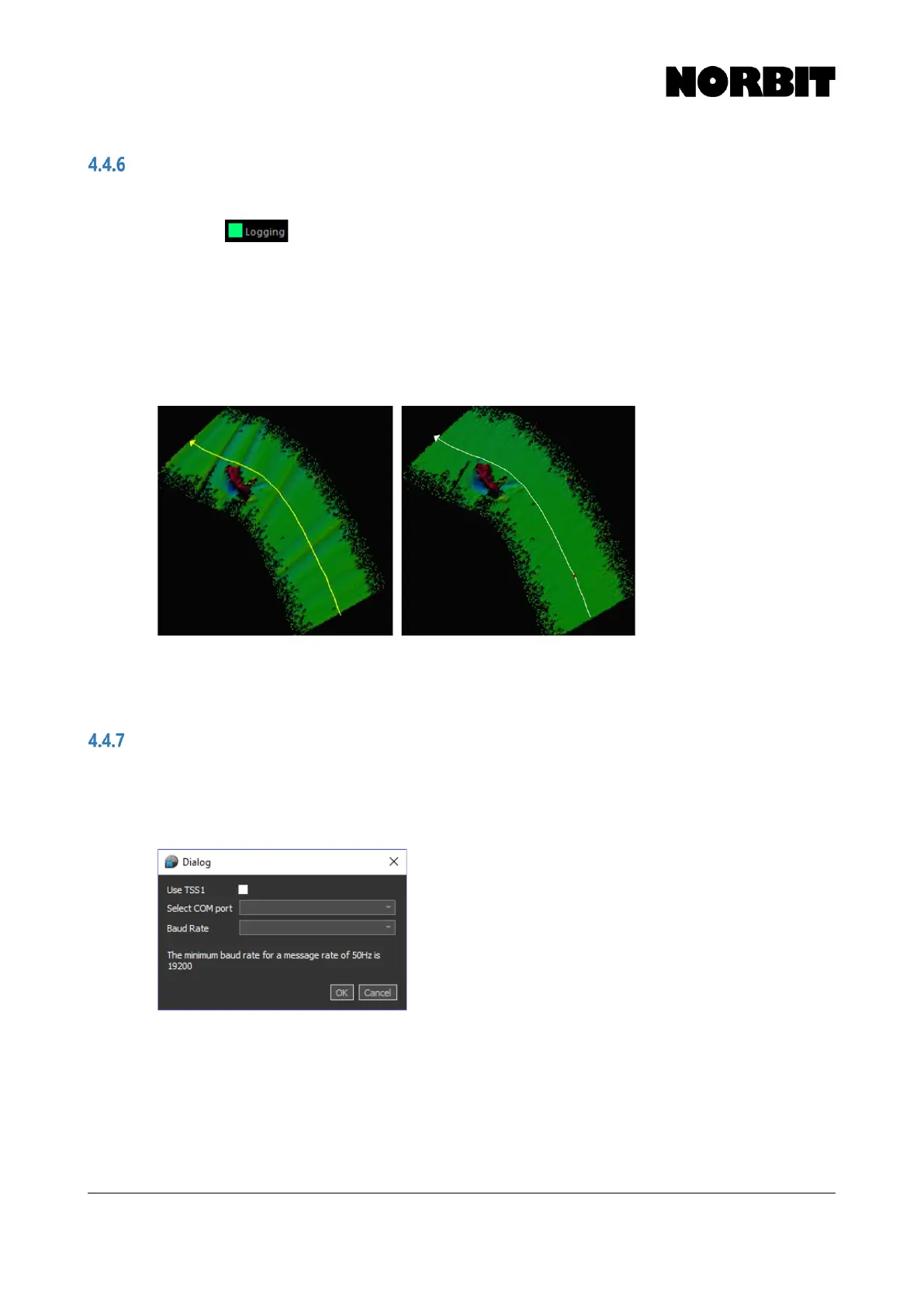
The *.000 file serves a dual purpose. First, it may be applied as True Heave in post-processing to
reduce heave artefacts, without the need for a POSPac license. The example below shows a
comparison of data with real time heave (left) and True Heave (right).
Secondly, the *.000 files can be processed in POSPac MMS for application of PPK data with
improved position quality. Post-processing the GNSS data allows RTK dropouts to be recovered.
TSS1
For standalone (non-integrated) WBMS systems, a TSS1 message can be interfaced from an
external motion sensor for roll stabilization. The TSS1 message should be interfaced to the computer
via a COM port. Select Use TSS1, then select the COM port and Baud Rate. Click OK. The baud
rate must match the output from the motion sensor.



 To Next Page