10.4.3 User Manual Contents April 17, 2020
Firmware: 5.2.1 Page 46 of 142
4.5
Main WBMS GUI Display
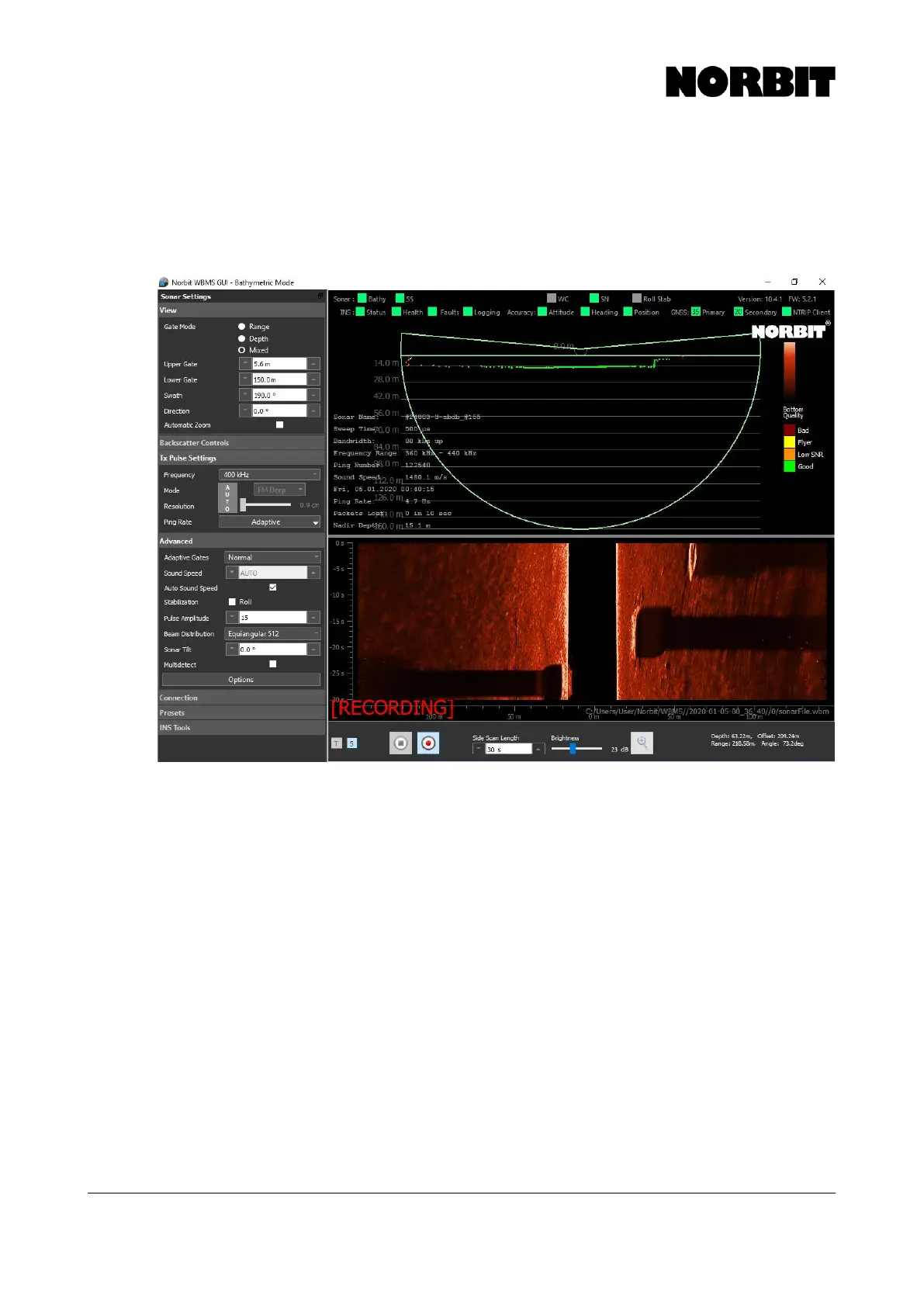
When a successful connection is established, the sonar wedge is displayed, and logging of
GNSS/INS raw observables automatically begins. Backscatter data may also be displayed. The
image below shows an example of the main display with both raw sonar and GNSS/INS data being
recorded.
The sonar wedge shows a single ping of data from a thin slice of the water column. The wedge
comprises 256 or 512 overlapping beams, which each contains a depth sounding.
The sonar wedge is used to assess data quality and swath coverage. Currently applied settings and
statistics are summarized and displayed right of the sonar settings, and left of the sonar wedge, e.g.
frequency, sound speed, date and time, and ping number. The software and firmware versions are
displayed at the top right corner. Check the NORBIT support web pages to verify that you have the
latest version.
4.6
Sonar Settings Menus
The left column contains several expandable menus. NORBIT recommends that the View menu
always be expanded, as this requires the most attention and operator input.



 To Next Page