EasyManua.ls Logo

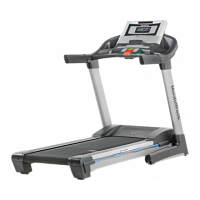
NordicTrack Elite zi - User Manual

NordicTrack Elite zi
36 pages
Print Icon
To Next Page IconTo Next Page
Loading...
CAUTION
Read all precautions and instruc-
tions in this manual before using
this equipment. Save this manual
for future reference.
Serial Number Decal
Model No. 30857.0
Serial No.
Write the serial number in the space
above for reference.
QUESTIONS?
As a manufacturer, we are com-
mitted to providing complete
customer satisfaction. If you
have questions, or if parts are
damaged or missing, DO NOT
CONTACT THE STORE. For as-
sistance, please contact our
Customer Service Department.
CALL TOLL-FREE:
1-888-936-4266
Mon.–Fri., 8:00 until 17:00 ET
(excluding holidays)
OR E-MAIL US:
customerservice@iconcanada.ca
USER'S MANUAL
www.nordictrack.com
Visit our website at
w

Questions and Answers

  • D
    David HawkinsAug 4, 2025
    How to turn on NordicTrack Elite zi Treadmill?
    • S
      seanwilliamsAug 4, 2025
      First, ensure the power cord is properly plugged into a surge suppressor, which is then plugged into a grounded outlet. Make sure the surge suppressor meets the specifications described on page 13 of the manual, and do not use GFCI-equipped outlets. Then, check that the key is fully inserted into the console. Lastly, examine the reset/off circuit breaker on the treadmill frame near the power cord. If the switch protrudes, wait five minutes before pressing it to reset.
  • J
    Joe CummingsAug 8, 2025
    Why does my NordicTrack Elite zi Treadmill turn off during use?
    • T
      Taylor RomeroAug 8, 2025
      If your treadmill shuts off during use, start by checking the reset/off circuit breaker. If it has tripped, wait five minutes, then press the switch to reset it. Also, ensure the power cord is securely plugged in; if it is, unplug it, wait five minutes, and plug it back in. Another step is to remove and reinsert the key from the console. If these steps don't resolve the issue, please consult the front cover of this manual for further assistance.
  • T
    Tracey LeeAug 14, 2025
    How to recalibrate incline on NordicTrack Elite zi?
    • R
      Robert CurryAug 14, 2025
      To recalibrate the incline, hold down the Stop button and the Speed increase button simultaneously. While holding them, insert the key into the console, then release both buttons. Next, press either the Incline increase or decrease button. The treadmill should automatically rise to its maximum incline and then return to the minimum, recalibrating the system. If it doesn’t calibrate, press the Stop button, then press the Incline increase or decrease button again. Once calibrated, remove the key from the console.
  • B
    Benjamin ContrerasAug 19, 2025
    How to turn off demo mode on NordicTrack Elite zi?
    • J
      Janice MccormickAug 19, 2025
      The console may be in display demo mode, which is intended for use in stores. To turn off this mode, hold down the Stop button for a few seconds. If the displays are still lit, refer to THE INFORMATION MODE on page 22 to turn off the demo mode.
  • J
    Jesus HoodAug 25, 2025
    What to do if NordicTrack Elite zi walking belt slips or is off-center?
    • V
      Victoria WilliamsAug 25, 2025
      If the walking belt is off-center, remove the key and unplug the power cord. If the belt is shifted left, turn the left idler roller bolt clockwise 1/2 turn. If it's shifted right, turn it counterclockwise 1/2 turn. Avoid overtightening. Plug in the power and key, and run the treadmill briefly to check. Repeat until centered. If the belt slips, unplug the treadmill and remove the key. Turn both idler roller bolts clockwise 1/4 turn. The belt should be tight enough to lift each edge 3-4 inches off the platform. Keep the belt centered, plug in the treadmill, insert the key, and walk on it for a few minutes to check. Repeat as needed.
  • P
    Patricia FarleyAug 28, 2025
    Why does NordicTrack Elite zi walking belt slow down when I walk on it?
    • T
      tracymorrisonAug 28, 2025
      First, ensure you are using a single-outlet surge suppressor that meets the specifications described on page 13. If the walking belt is too tight, remove the key and unplug the power cord. Use the hex key to turn both idler roller bolts counterclockwise 1/4 of a turn. When properly tightened, you should be able to lift each edge of the belt off the platform. Keep the belt centered. Plug the power cord back in, insert the key, and run the treadmill for a few minutes. Repeat until the belt is properly tightened. If the issue persists, please see the front cover of this manual.

Summary

Warning Decal Placement

Important Precautions

General Safety Precautions

Essential safety measures for treadmill operation, covering user health, environment, and usage rules.

Before You Begin

Treadmill Component Identification

Familiarize yourself with the treadmill's parts using the provided diagram.

Assembly

Initial Frame and Upright Assembly

Securely attach base, uprights, and related components using provided hardware.

Console and Handrail Installation

Connect and mount the console and handrail assembly, ensuring all wires are properly connected.

Final Frame and Storage Mechanism Assembly

Secure the console, frame, and install the storage latch and accessory trays.

Operation and Adjustment

Electrical Safety and Power Connection

Proper connection of power cord, surge suppressor, and grounding for electrical safety.

Console Overview and Manual Mode

Understanding console functions and operating the treadmill in manual mode.

Workout Modes

Guides for using preset, custom, pulse, and iFit workouts for varied training.

Console Information and Features

Accessing data, audio, cushioning adjustments, and pulse sensor details.

How to Fold and Move the Treadmill

Folding for Storage

Steps to safely fold the treadmill into its storage position, including incline adjustment.

Moving the Treadmill

Instructions on how to safely transport the folded treadmill using its wheels.

Lowering for Use

Guide to safely unfolding the treadmill from storage to its ready-to-use position.

Troubleshooting

Power and Display Issues

Solutions for common problems like no power, unexpected shutdowns, or console malfunctions.

Walking Belt and Incline Problems

Fixes for issues related to walking belt speed, alignment, slipping, and incline system calibration.

Exercise Guidelines

Exercise Intensity and Training Zones

Guidance on determining target heart rates for fat burning and aerobic exercise.

Workout Structure and Frequency

Recommendations for warming up, training duration, cooling down, and workout frequency.

Part List

Ordering Replacement Parts

Limited Warranty

NordicTrack Elite zi Specifications

General IconGeneral
FoldingYes
FoldableYes
Warranty10-Year Frame, 2-Year Parts, 1-Year Labor
Incline12%
Speed0 – 12 MPH
Display10" Touchscreen
Weight Capacity300 Lb.

Related product manuals