EasyManua.ls Logo

NormaTec PULSE PRO - User Manual

NormaTec PULSE PRO
30 pages
Print Icon
To Next Page IconTo Next Page
Loading...
WARNINGSPULSE User Manual
PULSE Pro
User Manual

Questions and Answers

  • P
    pearsonstephanieAug 2, 2025
    Why NormaTec Test Equipment system does not start?
    • K
      Karen RogersAug 2, 2025
      If your NormaTec Test Equipment system isn't starting, there might be a few reasons. First, make sure the power is turned on by pressing the Power Button. Then, verify that the Power Supply is securely connected to both the PULSE PRO Control Unit and the electrical outlet. Lastly, check if the electrical wall outlet is working properly.
  • J
    Jon WebbAug 8, 2025
    What to do if NormaTec PULSE PRO attachments do not inflate?
    • S
      Stephen ReedAug 8, 2025
      If the attachments (legs, arms, or hips) on your NormaTec Test Equipment aren't inflating, consider these possibilities: * Ensure the session has been started by tapping the Start Button. * Check that the NormaTec Hose is securely connected to the PULSE PRO Control Unit and that the attachments are securely connected to the Junction Box. * Make sure the attachments don't have an air leak.
  • X
    xtaylorAug 14, 2025
    What to do if NormaTec Test Equipment system stopped pumping?
    • R
      Robert CastroAug 14, 2025
      If your NormaTec Test Equipment system suddenly stopped pumping, check if the NormaTec Hose is securely connected to the PULSE PRO Control Unit and that the attachments are securely connected to the Junction Box. Also, verify that the attachments do not have an air leak.
  • A
    Ashley ZhangAug 21, 2025
    How to fix error message on NormaTec PULSE PRO Test Equipment?
    • P
      pbrownAug 21, 2025
      If you're seeing an error message on your NormaTec Test Equipment, it may indicate a potential air leak. Check the connections and look for leaks in the NormaTec Hose or attachment. If you cannot find the leak, call NormaTec.
  • E
    Erica QuinnAug 27, 2025
    How to fix low battery on NormaTec PULSE PRO Test Equipment?
    • L
      Larry GarnerAug 27, 2025
      If you're getting a low battery notification on your NormaTec Test Equipment, the battery needs to be charged. Simply plug in the Control Unit to charge the battery.

Summary

Warnings

System Components and Illustrations

Pulse Pro Control Unit

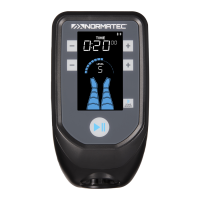
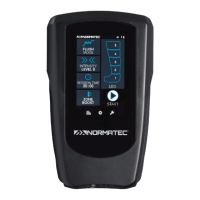
Illustrates and labels the main control unit of the system.

Normatec Hose

Details and labels the NormaTec Hose component.

Operating Instructions

System Setup and Connections

Step-by-step guide for setting up the NormaTec PULSE PRO system.

Basic Session Controls

Guide to selecting attachments, modes, intensity, and session time.

Session Management

Procedures for starting, pausing, stopping, and finishing a session.

Advanced Features

Instructions for turning off, using Zone Boost, and Custom Mode.

System Options

System Care and Maintenance

Cleaning the System

Procedures for cleaning the control unit and attachments.

Technical Information

Troubleshooting

System Issues and Solutions

Guide to common problems and their solutions for the system.

Warranty Information

Return Policy

NormaTec PULSE PRO Specifications

General IconGeneral
BrandNormaTec
ModelPULSE PRO
CategoryTest Equipment
LanguageEnglish

Related product manuals