38 Installing and connecting a Series 2332 Access Point
NN47250-302 (324136-A Version 01.03)
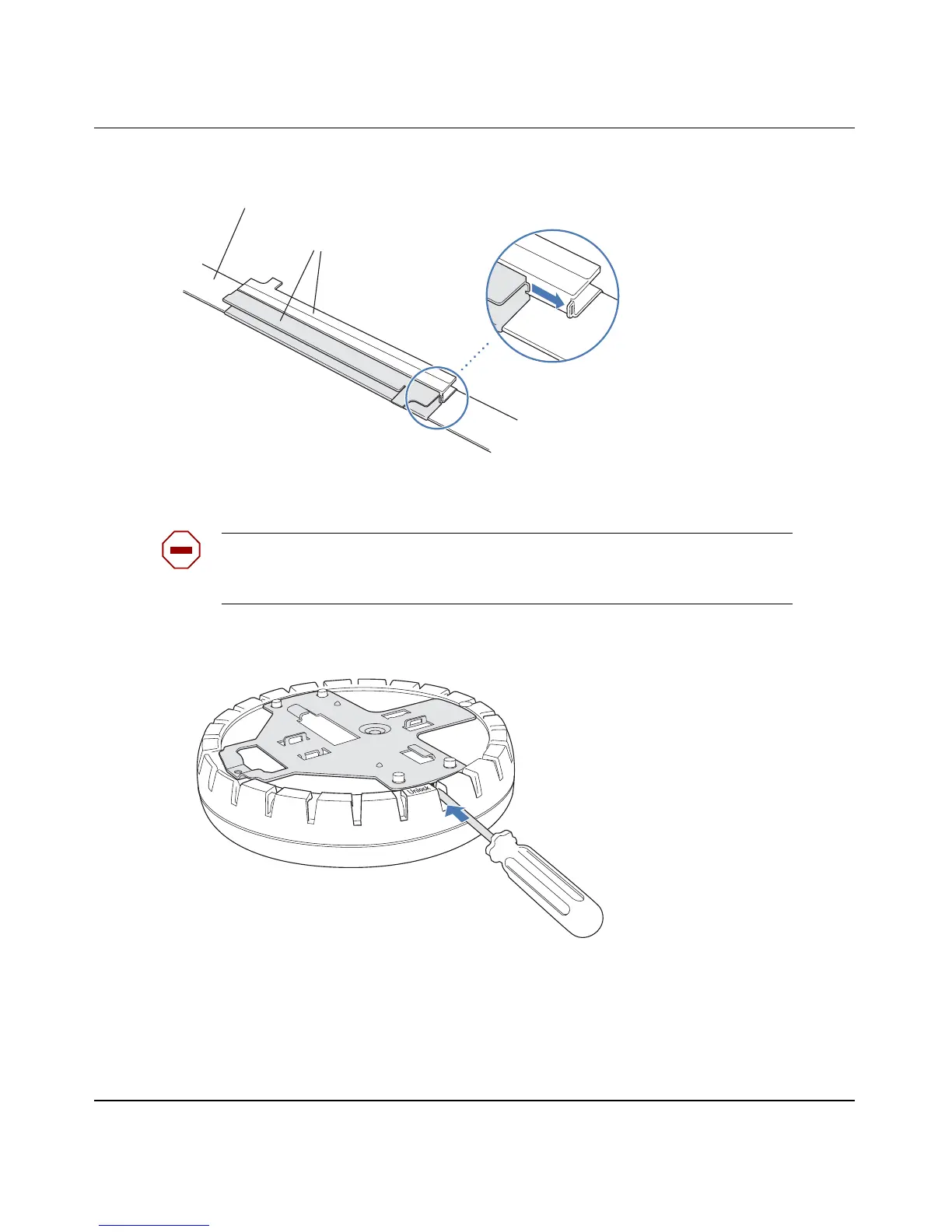
Figure 6. Step 4—Installing a T-bar Clamp
5 Unlock the universal mounting bracket from the AP by inserting the 3-mm or 1/8-inch screwdriver into
the Unlock hole on the AP as shown in Figure 7.
Figure 7. Step 5—Unlocking the Bracket
6 Remove the bracket as shown in Figure 8 on page 39.
Caution! To avoid damage to the AP’s lock mechanism or electronic
components, do not use excessive force when inserting a tool into the Unlock or
Lock hole.
T-bar
T-bar clamp halves
Slide together
840-9502-0003
840-9502-0011


 To Next Page