Filters and QoS Configuration for ERS 5500
Technical Configuration Guide v2.0 NN48500-559
___________________________________________________________________________________________________________________________
Nortel Confidential Information Copyright © 2008 Nortel Networks. All Rights Reserved.
External Distribution
64
12.6 Configuration Example 5 – L2 and L3 Classification
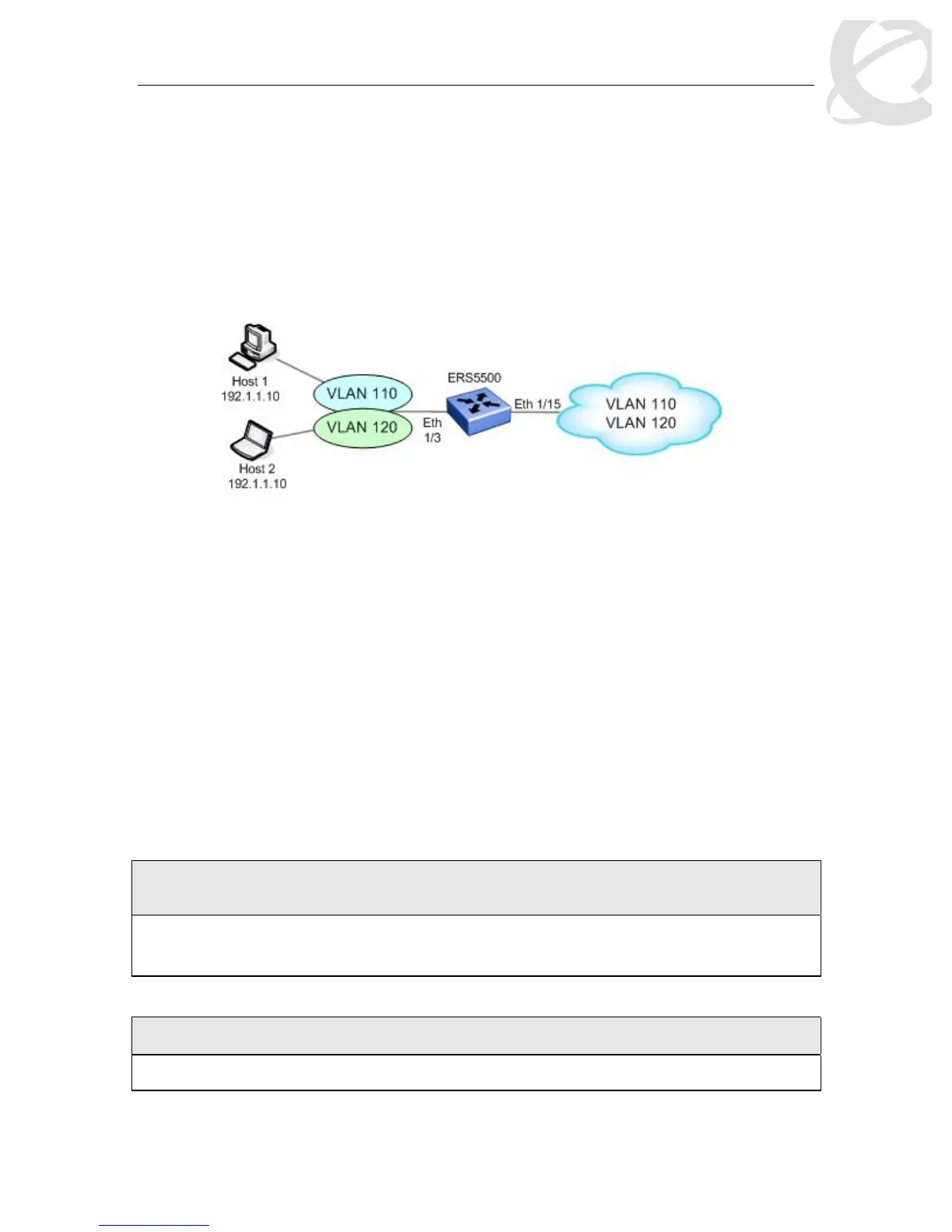
In this configuration example, the Ethernet Routing Switch is used as L2 switch with two VLANs
providing L2 private VLAN services. Both VLAN’s have the same over-lapping IP addresses
where workstation 1 and 2 are used to provide high-touch services. Overall, we wish to
accomplish the following tasks:
• Setup a policy to provide Gold service for host 1 and Silver service for host 2
• For all other non-match traffic, set the default service class to Bronze service.
Figure 8: L2 and L3 Classification Example
The best way to accomplish these tasks is to:
• Create a Role Combination for port 1/3
• Create the first classifiers element with host 1’s IP address and VLAN 110 and add to
Classifier Block 1 with an in-profile action of Gold Service
• Create a second classifier element with host 2’s IP address and VLAN 120 and add to
Classifier Block 1 with an in-profile action of Silver Service
• Create a Policy with Classifier block 1 and the Role Combination for port 1/3 with a non-
match action of Bronze Service
L
At this time, it is only possible to combine L2 and L3 filters using policies. It is not
possible to combine IP-ACL’s with L2-ACL’s.
12.6.1 ERS5500 Configuration – Using Policies
12.6.1.1 Create a Separate Role Combination for Port 1/3
ERS5500 Step 1 – Add new role combination for port 1/3 configured as untrusted and add
port member 1/3
ERS5500-24T(config)# qos if-group name Int_group_2 class untrustted
ERS5500-24T(config)#
qos if-assign port 1/3 name Int_group_2
12.6.1.2 Add IP and L2 Classifiers Elements
ERS5500: Step 1 – Add IP elements with source address of 192.1.1.10
5500(config)#qos ip-element 1 src-ip 192.1.1.10/32














 To Next Page