Filters and QoS Configuration for ERS 5500
Technical Configuration Guide v2.0 NN48500-559
___________________________________________________________________________________________________________________________
Nortel Confidential Information Copyright © 2008 Nortel Networks. All Rights Reserved.
External Distribution
69
12.8 Configuration Example 7 – Interface Shaping
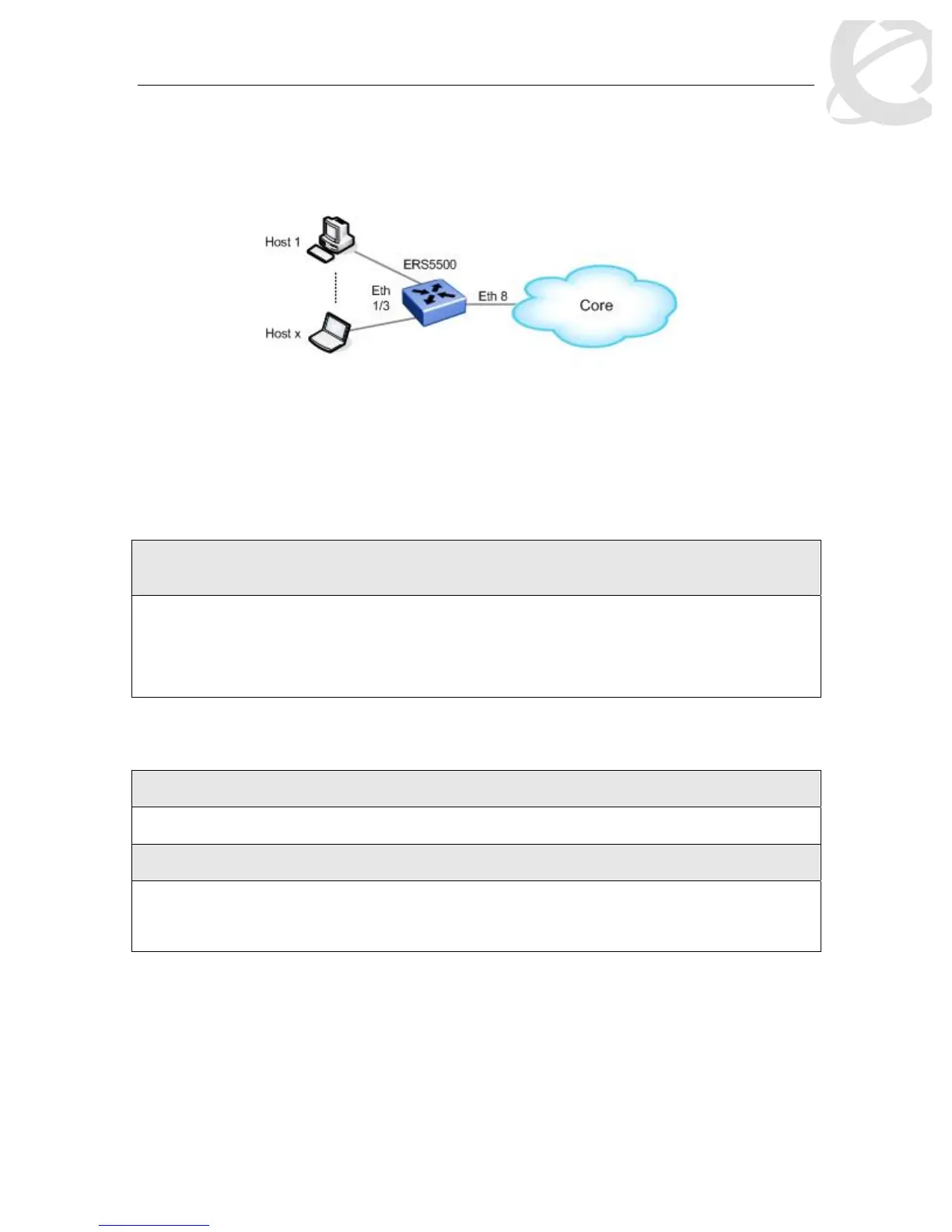
In this configuration example, we wish to add port shaping to port 8 and set the shaped rate to 40
Mbps. Also, we wish to use the maximum bucket size (burst duration) available of 512M.
Figure 9: Port Shaping Example
To add port shaping to port 8, please enter the following commands:
12.8.1.1 Enable Shaping on Port 8
As mentioned in section 5.3, if you do not specify maximum burst duration, the maximum bucket
size will automatically be configured. For a 10/100 Mbps or 1 GigE port, the value will be 524,288
bytes. Hence, it does not matter what value you enter as the max-burst-rate as long as it is
greater than the shaped-rate.
ERS5500 Step 1 – Configure port 8 with a committed shape rate of 40 Mbps and a burst
rate of 50 Mbps
ERS5500-24T(config)#interface fastEthernet all
ERS5500-24T(config-if)#qos if-shaper port 8 shape-rate 40000 max-burst-rate
50000
ERS5500-24T(config-if)#exit
12.8.2 Verify Operations
12.8.2.1 Verify Shape Rate Configuration
Step 1 –View the shape rate configured on port 8
ERS5500-24T#show qos if-shaper port 8
Result:
Unit Port IfIndex Name Rate Burst
Size
(Kbps) (Bytes)
____ ____ _______ ________________ ________ ________
1 8 8 40000 524288




 To Next Page