Assigning Trunk/line data 261
Programming Operations Guide
PRI fields
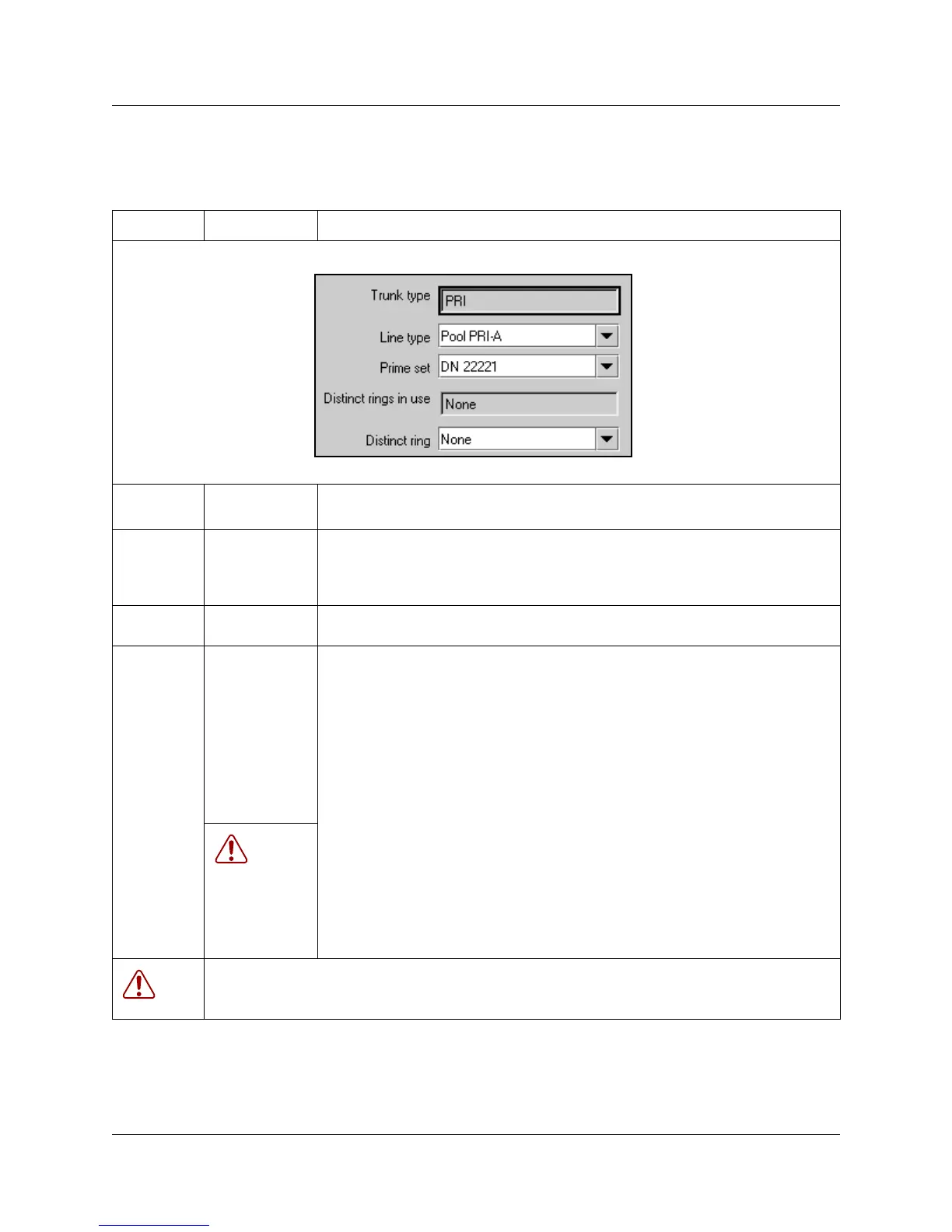
Table 37 PRI line fields
Attribute Value Description
Line type PRI A to PRI-F Define how the line is used in relation to other lines in the system.
• PRI A to PRI F: you must use routes and destination codes to direct PRI lines.
Prime set DN:
None
Assign a telephone to provide backup answering for calls on the line. For an Auto
Answer line, calls are redirected if the received number is invalid or the target line is
busy, and if the If busy parameter is set To prime.
Each line can be assigned only one prime telephone.
Distinct rings
in use
read-only This field shows the Distinct Ring Patterns that have already been assigned to at
least one line.
Distinct ring None
Pattern 2
Pattern 3
Pattern 4
Choose the distinctive ring pattern that you want to assign to the line. This allows
you to provide selective service to calls with differing answer priorities.
When more than one line with the distinct ring settings rings at a telephone, the line
with the highest priority will ring first.
• Pattern 4 has the highest ring priority
• Pattern 3 has second highest ring priority
• Pattern 2 has third highest ring priority
• None has the lowest ring priority.
By default, all telephones and lines are set to None
WARNING:
If you assign a distinctive ring pattern to a line, and that distinctive ring pattern has
already been assigned to a telephone, all telephones with that ring pattern will be
reset to pattern 1.
If you assign a distinctive ring pattern to a telephone, and that distinctive ring
pattern has already been assigned to a line, all lines with that ring pattern will be
reset to None.
WARNING: Enable modules
If you disabled any trunk media bay modules prior to performing programming, enable them now to
ensure your system will function properly.



 To Next Page