Default button assignments 443
Programming Operations Guide
WLAN IP telephone default settings
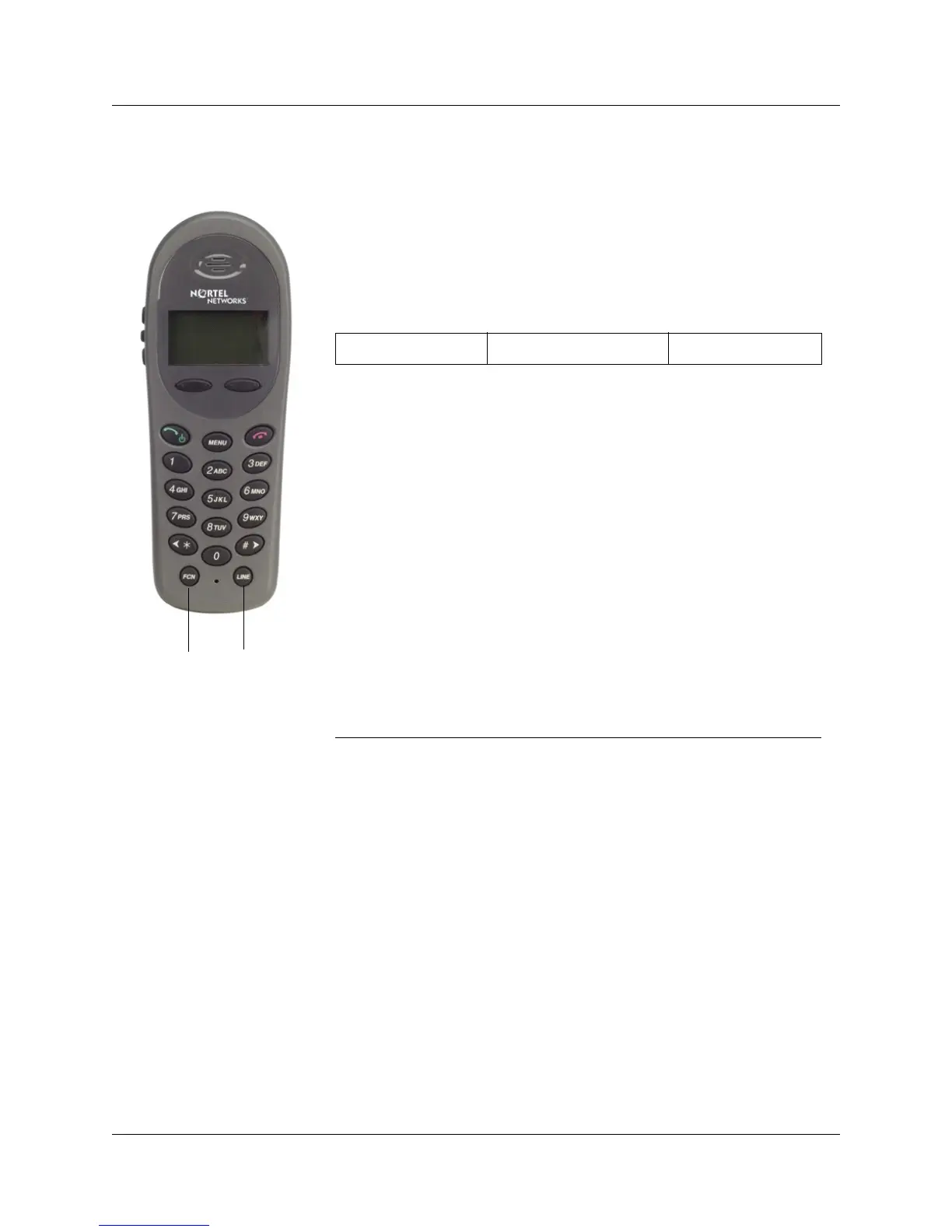
This handset emulates the 2004 IP telephone in how it functions.
However, since it does not have memory keys with indicators, a soft
display menu provides the button equivalents. These settings cannot be
changed. The handset does have display keys that can be used to interact
with the display prompts.
Table 88 WLAN IP telephone button menu equivalents
2004 button name 2004 default feature WLAN access
1 Programmable Line +1
2 Programmable Line +2
3 Programmable Line +3
4 Programmable Line +4
5 Programmable Line +5
6 Programmable Line +6
Mute Mute FCN + 1
Hold Hold FCN + 2
Directory Directory FCN + 4
Inbox Inbox FCN + 5
Outbox Outbox FCN + 6
Softkey Softkey A
Softkey Softkey B
Softkey Softkey C
Softkey Softkey D
Line button
Function (FCN)
button



 To Next Page