Northstar Explorer 538i/538 Installation and Operation Manual
12
2-7 Simulate mode
In Simulate mode, the Explorer 538/538i ignores
data from the GPS antenna and other transducers
and sensors and the Explorer 538/538i generates
this data itself. Otherwise, the Explorer 538/538i
functions normally.
There are two simulate modes:
Normal: Allows a user to become familiar
with the Explorer 538/538i off the water.
Demo: Simulates a boat moving along
a route and automatically displays different
Explorer 538/538i functions.
To start and stop Simulate mode, and for more
information, see section 14-12. In simulate mode,
Simulate or Demo flashes at the bottom of
the display.
Never have Simulate mode on when the
Explorer 538/538i is navigating on the water.
SmartCraft menu and displays
The SmartCraft displays require a SmartCraft
system to be installed. For information on
using SmartCraft, see the SmartCraft Gateway
Installation and Operation Manual.
To go to a display, press
, press or
to select the type of display to show, press
or
to select the display from the list, then press
.
2-8 The main displays
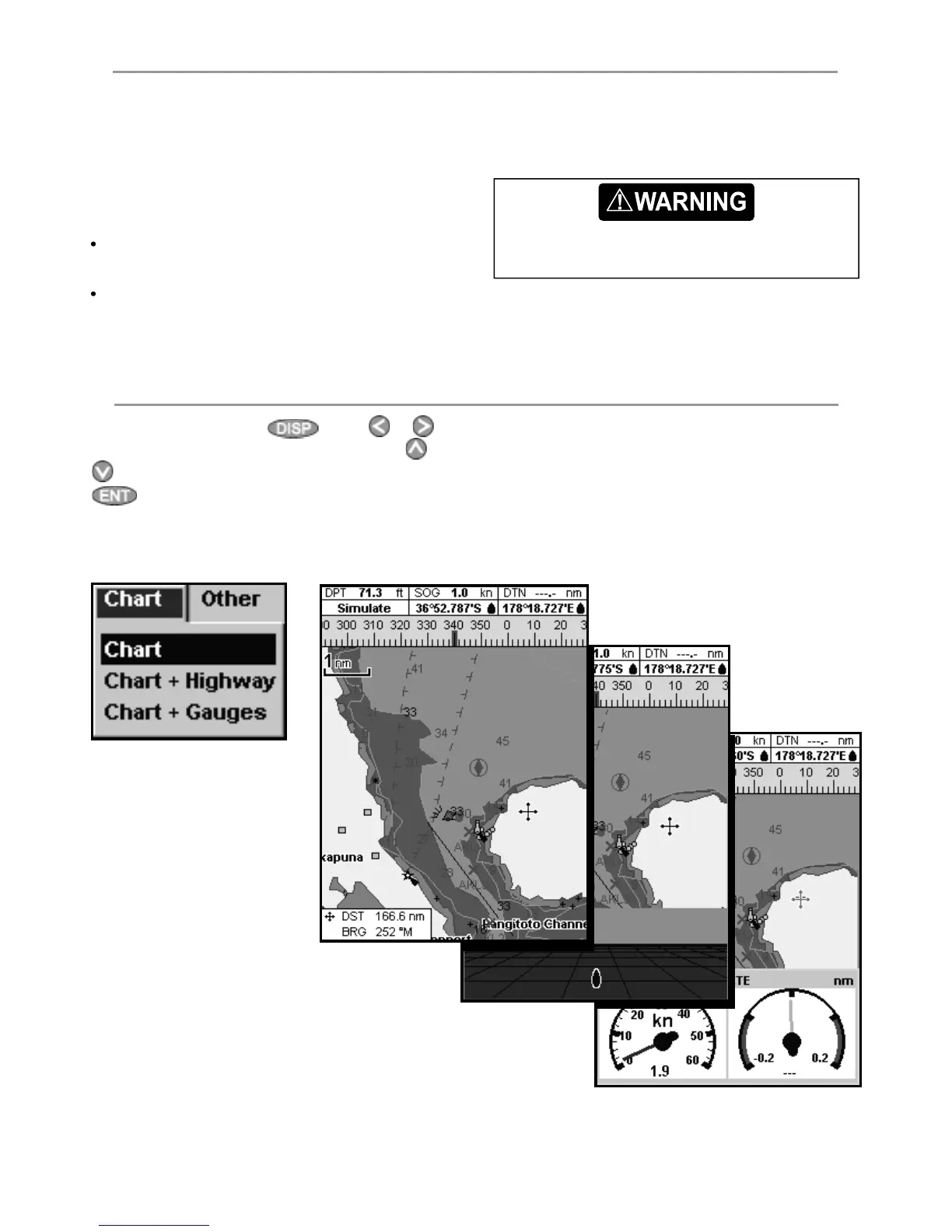
Chart menu and displays
The available displays depend on the optional
sensors and instruments that are installed (see
section 1-1).



 To Next Page