Northstar Explorer 538i/538 Installation and Operation Manual
16
A waypoint is a position that you can set on the
Explorer 538/538i chart, for example a fishing
spot or a point on a route (see section 5).
Going to a waypoint from the chart display
1 Go to the chart display.
2 Move the cursor to the waypoint: either use
the cursor keys or use Find (see section 3-2-5).
3 Press
and select Goto.
3-1-2 Going to a waypoint or to a point on the chart
Going to a waypoint from the waypoints
display
1 Go to the waypoints display.
2 Press
or to highlight the waypoint to
go to.
3 Press
and select Goto.
3-1-1 Navigating to a point
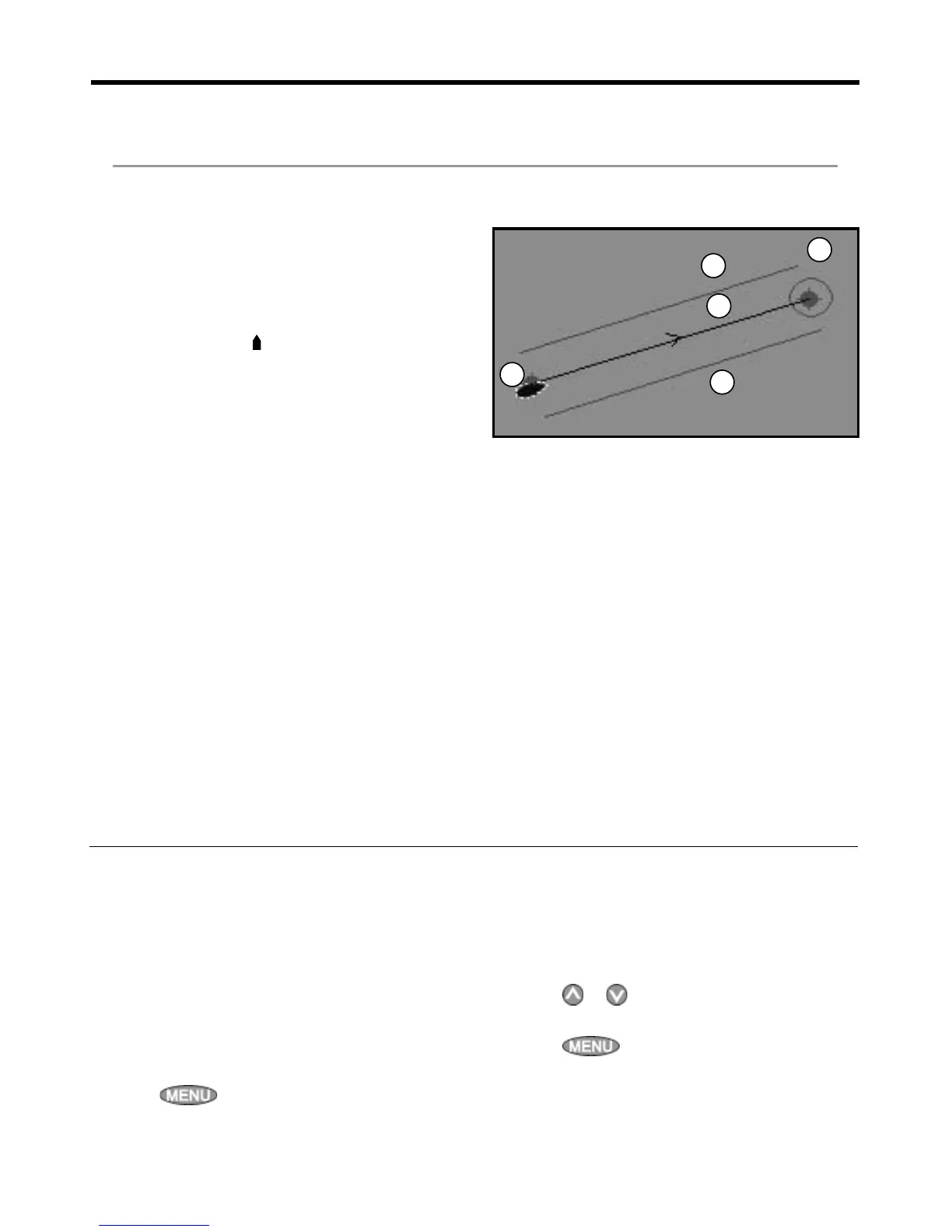
When the Explorer 538/538i is navigating to
a point, the chart and highway displays show
navigation data:
A The boat position .
B The destination point marked with a circle.
C The boat’s plotted course to the destination.
D Two CDI lines, parallel to the boat’s plotted
course, which indicate the maximum
expected deviation from the plotted course.
For more information, see appendix C.
If the Explorer 538/538i is connected to an
autopilot, the Explorer 538/538i will send data to
the autopilot to steer the boat to the destination.
Start the autopilot before starting to navigate to
the point.
If the Explorer 538/538i has no autopilot, steer the
boat manually:
a use the boat position and destination on
the chart or highway displays
b or use navigation data displayed on the
data header (see section 2-8-2)
c or use COG and BRG on the compass (see
section 2-8-3).
Note:
1 If the XTE alarm is enabled, an alarm will
sound if the boat deviates too much from its
intended course (see section 14-7).
2 If the arrival radius alarm is enabled, then an
alarm will sound to show that the boat has
reached the destination (see section 14-7).
A
C
D
D
B
3 Navigation: Chart
3-1 Overview of navigating
The chart display shows the chart, the boat’s position course and navigation data.
The Explorer 538/538i has two ways of navigating, going straight to a point or following a route.



 To Next Page